Google Ranking Suddenly Dropped? Take These Steps NOW!
Everything was going so well, then…
BAM!
Your most important pages dropped several ranks out of nowhere.
What should you do?
A sudden drop in Google rankings can feel like a crisis.
Traffic drops, sales slow down, and the pressure to diagnose and fix the problem is immense.
Don’t panic yet! There are tried-and-true methods to recover from a ranking drop – you just have to know what steps to take.
Follow the simple steps in this article to navigate a ranking drop and come back stronger than before.
Let’s get started!
We’ll cover:
- Step 1: Diagnose the Problem
- Step 2: Optimize Your Website
- Step 3: Monitor Your Ranks
- Step 4: Refine Your Strategy
- FAQ
Step 1: Diagnose the Problem
One of the major errors many businesses make when they notice a ranking drop is assuming that they need to rush in and change everything immediately.
DON’T do that!
If your rankings drop and you start changing things before you know EXACTLY what caused the problem, you could just make it worse!
Remember: Rankings fluctuate constantly as Google constantly tests new search results. Daily rank changes are something to watch, but do not overreact to them too soon.
That’s why you need to start by figuring out what caused the problem – then, you can move on to fixing it efficiently.
Analyze Competitor Changes
When your rankings drop, one of the first things you should check is your competitors.
What kinds of articles have they published recently? Are they targeting any of your high-value keywords?
In other words, looking beyond your site and examining your competitors is essential. They might have implemented strategies that impacted your ranking.
Consider using the following competitor analysis tips to see if your competitors are the source of your rank drop:
- Use SEO and rank tracking tools (we’ll talk more about this below) to monitor your competitors’ activities. Look for significant changes in their backlink profiles, content updates, or technical SEO improvements.
- Check if competitors have targeted new keywords or improved their content for existing ones.
- Evaluate the quality of your competitors’ content. Higher quality and more comprehensive content could improve engagement and result in higher rankings (making yours rank lower by default).
Anything that makes your opponents look better to Google will necessarily make your pages look worse, so competitor analysis is a crucial place to start your research!
Check Google Search Console and Google Analytics
Google Search Console and Google Analytics are indispensable tools for diagnosing ranking drops.
For example, Google Search Console can tell you if you have any Google penalties or on-page issues, such as:
- Crawl errors
- Bad hyperlinks
- Bad sitemap
A Google Search Console performance report can help you analyze your recent performance. Seeing how your impressions, clicks, CTR, and other KPIs have changed over the last few days or weeks can tell you if your pages need to be revamped to better match search intent.
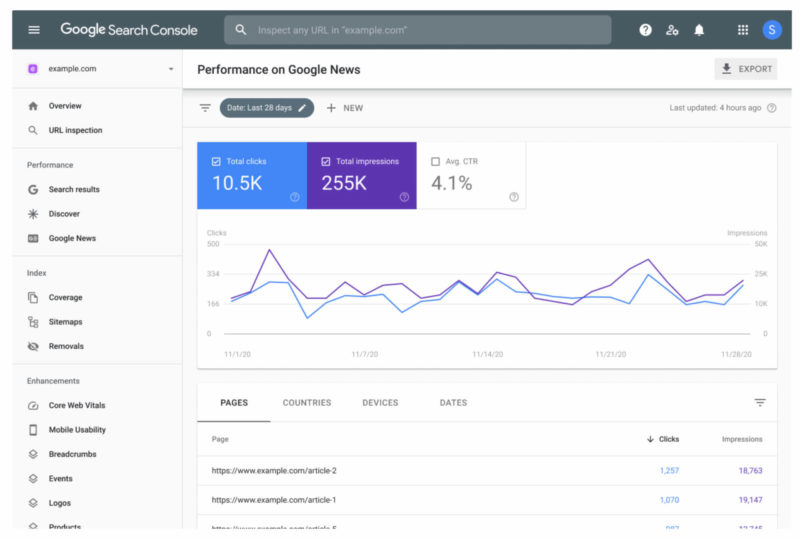
Similarly, Google Analytics has powerful information to help you discover what’s going wrong. It provides tools to help you see where your traffic is coming from, how long people spend on your pages, and many other important metrics.
Combining Google Search Console and Google Analytics helps you understand what might have caused the drops in your ranks, giving you a more straightforward path toward fixing the issues holding you back.
Review Algorithm Updates
It seems like Google is constantly changing its search algorithm, which can significantly impact rankings (not long ago, Google published its “Helpful Content” update, and many people found their rankings affected considerably).
If you drop in ranks and the above steps don’t help you understand why, it might be an algorithm update messing with your page. Use the following strategies to figure out if Google has made a recent change and how to fix it:
- Search for any Google announcements about recent or upcoming algorithm changes. Make any necessary adjustments BEFORE the algorithm changes are launched instead of after.
- Check SEO news sites like Search Engine Journal or Search Engine Land regularly for the latest updates and expert analysis. We also regularly post about important news here at the ProRankTracker blog, so check back regularly for news as well.
Step 2: Optimize Your Website
Now that you’ve found the source of your troubles, it’s time to do something about it.
In this section, we’ll discuss 3 significant steps you can take to recover from even the most severe hits to your rankings.
Remember that you want to fix the problems you discover – not just change things randomly. Take these tips as general guidelines and apply them to your situation for maximum effect.
Improve Content Quality
For many people, the problem will likely be with your content.
Even seasoned SEOs post content that Google doesn’t appreciate now and then.
But what can you do about it?
First, ensure the content that dropped in ranks is high-quality, relevant, and up-to-date.
Google favors content that provides value to users – especially after the helpful content update.
Keep the following in mind when improving your content’s quality:
- Update old posts. There’s still time to save the rankings of your posts even if Google decides they aren’t valuable. Go through them with a fine-tooth comb and bring them up to snuff.
- Remove duplicate content. Google hates it when websites recycle content on multiple pages.
- Ensure that all future content provides extreme value. Don’t ever post a “throwaway” piece. Your site’s material should be comprehensive and well-researched EVERY TIME.
Optimize On-Page SEO
Don’t forget about the technical side of your SEO!
If you found in step 1 that your GSC showed technical errors with your page, you MUST fix them immediately!
Even if you didn’t see anything in GSC, low on-page time and high bounce rates can indicate problems with your technical SEO or UX.
Check your on-page SEO and UX elements:
- Meta descriptions and titles
- Page load speed
- Sitemap
- Mobile-friendliness
Step 3: Monitor Your Ranks
After you’ve started to repair your ranks, you need to take steps to ensure you’re able to keep your ranks from dropping again (and keep improving them)!
This is the part of the process that many people want to ignore, but monitoring your ranks keeps you from needing emergency repairs in the future!
In this section, we’ll discuss how to monitor your ranks and use the information you gather to adjust your strategies for future success.
Use ProRankTracker to Track Your Ranks
As one of the best rank trackers on the market, ProRankTracker is an essential tool for tracking your rankings and recovering from drops.
PRT tells you exactly where your pages stand on the SERPs, giving you the information you need to improve your ranks.
To get started, just add your website and keywords to ProRankTracker in the Add Wizard to monitor your rankings across different search engines and devices.
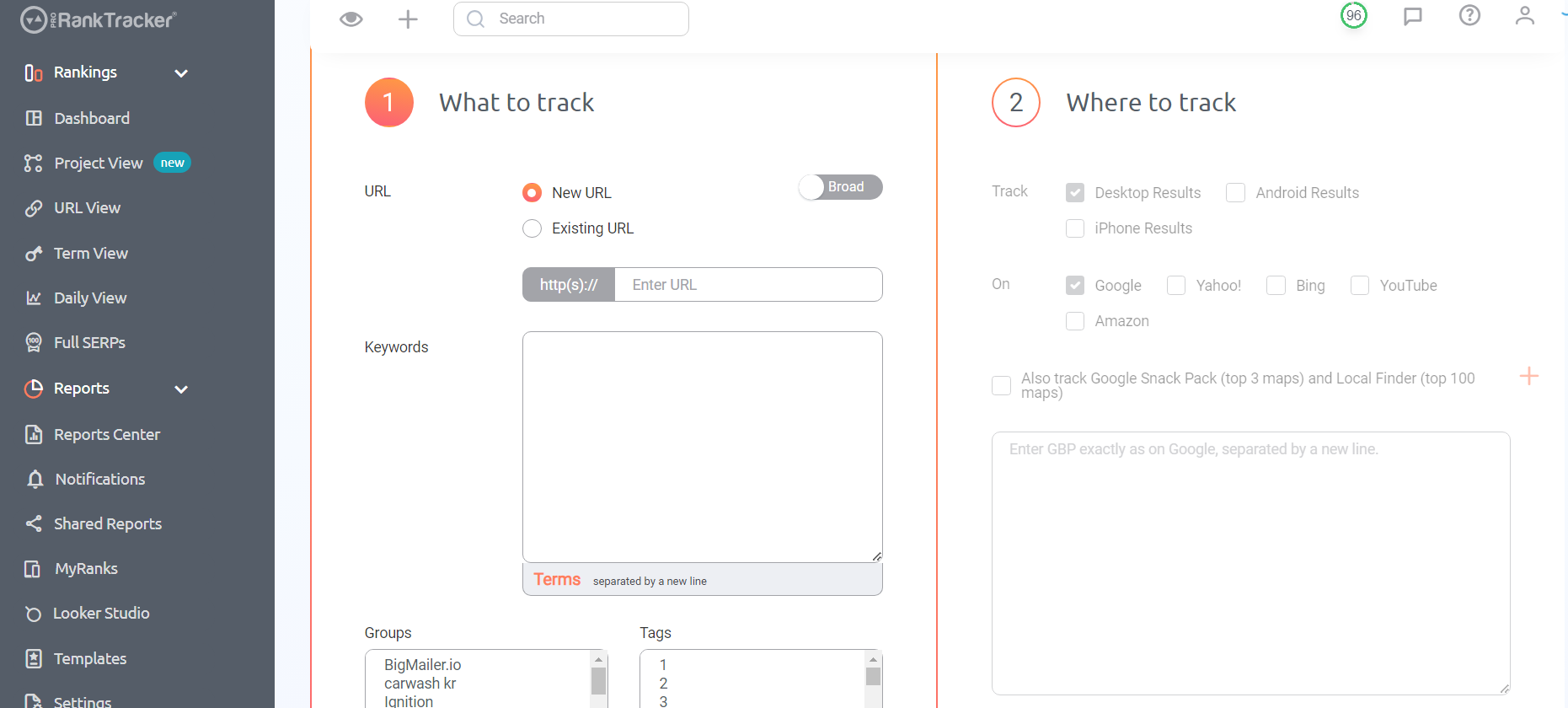
When adding your URL/keyword combos, include location, search engine, device type, and Google Business Profile information to get the most accurate tracking results.
After adding your URLs and keywords, add your competitors’ too! Analyzing their strategies using ProRankTracker’s tools can provide insights into what you might be missing.
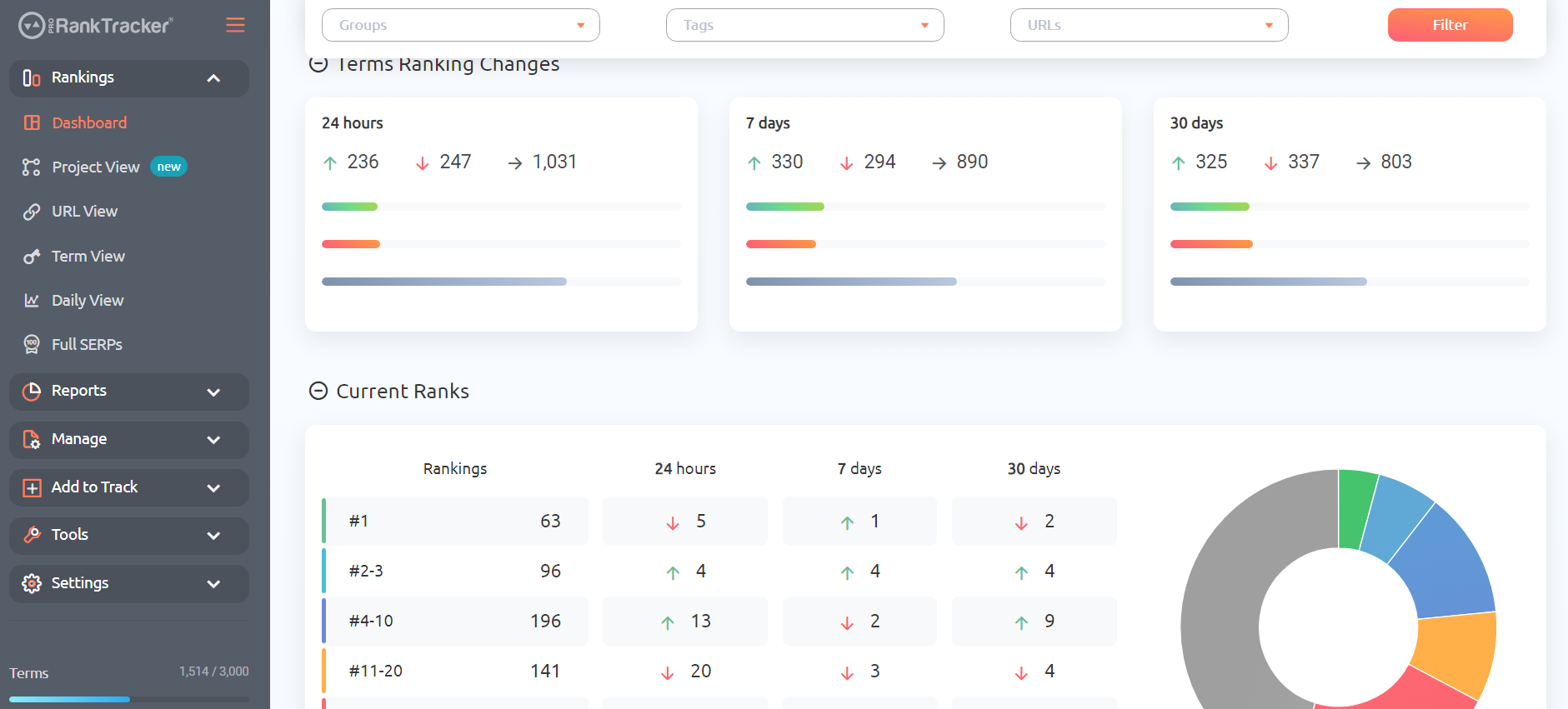
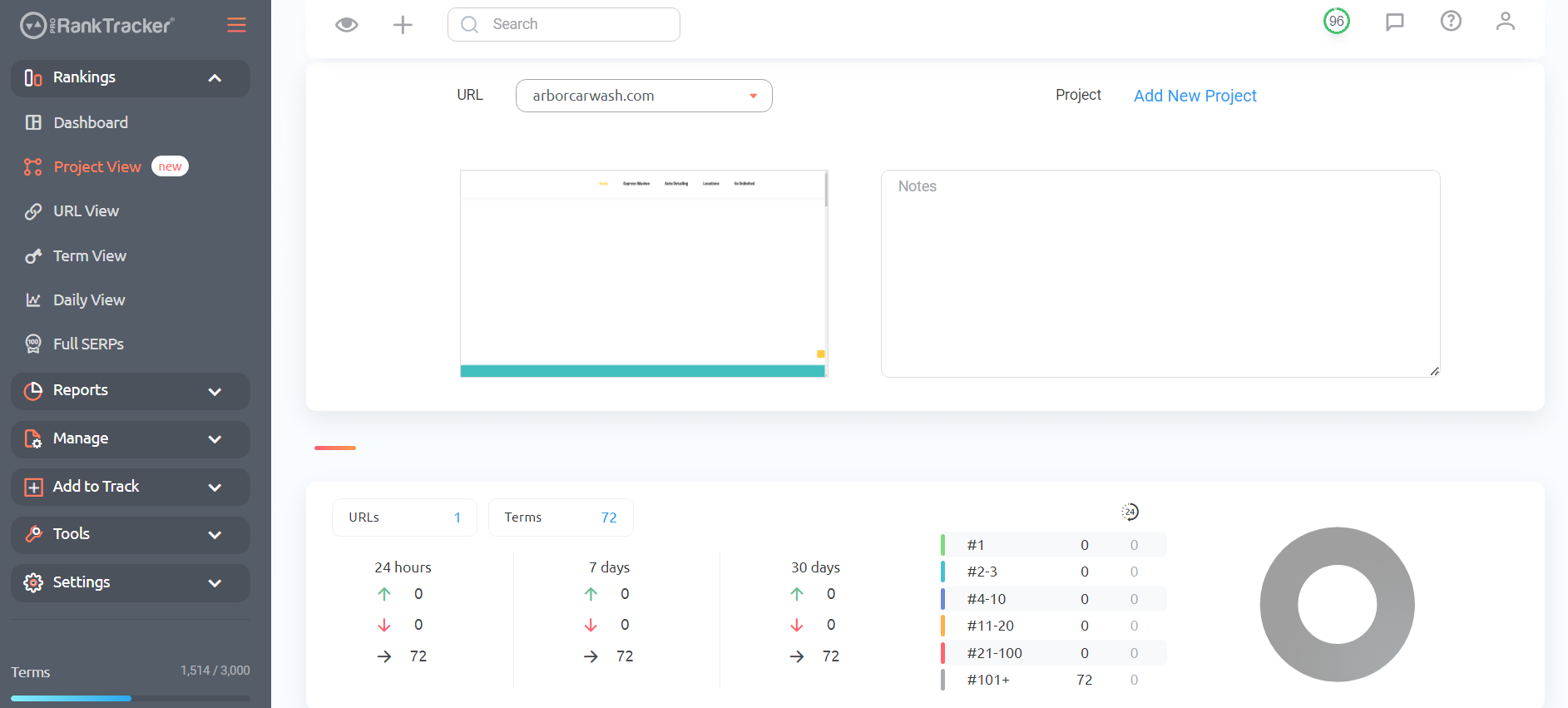
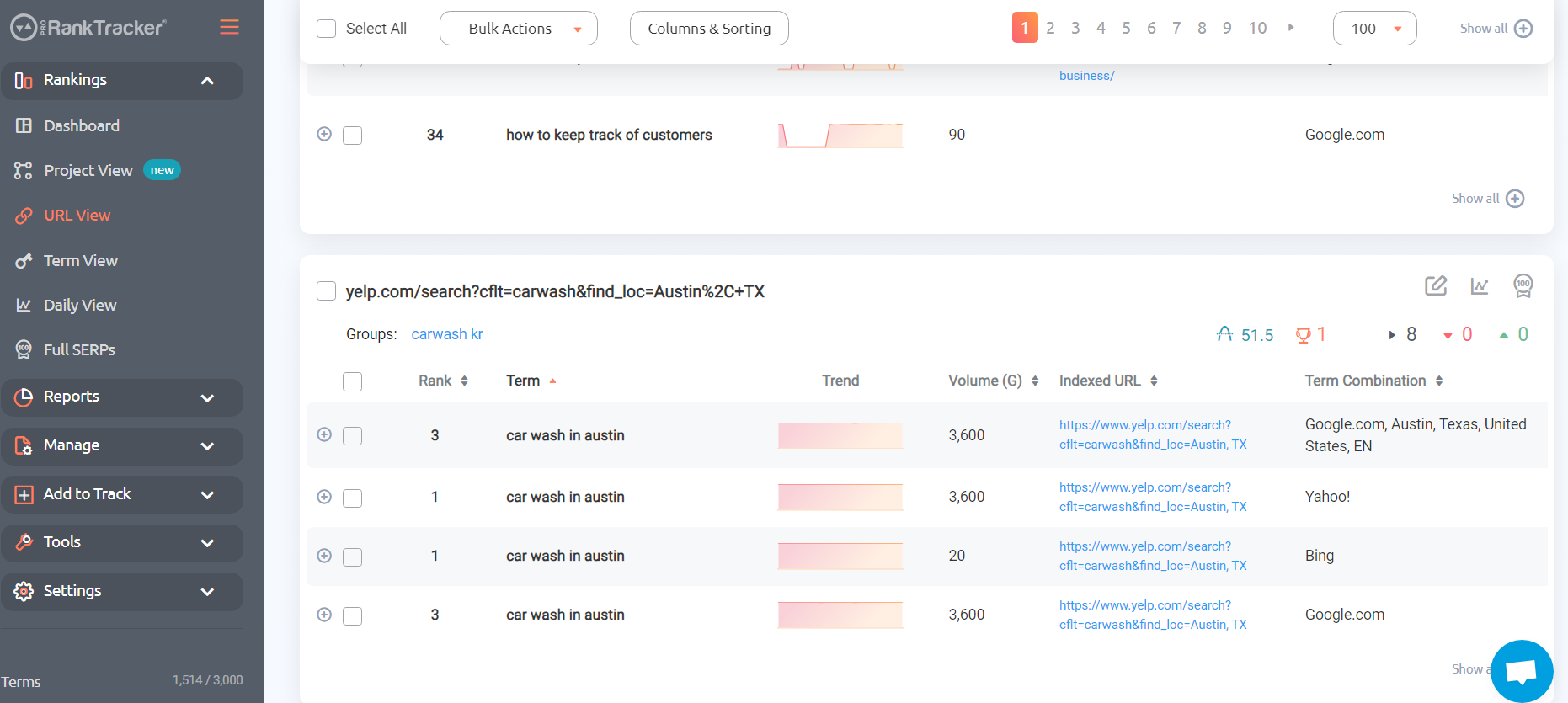
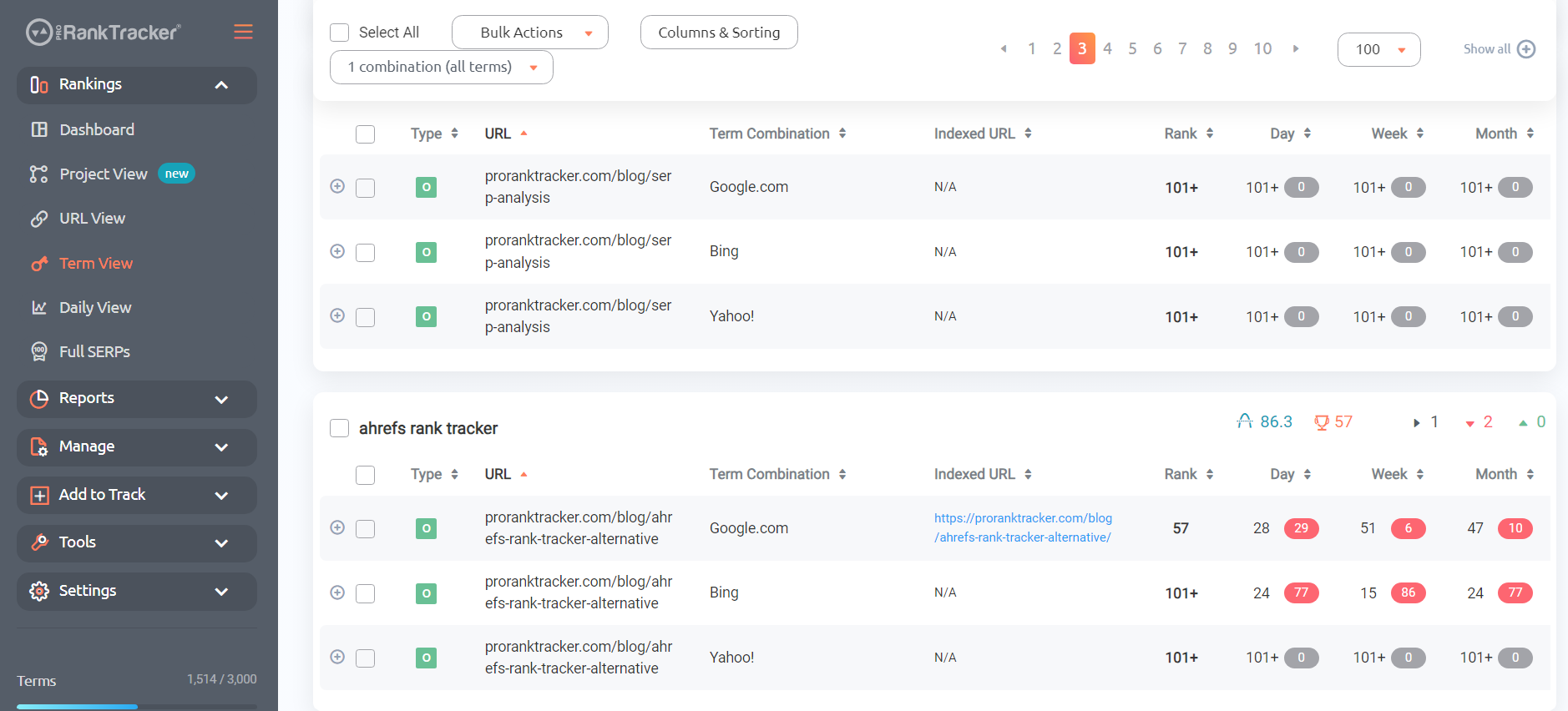
ProRankTracker offers 6 powerful Rankings Views that give you detailed looks at your ranks and those of your competitors.
- Dashboard
- Project View
- URL View
- Term View
- Daily View
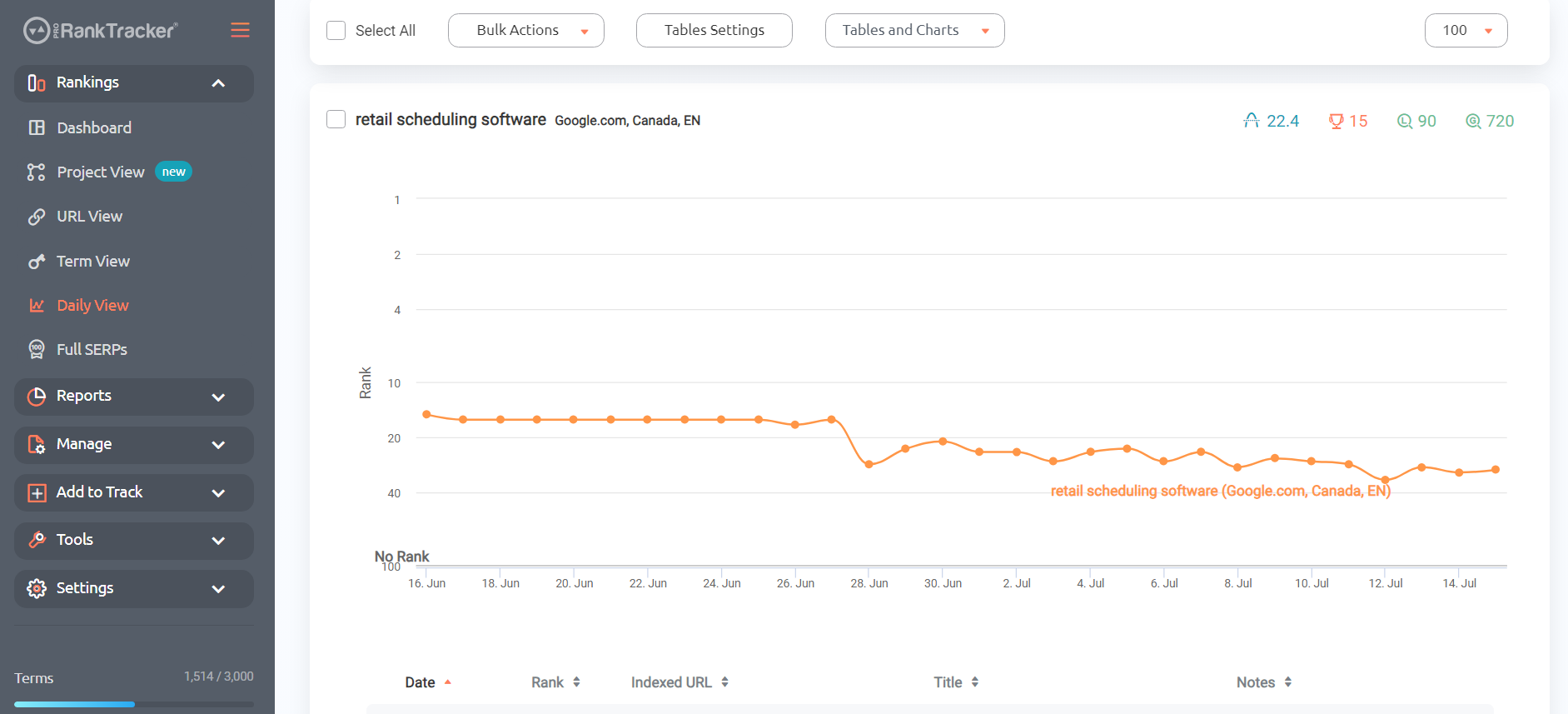
- Full SERPs
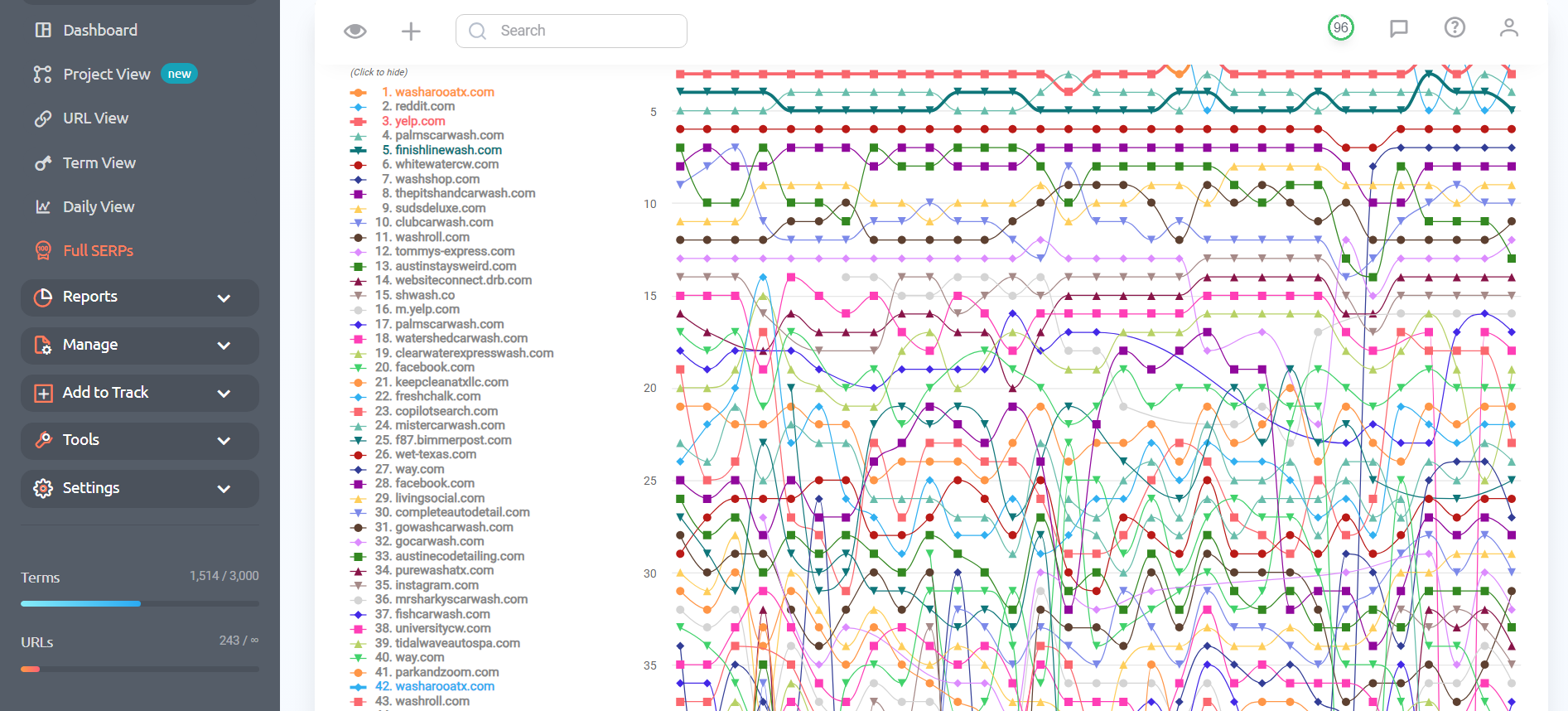
Each of these Views gives you a different perspective on your ranks. Take advantage of them to gain a well-rounded understanding of your ranks (and your competitors!).
Generate Reports
After you’ve added all the URLs and keywords you want to track, the hard part is keeping up with everything.
How can you monitor your ranks while observing 5 competitors to see if they’re about to overtake you on the SERP?
The best way is REPORTS!
PRT offers more than 20 types of reports that allow you to quickly and easily generate automated summaries of your ranking data. Each report type gives you a unique understanding of your ranks.
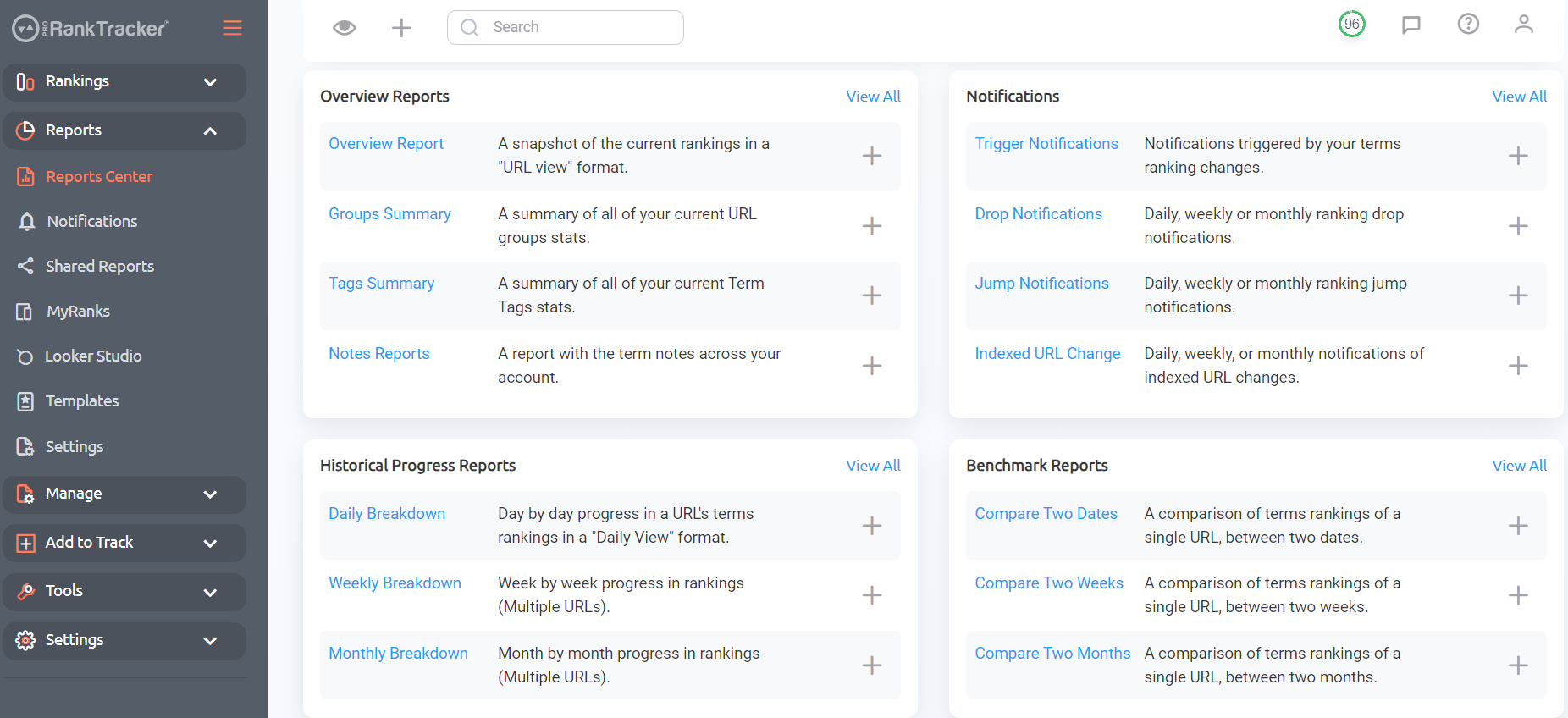
If you’re working with clients as an agency, reports are ESSENTIAL for maintaining a good relationship with your clients and keeping them happy and informed.
PRT also offers advanced reporting features like:
- Live webpage reports that you can share with your clients
- Google Looker Studio integrations
- Customizable automated notifications and alerts whenever certain events happen (discussed below)
- FREE white-label reporting features
- Unlimited reports with EVERY plan
Reports save you tons of time keeping track of your ranks and improve your accuracy at the same time.
How to Know Exactly When Your Rankings Drop with Trigger and Drop Notifications
How do you make sure you avoid any large drops in the future?
That’s where notifications come into play.
ProRankTracker has 2 types of notifications specifically for this purpose:
- Drop Notifications alert you for ANY rank drops–no matter how many ranks your page dropped. This is PERFECT for when you want to be able to jump on any rank drops without any delay. Set these up to patch any leaks before they become a flood of ranking drops.
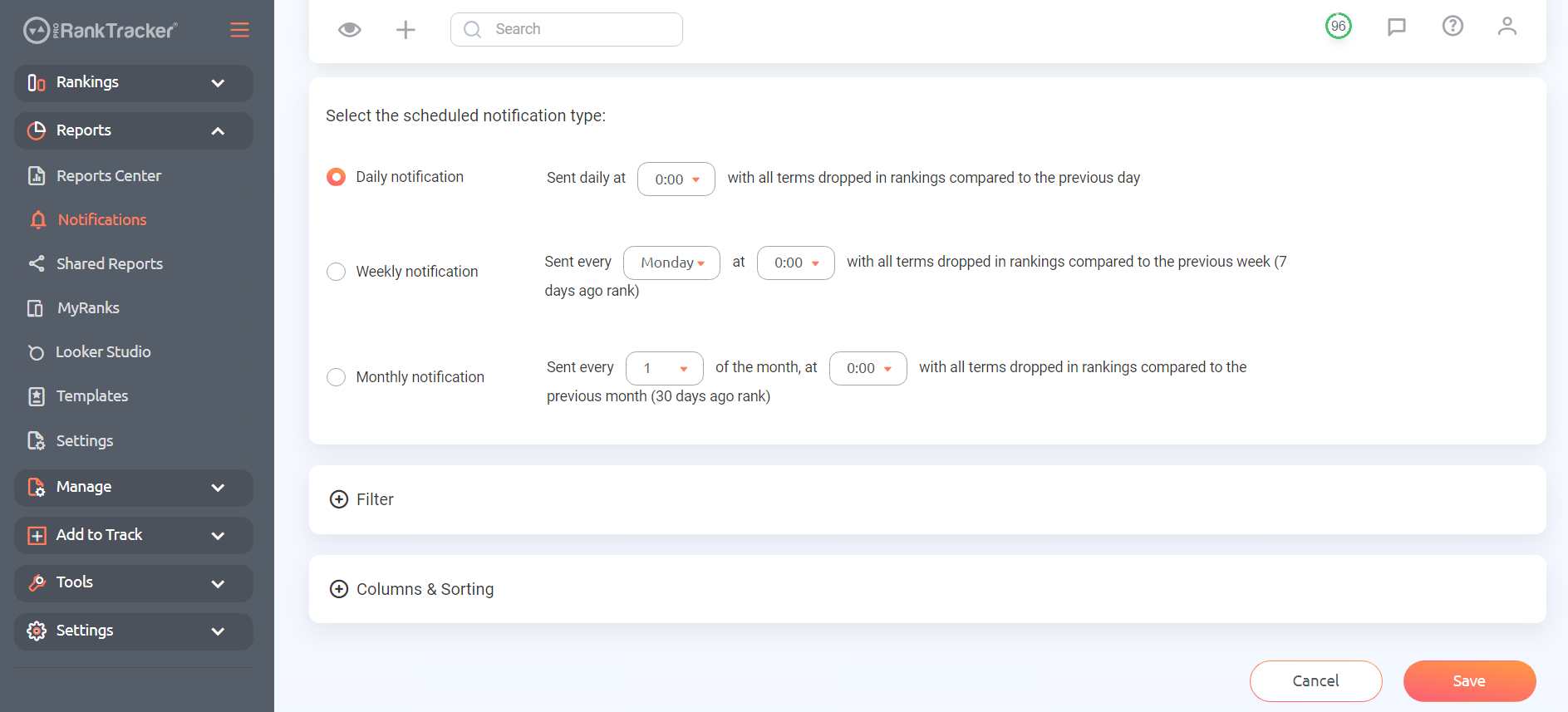
- Trigger Notifications are notifications that will be sent whenever a predetermined event occurs. For example, you could establish a trigger notification that gets sent when your top article drops by 3 or more ranks. Set the parameter for anything you want to ensure you get fully customized ranking notifications.
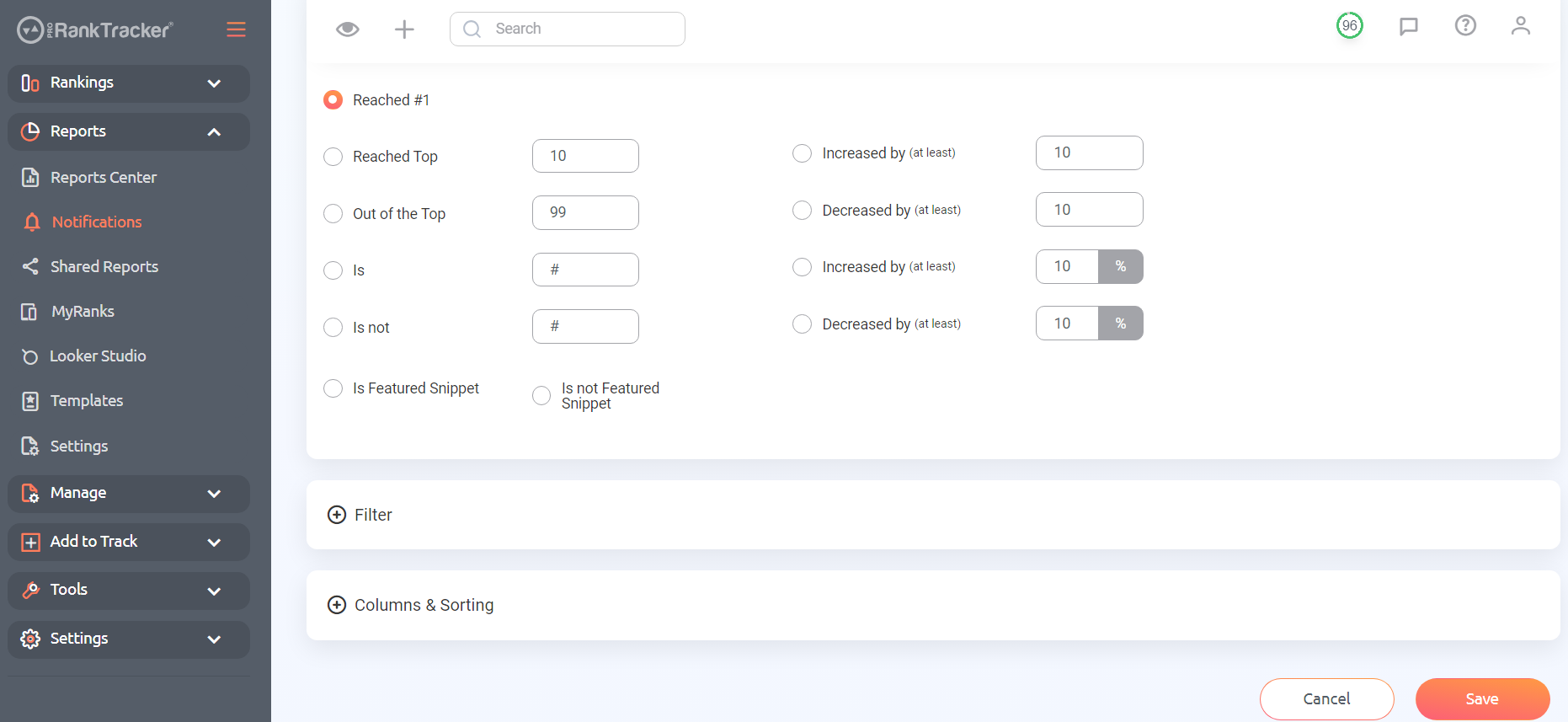
Notifications might seem pointless when you can just check your ranks on your own, but don’t pass up on this opportunity to get real-time updates on your ranks. You can base strategic moves on these notifications, improving your ranks over time.
Use Insta-Check for Strategic Planning
While researching the causes of your dropped ranks, you may have discovered gaps in your competitors’ strategies (or your own).
How do you decide if that’s an area you want to invest in without adding those keywords to your long-term tracking list?
This is where instant rank checkers like PRT’s Insta-Check come into play.
Insta-Check is a credit-based system that allows you to quickly check the SERP for ANY keyword to see what the competition is like. When you use Insta-Check, you don’t have to increase your tracking limit with PRT – just pay for the credits you need and save whatever you don’t use until later.
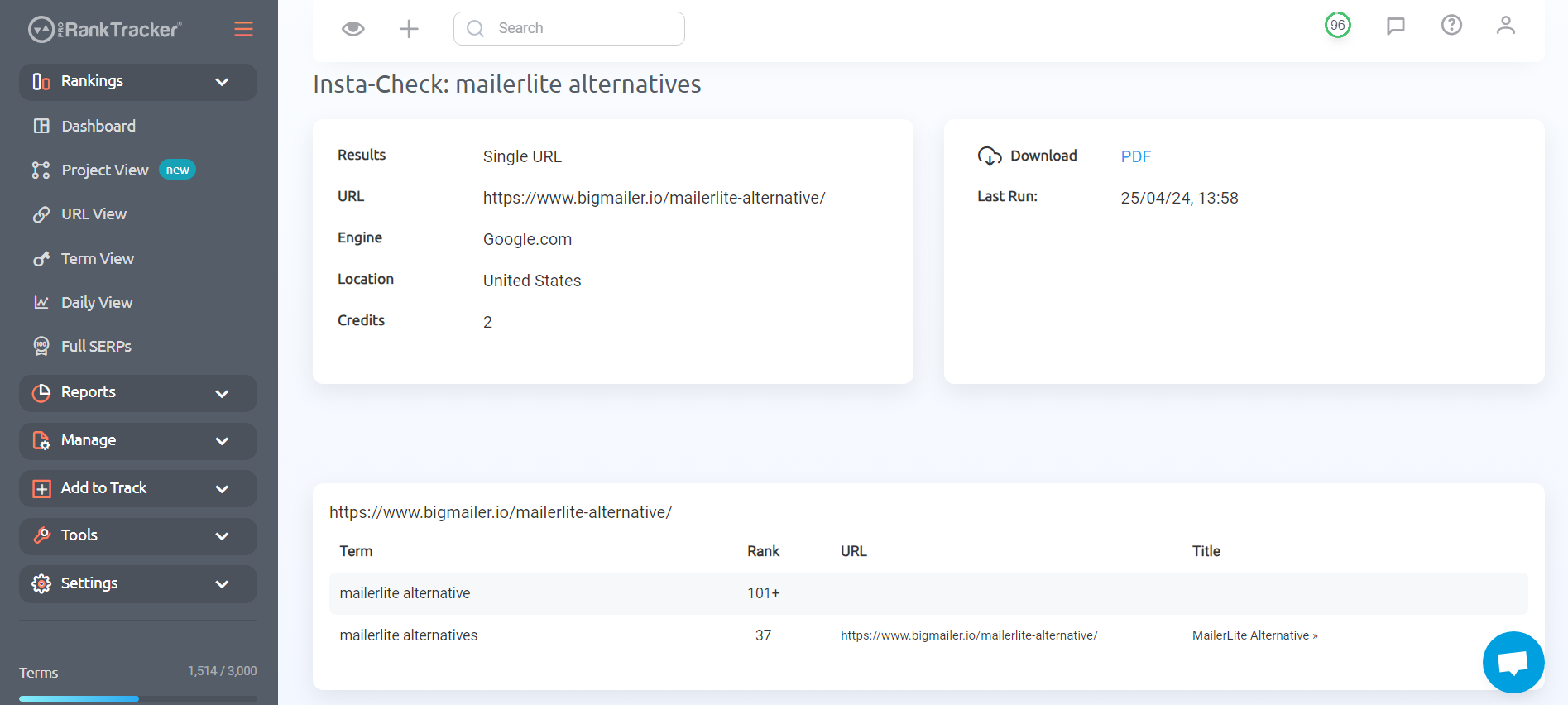
Liberal use of Insta-Check can help you avoid situations in the future where you invest a lot of time and energy into a keyword that doesn’t pay off.
Step 4: Refine Your Strategy
Unfortunately, this isn’t the last time your ranks will drop.
SEO is an ongoing process.
After working through the steps above, you’ll have compiled a lot of information about your ranks and why they dropped.
Now what?
Keep refining your strategies based on the data you accumulate!
For example, let’s say you notice that your opponents launched a new article just before your ranks dropped. What does that mean?
This means you should examine your opponents’ strategies to determine WHY they work better than your strategies. Then, change your techniques to beat them and regain your ranks.
Continuously refining your strategies will ensure you stay high on the SERPs and help you stay ahead of your competitors!
FAQ
Why did my Google ranking go down?
Your Google ranking can drop for many different reasons. For example, one of the links on your page might break or your competitors could have launched an article attacking one of your main keywords. The only way to know for sure is to work through the steps to diagnose the problem listed above.
How to recover when your SERP rankings suddenly drop?
The best way to recover when your SERP rankings drop is to diagnose the problem, then fix the error that led to it. For example, if thin content caused your ranks to fall, then beef up your content. If a bad user interface indicates to Google that people don’t want to spend time on your site, improve your user experience.
Why am I ranking low on Google?
The most common reason that people rank low on Google is weak content. Google’s most recent updates reemphasized the importance of high-quality, helpful content. The best thing you can do to ensure you consistently climb up the ranks is consistently post great content that closely matches your users’ search intent.
Ready to track your ranks?
A sudden drop in Google rankings can be scary, but following the steps above can help you diagnose and fix the issues.
Use tools like Google Search Console, GA4, and ProRankTracker to gather data, optimize your site, and build a robust SEO strategy.
If you aren’t already a ProRankTracker customer, try signing up for a 14-day free trial to see just how much it can help you recover from future sudden ranking drops.
Good luck!