
How to Monitor Ranking Volatility During a Google Algorithm Update
Your keyword was in the top ten yesterday. Today it is much lower. Another important term seems to have disappeared, while a third has barely moved.
Then a client sends the message every SEO recognizes: “What happened?”
The temptation is to change something immediately. Rewrite the page. Replace the title. Blame the update. Check the same search fifty times.
A better first move is to make the problem smaller and more precise. Which searches changed, in which markets, under which settings, and with what effect on visitors or leads?
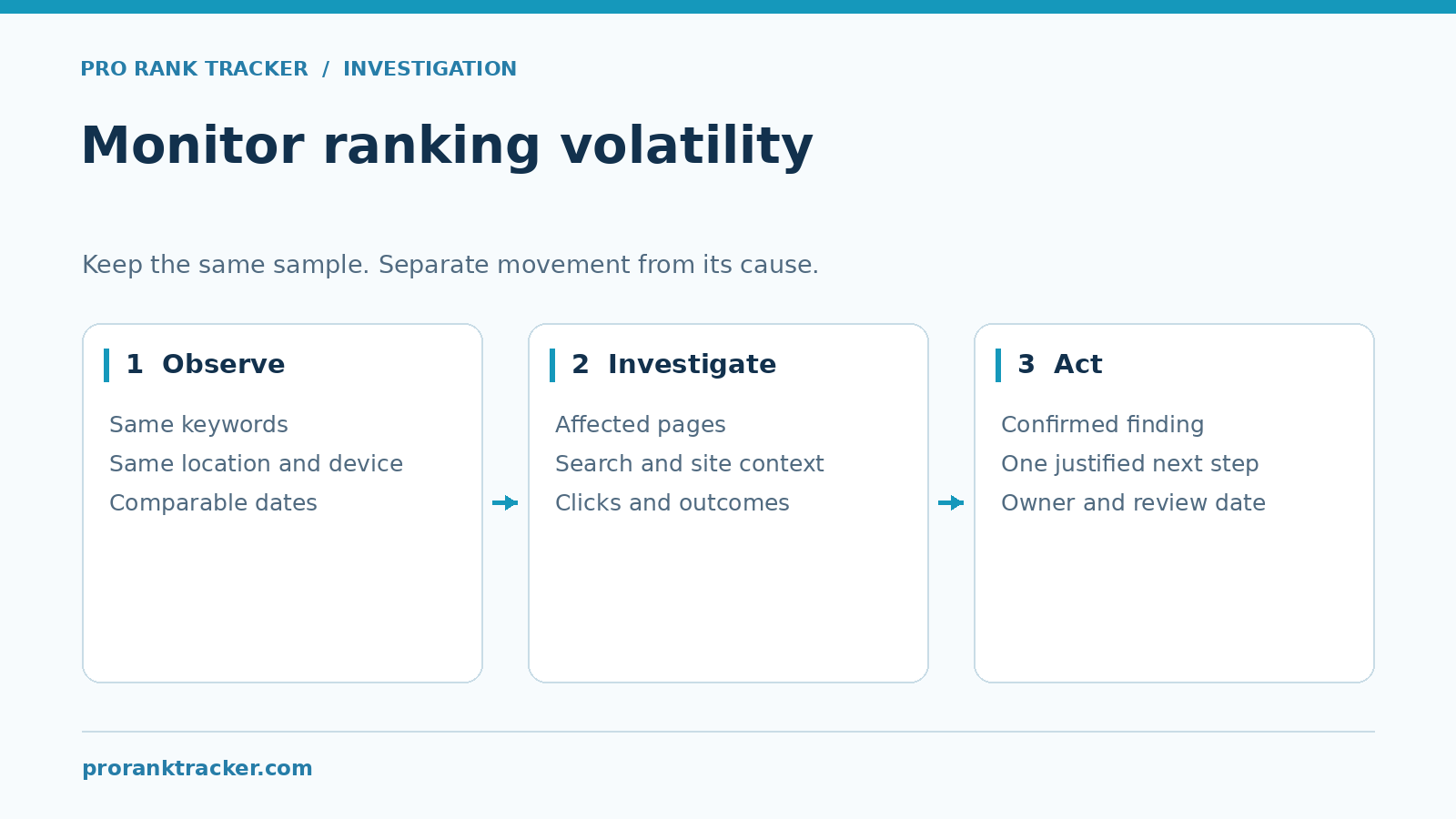
Here is a practical way to monitor ranking volatility during a Google update without turning every daily movement into an emergency.
Start With an Observation, Not a Diagnosis
Ranking volatility means the positions you observe are changing. That description does not tell you why.
An algorithm update may be relevant. So may a site change, a different location, a result-type mismatch, an incomplete data collection or a competitor’s improvement.
Google’s traffic-drop guidance considers several kinds of causes. Use that diagnostic mindset before choosing a remedy.
“Twelve of our priority terms fell in the same market this week” is an observation you can investigate. “Google penalized us” is a much bigger claim, and it needs much stronger evidence.
1. Check Google’s Official Update Information
Use the Google Search Status Dashboard to check announced ranking updates and service incidents. Record the dates relevant to the change you are investigating.
Keep that record dated. A screenshot of an old incident does not establish that an update is still active today.
Also resist the reverse assumption: an empty incident dashboard does not prove that every observed search result should remain unchanged. The dashboard is one source of context, not a diagnosis of your website.
For core updates specifically, Google recommends confirming that the rollout is complete and waiting at least a full week after completion before analyzing the affected site’s Search Console performance against a pre-update week.
That timing guidance is for the broader assessment. It is not a reason to ignore a broken page, failed redirect or other clear technical problem while you wait.
2. Keep the Tracked Sample Stable
A bakery cannot judge whether sales improved by counting pastries one week and every item in the shop the next. Your ranking sample needs the same discipline.
Choose a stable core set of keywords and keep its settings consistent:
- The tracked site or URL
- Search engine and result type
- Location and language
- Desktop or mobile device
- The dates and update cadence being compared
Record newly added terms separately. Otherwise, a campaign average can change because the sample changed rather than because the original keywords moved.
Our daily rank-tracking guide covers the value of recurring checks. Use the history to identify patterns, not to guarantee that tomorrow’s result will match today’s.
3. Separate Broad Movement From a Local Problem
Look for a pattern across the selected terms.
Did many related pages move together? Did only one landing page lose visibility? Is the change limited to mobile, one city or one country?
Imagine a delivery service with strong desktop rankings in one city and weaker mobile results elsewhere. A combined campaign number may hide that difference. The next action should follow the affected segment, not the blended headline.
| Pattern you observe | What to inspect next |
|---|---|
| One page changes while related pages remain stable | Page-level changes, URL targeting and competing pages |
| One market or device changes | Location/device settings and comparable results |
| Many priority pages move together | Broader search context and site-wide changes |
| Only a newly expanded campaign average changes | The added keywords or markets and the denominator |
| A result is missing or a run is incomplete | Collection status before treating it as a ranking loss |
These are investigation routes, not automatic explanations. Write down what you found and what remains unknown.
4. Treat ‘Not Found’ Carefully
A result outside the tracked range is different from a failed or incomplete check. Do not merge those states into one dramatic red number.
If an important term switches between a recorded rank and an unranked result, inspect repeated comparable observations and the available result evidence. Confirm what range the tracker searched and which URL matching rule was used.
Do not tell the client that every absence proves an algorithm update. Equally, do not assume one manual result proves all previous observations were wrong.
For manual comparisons, record the query, market, language, device and result type. Google’s results are context-dependent; our localization guide explains why the location belongs in the comparison.
If the discrepancy persists, send a few well-documented examples to the tracking provider. Reproducible evidence is much more useful than a large folder of unlabeled searches.
5. Check Clicks and Landing-Page Performance
Rank movement and commercial impact are related questions, but they are not interchangeable.
For the affected pages, review Google clicks and relevant website landing sessions over complete, comparable periods. Then look separately at verified inquiries or purchases.
A fictional example shows why this matters: a campaign average worsens, but the business’s three highest-value service pages keep similar rankings and inquiries. You still investigate the movement, but the situation is different from losing visibility and leads on all three pages.
Another case runs the other way: the headline rank looks stable while traffic falls. Do not stop the review at the rank. Inspect which queries and pages actually changed.
Report complete counts when the sample is small. “Three inquiries became one” is more informative than a large percentage with no baseline.
Keep search exposure, site visits, CTA clicks and completed customer actions in separate rows. That makes the impact easier to assess and harder to accidentally exaggerate.
6. Keep a Simple Incident Log
The log does not need a complicated dashboard. A small table can preserve the evidence and stop the team from changing its explanation every day.
| Field | What to record |
|---|---|
| Dates | First observed change and relevant complete comparison periods |
| Tracked scope | Keywords, URLs, market, language, device and result type |
| Pattern | Which pages or segments changed and which remained stable |
| Search context | Relevant official update or incident dates |
| Site changes | Releases, redirects, migrations or substantial page edits |
| Business impact | Relevant clicks, sessions and verified outcomes |
| Next action | One investigation, its owner and the next review date |
For example: “Mobile rankings for four service terms weakened in Market B. The same desktop terms remained similar. We will validate the mobile setup and inspect those result pages before changing the service copy.”
That is a task someone can finish. “Improve the SEO because Google is volatile” is not.
7. Use Alerts to Find Changes Worth Reviewing
Alerts are useful when they direct attention. They become less useful when every notification triggers another rewrite.
Set priorities around terms and pages that matter to the business. Review the result in context, then decide whether the event needs an action or just a note.
ProRankTracker offers configurable rank-change notifications and reporting. Its reporting documentation describes notification triggers and report filtering. Our SEO alerts guide covers the broader setup.
For an agency, group the daily observations into a client explanation instead of forwarding every alert as if it were a new incident.

What to Change – and What to Leave Alone
Fix clear problems when you find them. A page that no longer loads or a mistaken redirect needs attention on its own merits.
For a persistent ranking decline, investigate the affected content and search intent. Consider whether the page gives readers the answer, evidence and practical detail they need.
Google’s core-update guidance discourages drastic changes to content that is already performing well and recommends substantial, sustainable improvements rather than quick fixes.
Keep a change log. If you edit the title, restructure the page and replace its internal links on the same afternoon, you will have a harder time learning which change mattered.
No reporting workflow can promise a recovery date. The useful commitment is to a clear investigation, a justified action and a consistent review.
A Client Update That Avoids Guesswork
“We observed movement in this group of keywords under the same tracking settings. The effect is concentrated in these pages and markets; the others are comparatively stable. We are reviewing the corresponding Google clicks and landing-page outcomes, validating the result evidence and checking recent site changes. The next update will distinguish confirmed findings from open questions.”
Then add dates and numbers from the client’s own account. If a relevant official rollout is ongoing, name it and link to the dated official record. Do not use an update as a blanket explanation for every issue.
Frequently Asked Questions
Should I change the page after one ranking drop?
First confirm what changed. A single observation can justify investigation, but it rarely explains which content edit would help.
Does an industry volatility chart prove my site was affected?
No. It supplies context. Your own comparable keyword, page and business-outcome data must show the impact on your site.
How often should I review the results?
Collect consistently and review important changes as they occur. Use complete periods for broader conclusions so partial days do not dominate the story.
Can a tracker stop Google’s rankings changing?
No. It helps you observe the changes and examine their pattern. Tracking, diagnosis and recovery are different tasks.
Give Each Change a Clear Next Step
Useful monitoring turns a frightening headline into a smaller question: this keyword, this page, this market, this period.
Use ProRankTracker to follow a consistent search sample, then pair its rankings with Google performance and verified business outcomes before deciding what to change.