How to Create Link Building Reports that Wow Clients
SEOs spend a ridiculous amount of time (and money) building links to boost rankings and traffic.
But how exactly do you know if a new backlink is paying off or not?
Attributing SEO gains to any single factor can be nearly impossible if you’re just checking Google Search Console to see if traffic is going up.
Link building reports give a detailed view of what links you built and the results they generated.
Better yet? They help you make smarter SEO decisions and impress your clients or team.
In this post, I’ll show you how to:
- Measure the success of your link building campaigns
- Use SEO tools to track your efforts
- Know the vital metrics you need to keep an eye on
- FAQ
How to Measure the Success of Your Link Building Campaigns
The big idea behind a report in link building is to paint a picture of your efforts and their impact on your site’s SEO.
If you offer a backlink producing service, your clients should be able to see a clear difference between the before (your service) and the after (your service’s results).
Plus, simply creating a routine process where you check your links can save you from spammy backlinks. (You know, the kind that tends to attract Google penalties.)
To pull this off, you’ll need to look beyond just the number of backlinks built and:
- Pay more attention to each backlink’s quality by using the right metrics (more on this below).
- Keep in mind that a natural profile will include a mix of nofollow and dofollow links.
- Include branded, keyword-based, and generic anchor texts.
- Set clear objectives for your SEO report — this will highlight the goals clearly, making it easier to measure your efforts later.
How does this work in real life?
Imagine you’re building links for a roofing company in Arizona. Instead of simply reporting that you got 10 links that come from DR40+ sites, you want to show the bigger picture. This means specifying that you:
- Used different natural anchors
- Examples:
- Three anchors mentioned your brand name — e.g., “Roofing Company”;
- One was the exact keyword — e.g., “roofing in Arizona”;
- One anchor was a partial keyword — e.g., “making it hard to choose a roofing company”;
- One was the naked URL — e.g., “roofingcompany.com”;
- And four others were generic anchors — e.g., “get to know more,” “don’t overcomplicate the process,” “leaving it to experts,” etc.
- Examples:
- Got some nofollow links too (e.g., seven dofollow and three nofollow)
- Received links from relevant websites with different DRs (e.g., one link came from DR30+, three from DR 40+, three from DR 50+, two from DR 60+, and one from DR 70+);
But you’ll also want to show the actual SEO results that your backlinks contributed to, like increased traffic and rankings.
Tools You Can Use for Backlink Reporting
You need more than just your eyes and gut feeling to track the results of your link building.
This is where using the right tools comes in.
The good news is that there are tons of solutions. Let’s see the most popular options out there.
Ahrefs
Source: Ahrefs
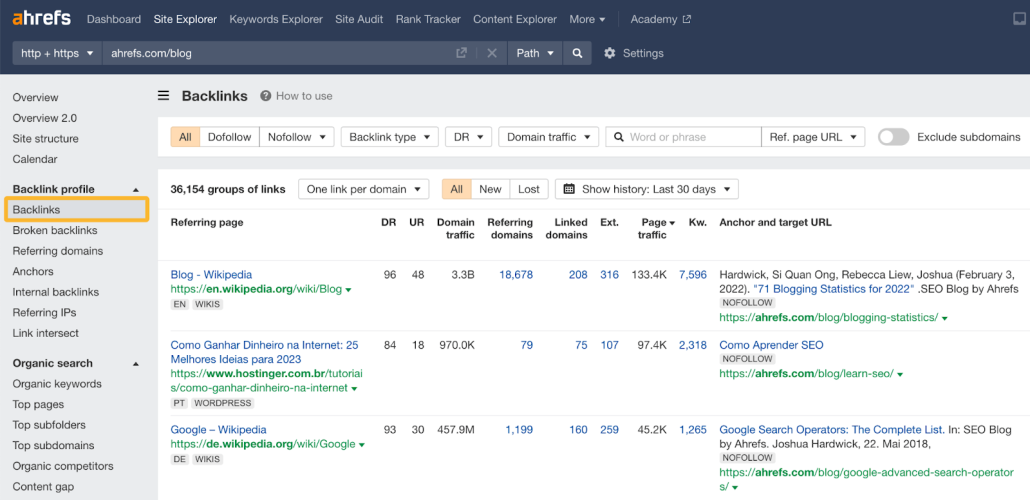
Ahrefs is known as a great all-in-one tool for all kinds of SEO needs, but it shines for backlink analysis.
Ahrefs gives you detailed data into your backlink profile like:
- Number of dofollow and nofollow links
- DR of backlinks
- The specific anchor text you’re getting links from
- The traffic of pages that are linking to you
- When you gained and lost each backlink
In other words, Ahrefs is great for tracking WHAT backlinks you’re getting and the general quality of those backlinks.
Ahrefs’ downside is that its data around traffic, rankings, and DR are estimations — so it’s not great for measuring the ACTUAL impact on your website’s SEO.
Semrush
Source: Semrush
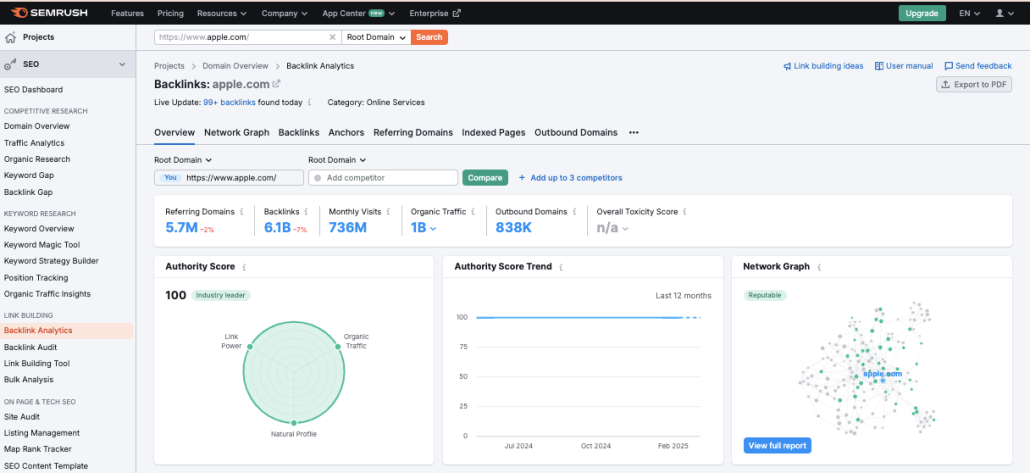
Semrush is another option similar to Ahrefs that can show you a comprehensive overview of your link building efforts.
The functionality is very similar to what you get in Ahrefs. Of course, some features will have different names, but overall, the idea is the same.
Google Search Console
Source: Semrush
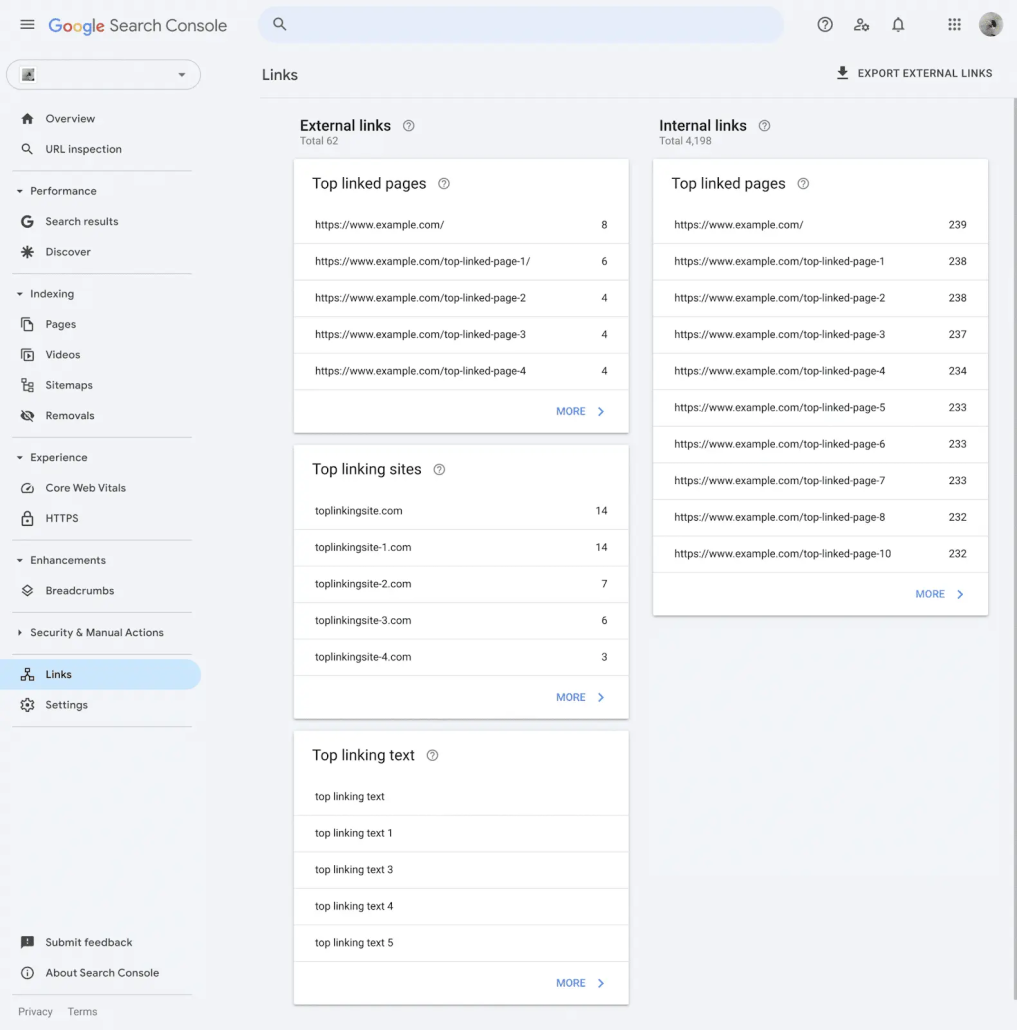
Unlike the other two, the Google Search Console is free and delivered to you by Google itself. This tool shows you all the top-linked pages, linking sites, and anchor texts (with some restrictions).
But Google Search Console’s #1 advantage is the accuracy of its data since it directly measures the clicks and impressions your website’s pages get on specific dates. This is invaluable for tracking the impact a backlink is having on your overall traffic.
Still, it has several limitations compared to the previous solutions. For example, you can’t do the following:
- Check your competitors’ backlink profiles
- Track new and lost backlinks
- Detect toxic links
- See the domain authority of linking websites
ProRankTracker
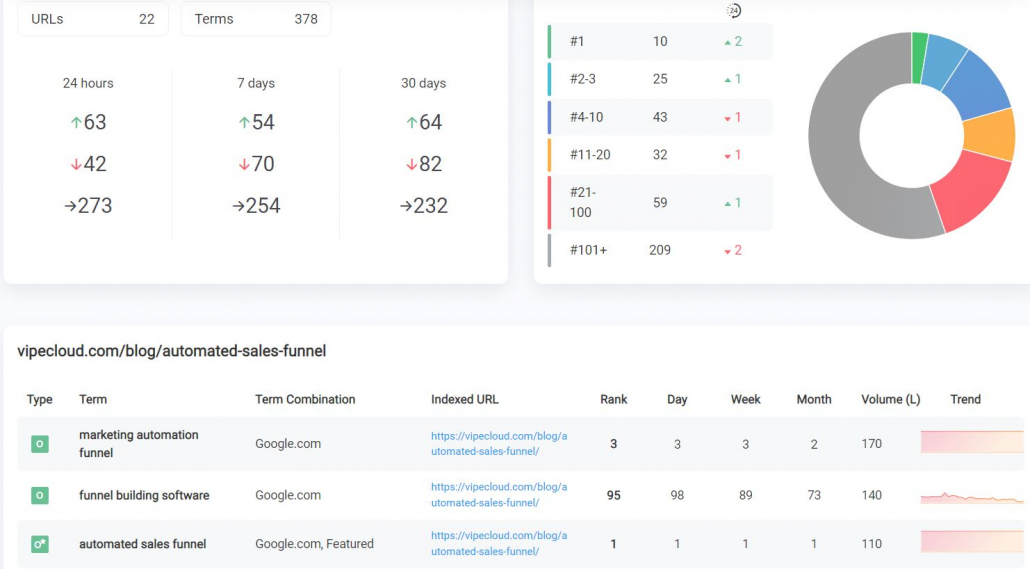
ProRankTracker is an affordable rank tracker that comes with 20+ reports that you can share with clients and even white-label.
It gives you 100% accurate data on how your rankings change for specific keywords and pages — across locations and devices.
This is helpful for getting a real-time analysis into the direct impact of your link building efforts (because to get more sales, you need more traffic, and to get more traffic, you need higher rankings).
I recommend pairing your ProRankTracker data with other sources like Google Search Console to get a fully comprehensive view of your SEO results. (Which you can do by building a Looker Studio report.)
6 Crucial Metrics for Link Building Reporting
Now you know what software you can use. The next logical question is, what metrics should you focus on when analyzing your link building campaigns?
There are a couple of things that can affect the value of the links you build.
Which is why some backlinks have more impact than others. The only way to know which is which is to keep your eyes on the following factors:
#1: Domain Rating/Authority (DR/DA)
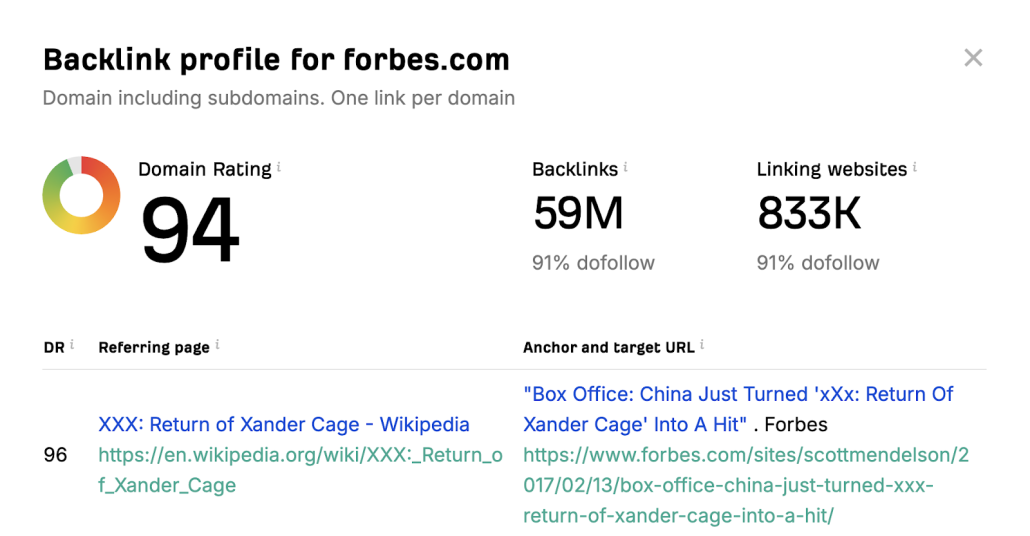
Imagine you have one link from Forbes and another one from randomwebsite.com. Which one do you think will have more value?
Obviously, it’s the first one. Why? Because it has a higher domain authority (aka rating) and, therefore, credibility.
Source: Ahrefs
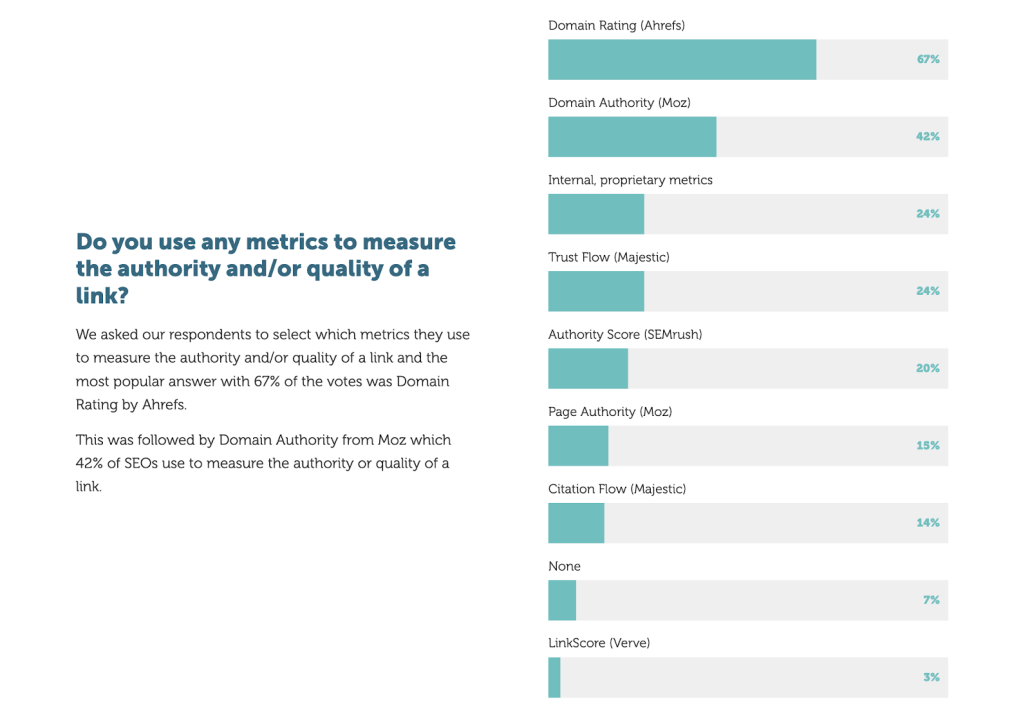
Domain authority is an estimation of how much search engines trust a particular web page. After all, this is the main metric a lot of SEO professionals use when judging link quality — about 67% of them, in fact.
Source: AIRA
But here’s what most people don’t fully realize: It’s a great rule of thumb for measuring the value of a backlink… BUT shocker: it’s not even a Google metric at all. So this metric can be misleading and shouldn’t be the only metric you’re measuring.
And if you’re an SEO or marketing agency, you have to keep in mind that your backlink reporting has to be a lot more complex to show real ROI.
#2: Page Authority
Page authority is like domain authority, except it is focused on a single page rather than on the entire site. Basically, this metric (created by Moz) shows how likely a page is to rank well in search results.
It’s important because it gives you a rule of thumb metric to understand the amount of link juice a specific page could pass on.
In other words, generally, getting a backlink from a page with a higher page authority is going to be more valuable.
However, page authority has the same issue that DA has — it’s not a real ranking factor that Google uses.
#3: Root Domains
Does your backlink reporting show a considerable amount of linking root domains? Well, you’re going to want to mention that in your report. Google loves it when you score many quality linking domains.
Now, remember that a linking domain is not the same as a backlink. You can have 10 links from the same website. But that counts as just one domain.
So, for example, if CNN links to your article one time and Wikipedia links to your site three times. That means you now have 4 backlinks and 2 root domains.
It’s pretty much impossible to have as many root domains as links. But when you get more high-quality referring domains, it tells Google that people really love your site.
On the other hand, if all your hundreds of backlinks come from just a couple of domains, that’s just not as valuable and might even be suspicious.
#4: Page Relevance
This “metric” is even more important than domain authority when doing your link building reporting. A link from a website that has no topical relevance to yours is a sign of link spam, so Google may entirely disregard that backlink, even if it’s from a high DR.
So, you want to check that your donor sites (or at least most of them) tick this box.
For example, let’s take a look at this page on Backlinko that talks about law firm SEO.
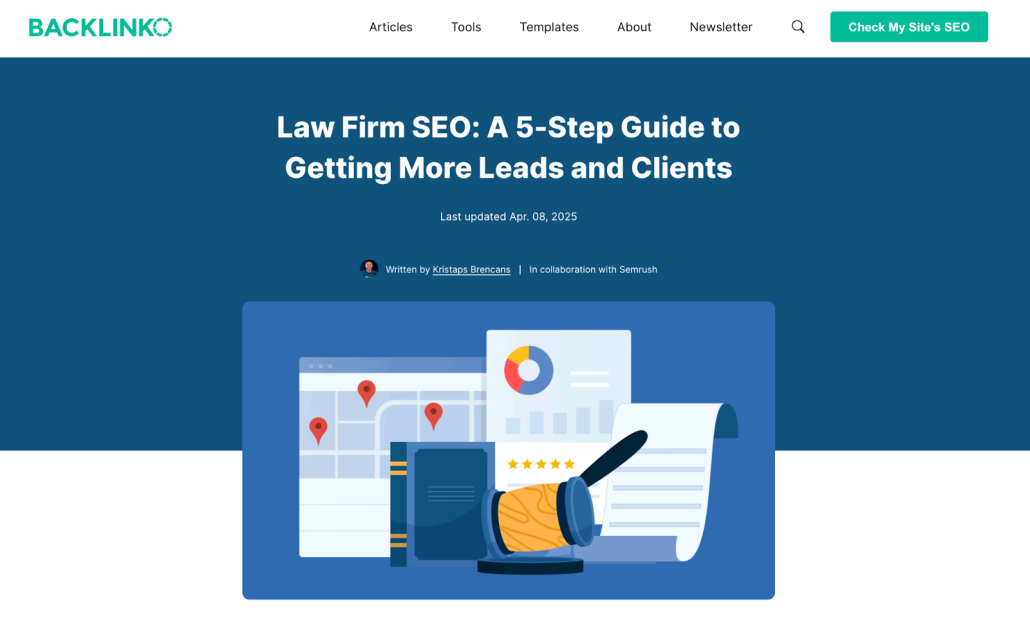
Source: Backlinko
If we look at this page’s backlink profile, we’ll see that most links come from websites that also talk about SEO for law firms. Most of them are from marketing companies, and some are blogs that focus on law marketing tactics. Either way, they are relevant.
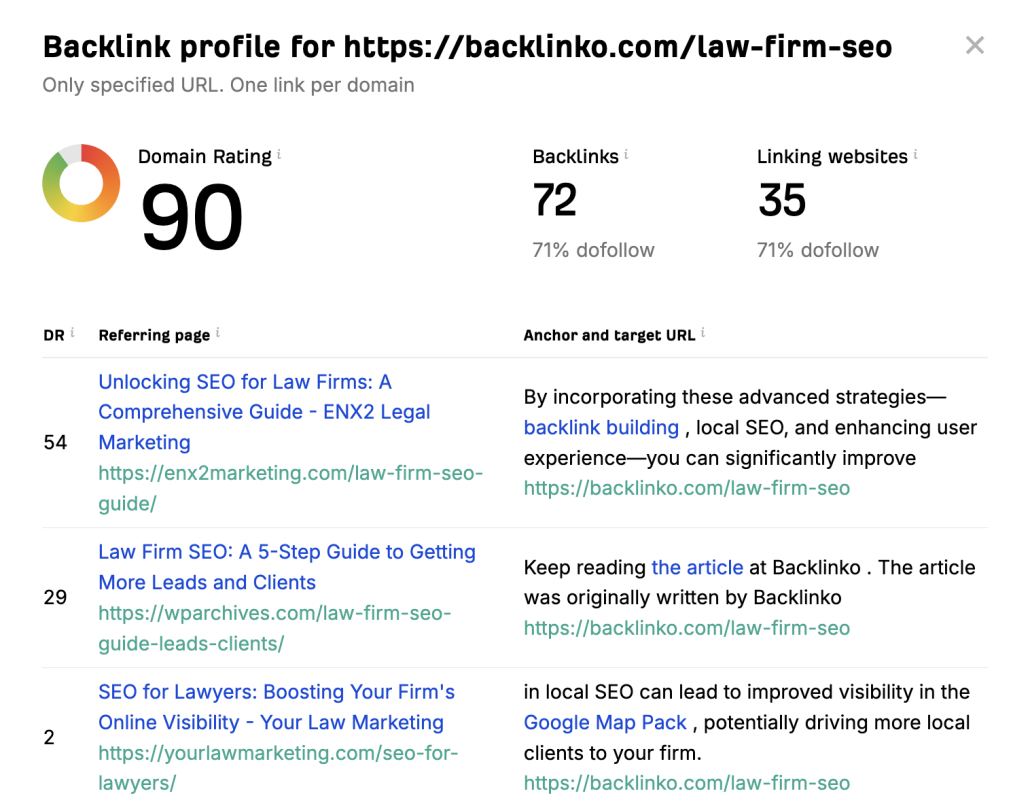
Source: Ahrefs
But if this Backlinko’s blog on legal SEO got backlinks from a pet or travel blog that mentioned nothing about law or even crime, it would be weird.
Something like this isn’t only random for readers but also for search engines.
This is not to say that you can’t get the occasional links from unrelated sites (as long as they add contextual information).
For example, suppose a legal news blog linked to the legal SEO article. In this case, a link to the blog post on law firm SEO we’ve seen above would fit pretty well (even though Backlinko is a marketing blog). But anything that looks like a shameless plug is going to feel spammy.
#5: Organic Traffic and Engagement Over Time
When you’re selecting your donor sites, it’s a good idea to analyze the traffic and see whether the website is actually “alive.”
You can use tools like Ahrefs to see if the backlinks you’re building are actually from website with traffic (usually the more traffic, the better).
But when it comes to the link building report you prepare at the end of the month, make sure you show whether the backlinks you gained resulted in increased traffic to your website.
You can check this by reviewing your website and its pages’ traffic data in Google Search Console.
But for you to get more traffic, you’re going to need the most important SEO reporting metric of them all:
#6: Rankings
If your backlink building doesn’t result in increased rankings, you can forget traffic and all the metrics I previously mentioned (although those can be nice to brag about).
Many SEOs will make the mistake of manually searching through Google to see where they rank.
This is a HUGE waste of time and can be flat-out inaccurate (rankings can vary based on users and locations).
Witty SEOs use an accurate rank tracker to see exactly how their rankings change after new backlinks are built.
The best way to track this is to create a daily ranking report to see:
- When rankings changed for important keywords
- What keywords were affected
- How much the rankings change
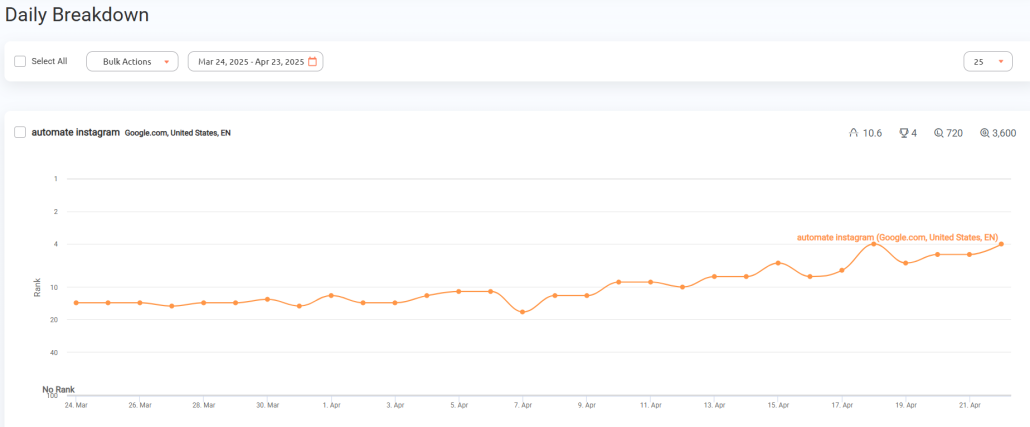
Pro tip: Reports like these are easily shareable with clients via PDFs, emails, and shareable link reports with ProRankTracker.
Once you see which pages increased in rankings for specific keywords, you can easily tie your results to traffic (in Google Search Console) and conversions (in Google Analytics).
FAQ
What Is Link Building Reporting?
Link building reporting is simply any activity you take to track and measure the results of your link building efforts. It involves using an SEO tool to measure several metrics and then using the insights gathered to make better SEO decisions.
Why Do You Need Backlink Reporting?
Backlink reporting is a very important way to see if your (or your client’s) investment in link building is paying off. Plus, it helps you gain insights into which SEO strategies are beneficial for you and which are not.
What Metrics Should Your Link Building Report Include?
Your link building report should show metrics like the total number of links built, domain rating/authority, and referral traffic. But it should also show the results of your backlinks with traffic and keyword ranking increases.
Conclusion
Ready to create easy-to-share SEO reports that’ll help you pinpoint how new backlinks impact your rankings and ROI?
ProRankTracker gives you a ton of reporting options that’l help you impress clients with professionalism and accuracy.
Get started today with a 14-day ProRankTracker free trial.