How to Rank in Google Maps: 16 Foolproof Tips
Here’s a simple fact:
If you want to grow your customer base and increase revenue, you need a strong online presence.
And when it comes to local visibility, Google Maps is where the action happens. In fact, 86% of customers use Google Maps to find businesses in their area.
But here’s what most business owners miss: it’s not enough to just show up on Google Maps. The top 3 results — known as the “Snack Pack” — dominate local visibility, capturing 15-18% of all clicks.

Everything below that? Hidden behind the “More places” button, where CTRs drop off sharply.
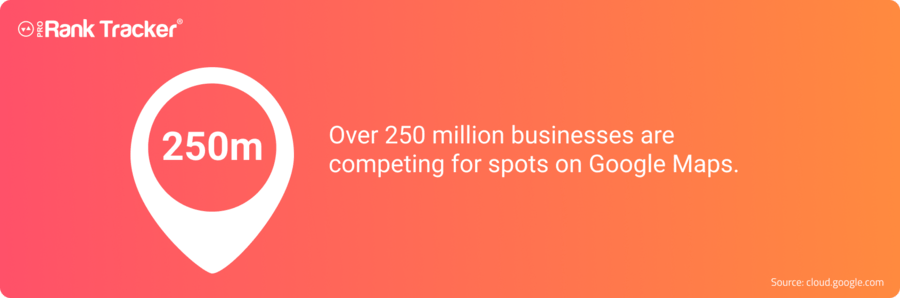
So yes — it’s really important to rank on Google Maps… but even more important to rank as high as possible. And that’s no small feat when you’re competing against over 250 million businesses all trying to stand out on the same platform.
In this guide, I’ll show you exactly how to rise above the noise and dominate your local Google Maps rankings.
Here’s how each optimization tactic from this list affects your Google Maps performance at a glance:
| Ranking Factor / Tip | Impact Level | Why It Matters |
| Claim Your Listing on Google Business Profile | High Impact | Verification gives you full control of your profile and ensures Google treats your business as legitimate and eligible to appear in Maps results. |
| Optimize Your NAP (Name, Address, Phone Number) | High Impact | Consistent NAP across all directories builds trust and helps Google correctly associate your business with a physical location. |
| Keep Your Information Up to Date | High Impact | Accurate details improve Google’s confidence in your business and prevent visibility loss caused by outdated info. |
| Use Keywords in Your Business Description | High Impact | Helps Google understand your business category and match your profile to relevant local search queries. |
| Encourage Customers to Leave Reviews | High Impact | Reviews (especially recent, positive ones) heavily influence Google’s “prominence” factor and improve your local ranking. |
| Optimize Your Website for Local Search | High Impact | Strong on-site local SEO reinforces your GBP relevance and increases both SERP and Maps visibility. |
| Properly Categorize Your Business | High Impact | Categories directly define your business type for Google’s algorithm; choosing the right ones improves your ranking for relevant keywords. |
| Weed Out Duplicate Listings | High Impact | Duplicate listings confuse Google and dilute ranking signals; cleaning them up helps your primary listing rank higher. |
| Use a Local Phone Number | Low to Moderate Impact | Signals that your business is locally based and trustworthy, which can support ranking and CTR slightly. |
| Add Your Business to Local Directories | Low to Moderate Impact | Citations and backlinks from reputable directories help validate your NAP data and improve local prominence. |
| Embed Google Maps in Your Website | Low to Moderate Impact | Embedding your business’s map reinforces location relevance and offers users convenient access to directions. |
| Add High-Quality Photos | No Ranking Impact but Some Engagement Impact | Great visuals improve click-throughs, calls, and customer trust, indirectly helping engagement metrics. |
| Share Updates and Promotions | No Ranking Impact but Some Engagement Impact | Frequent posting signals activity and can drive clicks or visits, though it doesn’t directly boost rankings. |
| Include Links to Your Website and Social Media | No Ranking Impact but Some Engagement Impact | Makes it easier for users to explore your brand across platforms, supporting engagement and conversions. |
| Respond to Reviews | No Ranking Impact but Some Engagement Impact | Responding builds credibility and improves customer satisfaction, leading to better engagement and retention. |
| Add Identity Attributes (e.g., “Women-owned”) | No Ranking Impact but Some Engagement Impact | Doesn’t improve general rankings, but helps you show up for niche or attribute-based searches and increases inclusivity. |
1. Claim Your Listing on Google Business Profile
This first step is one that a surprising number of businesses forget to do.
CLAIM YOUR BUSINESS ON GOOGLE!
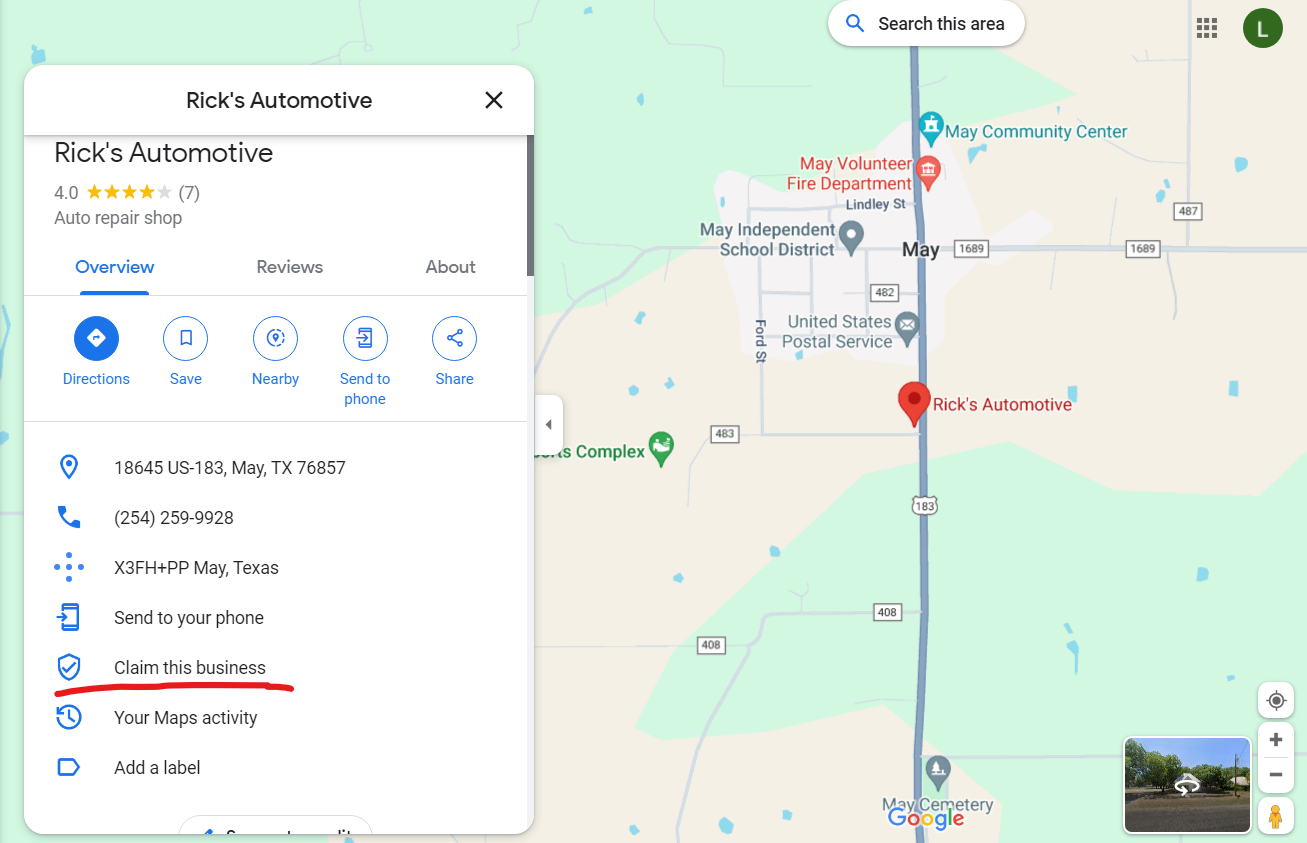
If you don’t claim your business, you have ZERO control over what appears on the listing.
Zip. Zilch. NADA.
You can’t change the address or phone number, you can’t add hours, you can’t post promotions, and you can’t reply to comments.
If you haven’t claimed your listing on Google yet, do it right now.
Seriously. I’ll wait.
Done?
Good.
Now go through your profile with a fine-tooth comb and make sure that all your information is filled out. That means:
- Name, address, and phone number (NAP for short. More on this in a second.)
- Description
- Hours of operation
- Website
- Pictures
- Social media links
- Any current promotions or updates
2. Optimize Your NAP
Your name, address, and phone number (NAP) are critical pieces of information for a couple of reasons:
- Google doesn’t like to rank businesses that don’t have these critical pieces of information filled out optimally.
- Customers don’t like to call or visit businesses that don’t have optimized NAP online.
So, other than filling these sections out, what do I mean by “optimize?”
I mean that you should make sure your NAP is consistent across all online directories and platforms. Any discrepancies could hurt your ranking and decrease trust in your brand.
If you have listings on Yelp, YellowPages, Maps, Facebook, Instagram, BBB, or any other directory, make sure they all have the EXACT same info for your NAP. Otherwise, customers could get confused and may have trouble contacting or finding you.
3. Keep Your Information Up to Date
Sometimes, your business information will change. You might change your location, your phone number, or your hours.
The WORST publicity you can give your business is not updating your online profiles when something changes. After all, how angry does it make you when you check a business’s hours online only to drive there and find out that they’re closed?
Make sure to update your hours of operation, address, phone number, and website as soon as possible whenever changes occur.
4. Use Keywords
Make sure to include relevant keywords in your business description on Google Maps.
Remember that Google Maps is still a search engine, so keywords are important. You shouldn’t keyword stuff your description, but it should include 2-3 of your main keywords to help it rank higher for targeted searches.
This can help Google understand what your business is all about and help rank your business higher in local search results.
5. Encourage Customers to Leave Reviews
According to studies, the review count is usually the first or second most significant factor influencing rankings in local search results.
Many businesses sit around and wait for their customers to leave reviews, but that’s actually a bad strategy.
Instead, you should ask your satisfied customers to leave your business a positive review on Google as soon as your transaction is done (while it’s still fresh in their minds).
When customers leave genuine reviews of your business on Google, it demonstrates your business’s value and credibility.
A fact that many businesses find surprising is the weight of review recency in rankings. Having recent reviews can help improve your rankings, and even help you outrank competitors with a higher number of reviews at times! Additionally, extremely old reviews can put you at a disadvantage, as Google might favor a more “active” competitor profile that’s getting reviews every week.
If you want to ensure your reviews stay in top positions for longer durations, keep an eye out for reviews written by local guides, review length, and reviews with photos. Although these factors won’t have any impact on your rankings, they might help you show up more prominently in local searches.
We’ll also talk later about how to respond to reviews (both positive and negative).
6. Share Updates and Promotions
Are you running a deal or a promotion?
Post it on your Google Business Profile!

Posting regular updates and promotions on your Google Business Profile listing shows customers that your business is active and keeps them engaged. Regular promotions also give them a reason to check your listing on Google Maps.
You don’t have to treat your Google Business Profile like it’s another social media, but posting a few times a month clues Google into the fact that your business is active and can help boost your ranks.
7. Add High-Quality Photos
Adding high-quality photos to your Google Maps listing can make your business more visually appealing and increase engagement.
Notice that I said “high-quality” photos. The worst thing you can do here is post pictures that paint your business in a bad light.
If you’re capable of taking really good pictures, do it. If you’re not, hire someone who can. Make sure you’re putting your best foot forward online with great photos.
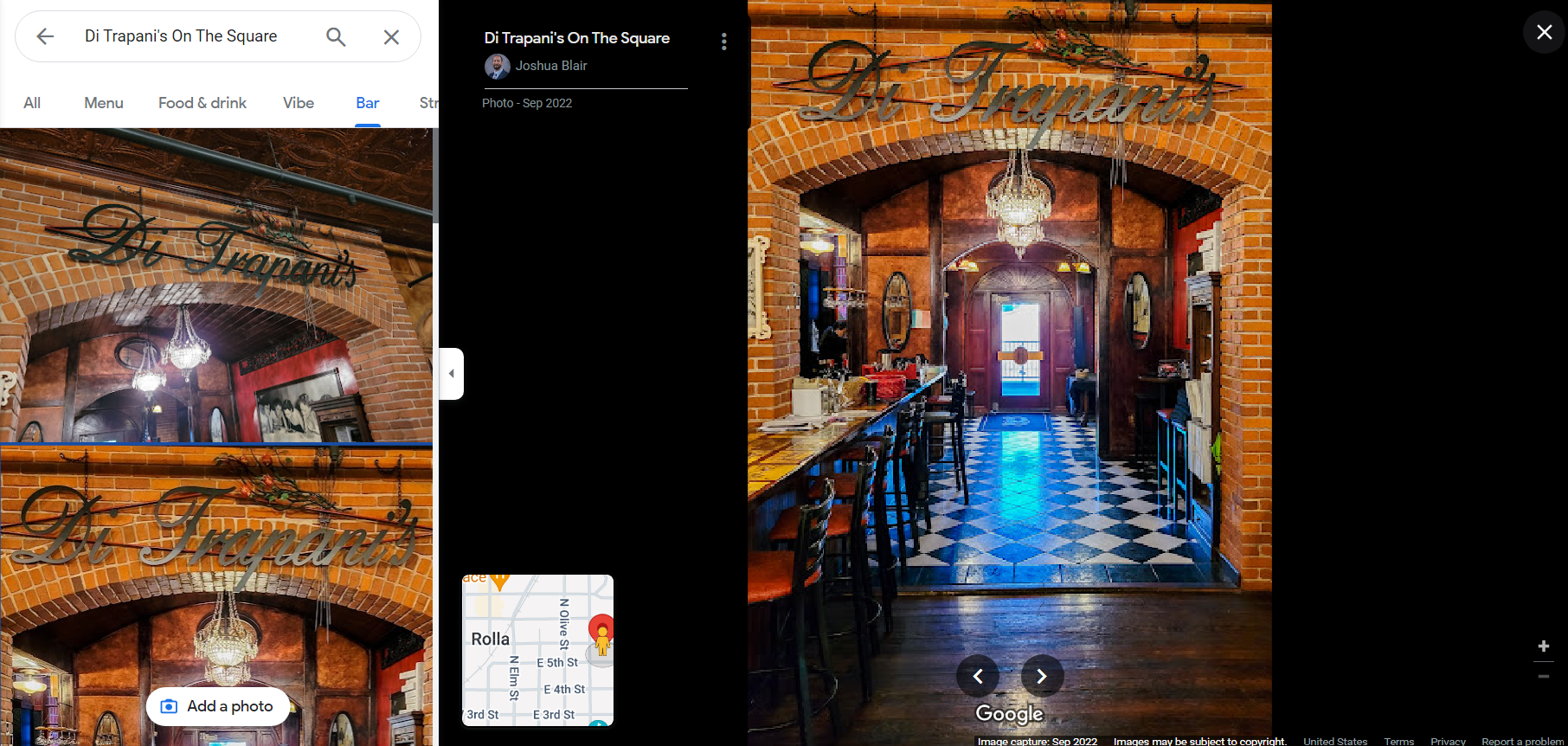
Make sure to include photos of your business’s interior and exterior, products, and menu, if applicable.
8. Optimize Your Website for Local Search
You can give your Google Maps ranking a boost by making some adjustments to your website. Try the following:
- Create location-specific pages on your website and include relevant local keywords on those pages.
- Make sure your website is mobile-friendly.
- Optimize your website for quick loading speeds to provide a better user experience to potential customers.
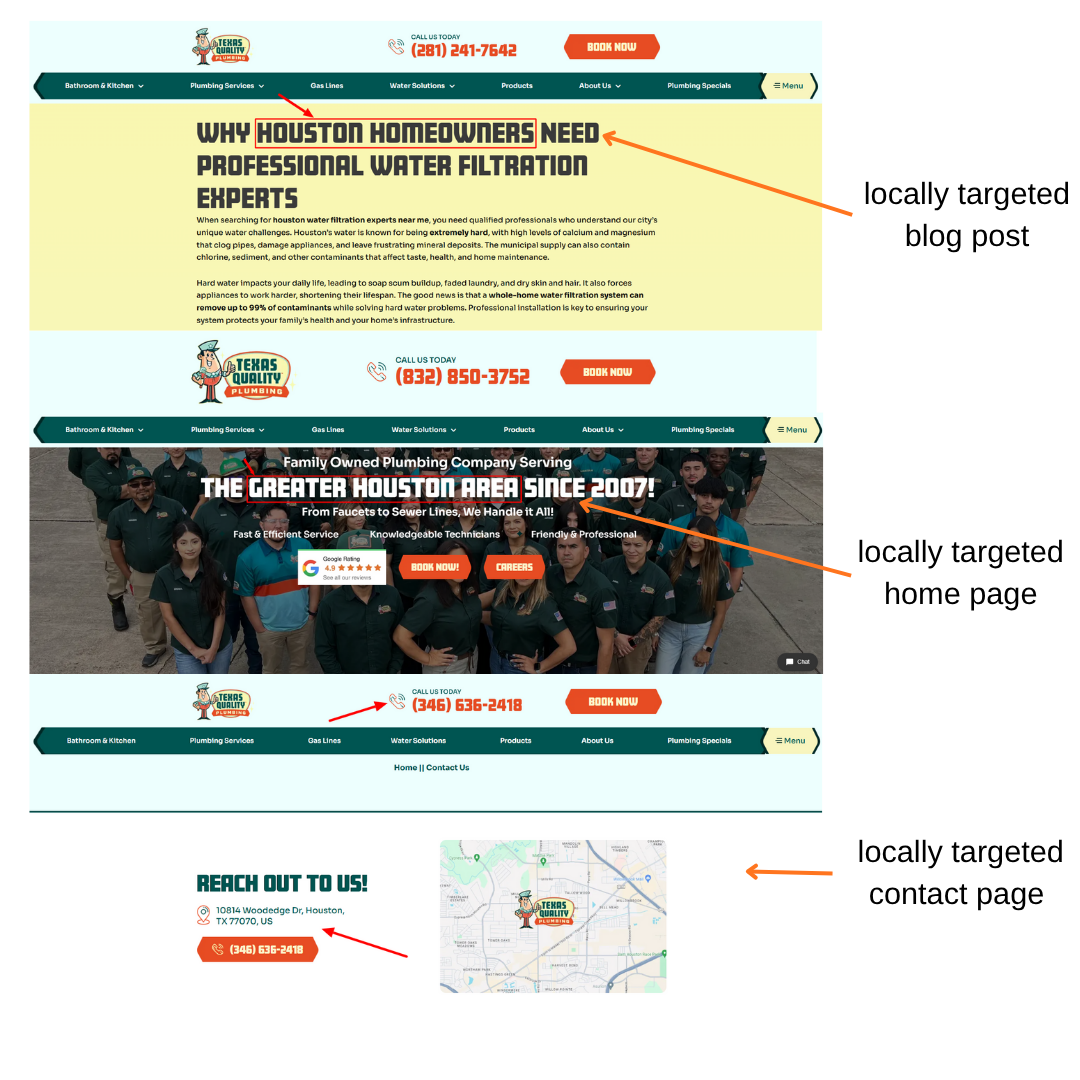
There are other steps you can take as well, but starting with these 3 can drastically improve your ranks (both on the Google SERP and in Google Maps) if done properly.
9. Include Links to Your Website and Social Media
This one is pretty straightforward: Just make sure your Google Business Profile listing includes links to your website and social media accounts.
There is a dedicated section on your Google Business Profile for both of these pieces of information, so make sure they end up in the appropriate sections.
This can help drive traffic to your website and help customers find all the information about your business in one place.
10. Respond to Reviews
Reviews are a massive part of success on Google Maps, but they can be difficult to navigate – especially when you get that dreaded negative review.
Most people just ignore negative reviews, but that’s the wrong approach. Instead, you should publicly respond to the negative review to kindly apologize for the experience and let them know that someone will be reaching out to rectify the situation.
Doing so lets all future customers know that you care deeply about their experience. It can actually turn the negative review into a great ad for your business!
Similarly, you should show appreciation for positive reviews and thank them for their business.
Make sure that you type a personal message to each review. Some businesses have a copy/paste response that goes out to each positive review and a different one for negative reviews. Avoid doing that, as it makes it look forced and like you don’t care enough to respond individually.
11. Add Your Business to Local Directories
We briefly mentioned local directories like Yelp, TripAdvisor, and others earlier in this post to emphasize consistency across the web.
If you haven’t yet added your business to those directories, you should go ahead and do so. Even though these directories aren’t as big as they used to be, they can still contribute traffic – especially in certain demographics that use them more than others.
It certainly never hurts to get your name out there to a few more places online – just make sure your NAP and other information is consistent everywhere online.
12. Use a Local Phone Number
Google isn’t a big fan of toll-free numbers because spammers tend to use them pretty frequently.
For example, let’s say you run a plumbing company in Dallas. A phone number with a 214 or 972 area code immediately tells both Google and potential customers that you’re a local business serving the Dallas–Fort Worth area. But if your number starts with 800 or 888, Google might not connect you to any specific location — and local searchers might assume you’re just another national call center.
So, by using a local phone number, you send a trust signal to searchers that your business is ACTUALLY located in their area.
13. Properly Categorize Your Business
You can’t be running a landscaping business with the primary category “Corporate Office,” because it’ll severely impact your ability to rank locally for anything related to landscaping.
Google lets you set a primary category as well as secondary categories for your profile, with the primary category carrying a higher weight.
Here’s an illustration to help you pick the most specific category for your business:
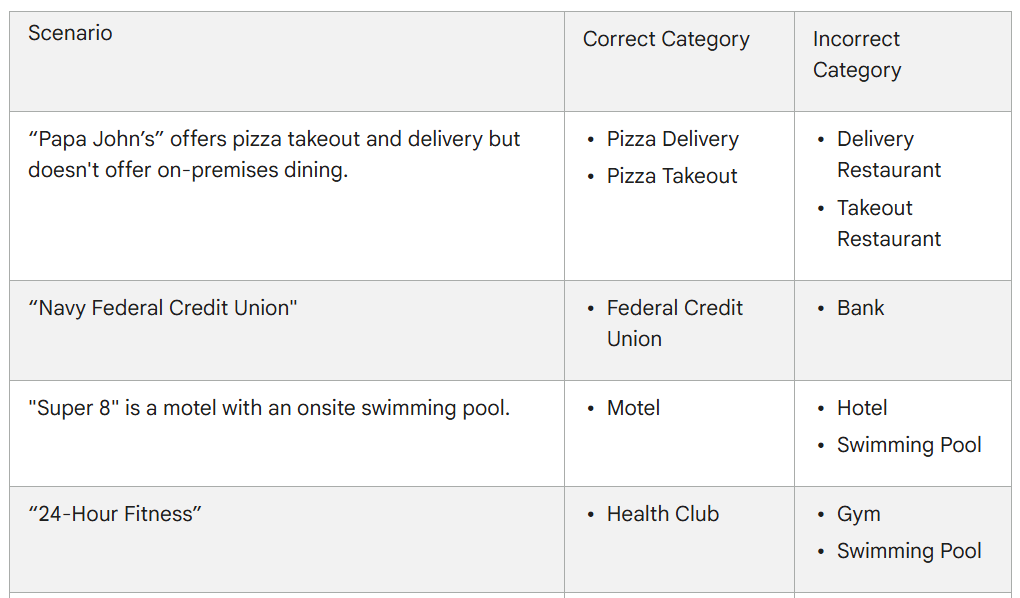
Pro tip from Google: Select categories that complete the statement: “This business IS a” rather than “this business HAS a”.
14. Weed Out Duplicate Listings
Google tends to either suppress or discredit businesses with multiple phone numbers or locations listed for one actual business.
Get rid of duplicate listings and redundant information to give your ONE TRUE listing a better shot at ranking higher.
You’ll want the same info to be used across the web where your business is listed.
15. Embed Google Maps on Your Website
Another way to verify that your business ACTUALLY operates out of the address mentioned in your Google Business Profile is to embed a Google Map within your website.
This tends to have an added advantage for your customers, since you can use this feature to point out directions to your location from the most popular nearby locations, such as the airport, train station, or local attractions, making it a pretty smart tip for businesses that rely on high foot traffic to conduct their business (like restaurants).
However, keep in mind that the Google Maps API isn’t free for heavy use. So, if you do decide to use this feature, make sure you do so on just 1-2 pages, instead of slapping it on every page of your website. Ideally, you can add it to your ‘Contact’ and ‘About’ pages.
16. Add Identity Attributes
Adding identity attributes such as “Identifies as Asian-owned” or “Identifies as women-owned” won’t improve your rankings for general searches such as “architecture firms near me”.
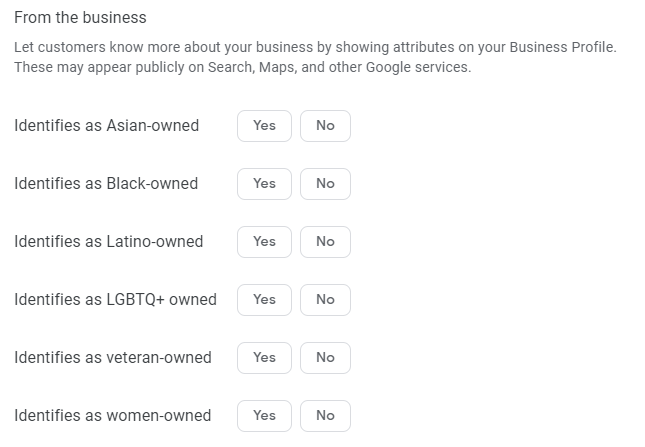
However, it’ll come in handy for searches directly related to the attribute, such as “women-owned architecture firms near me”.
How to Track Your Google Maps Rank
Once you start working on your rank in Google Maps, you’ll quickly realize that keeping track of your rank is just as hard as improving it!
That’s where ProRankTracker comes in.
Input your Google Business Profile into the Add Wizard tool to start automatically tracking your Maps ranking for your specific location.
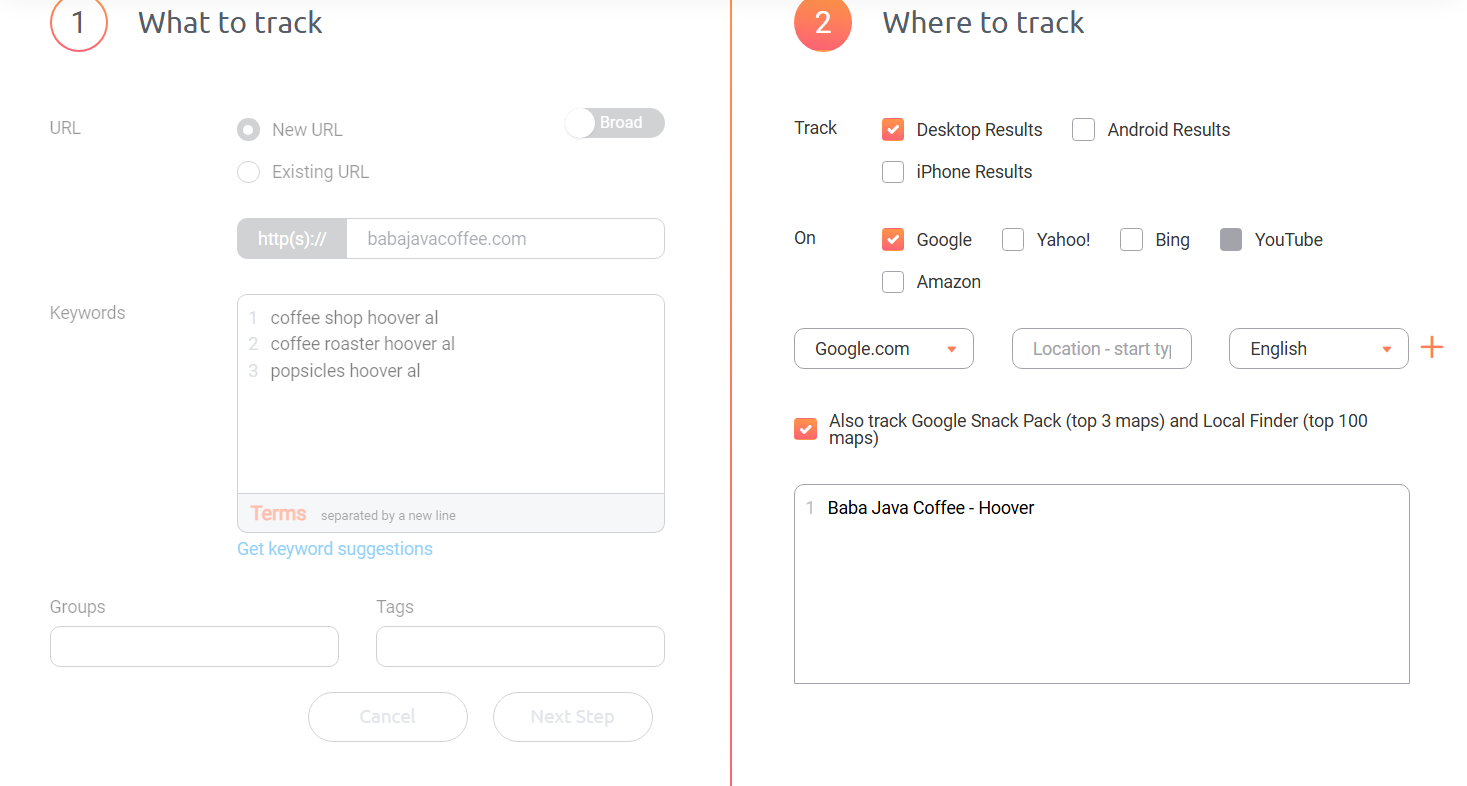
After you put your Google Business Profile information in, you can use the dashboard and other ranking views to easily see how your Google Maps ranks change over time.
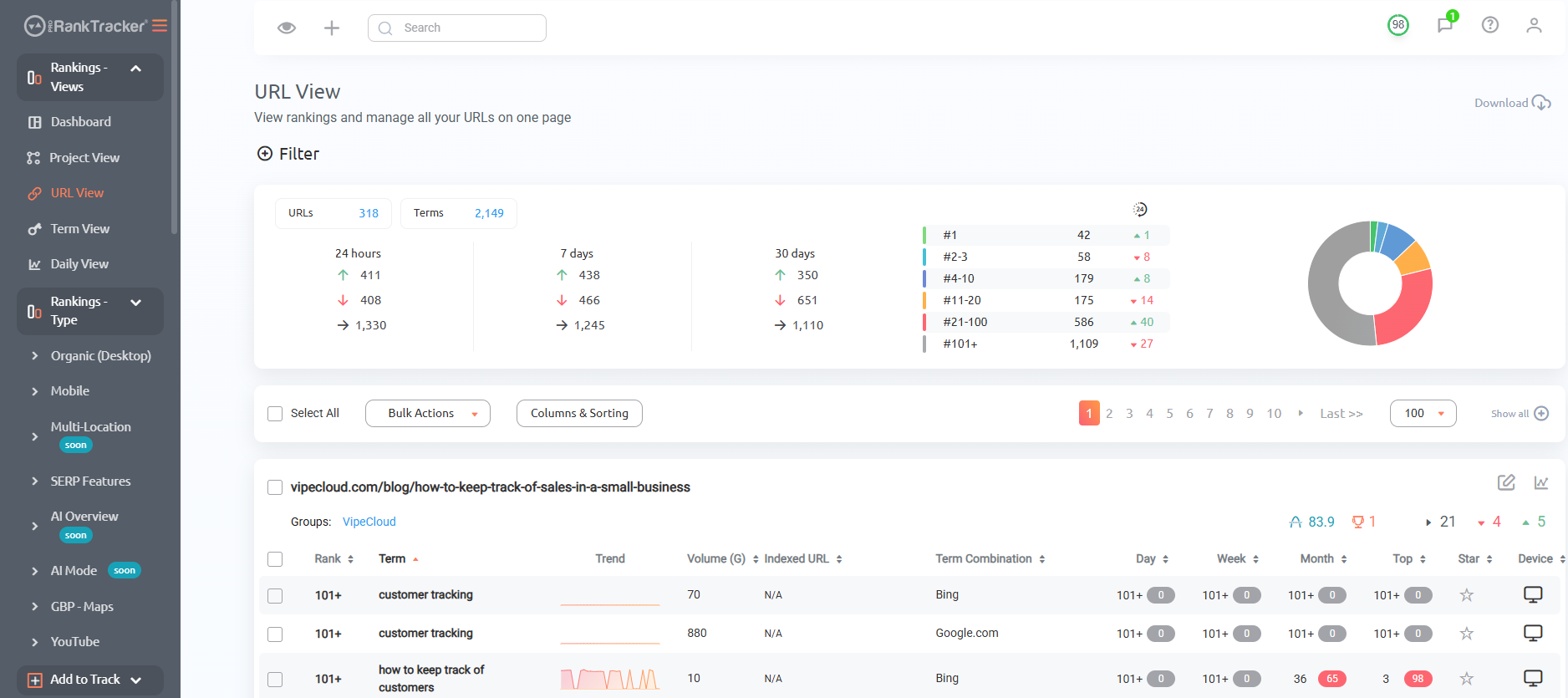
If you aren’t already signed up for ProRankTracker, I highly recommend signing up for a 7-day test drive with all features enabled to see just how much it can help your business on Google Maps!
FAQs
Why am I not ranking in Google Maps?
Some of the common reasons why your business may not be ranking on Google Maps include a lack of consistent NAP (name, address, and phone number), inaccurate information, a lack of customer reviews, an incomplete Google Business Profile, and a lack of location-specific pages on your website. Keep working on your profile consistently, and you’ll see improvement.
Why am I still not ranking well on Google Maps even after optimizing my Google Business Profile?
According to Google, local results are mainly based on 3 factors:
- Relevance is how well a Business profile matches what someone is searching for. To help Google better understand your business and match it to relevant searches, make sure you provide complete and detailed business info. Categories might be a common miss here, so make sure you have picked the most precise primary category possible. However, if you have a competitor in your building, in the same industry, using the same category, you might run into issues with Google’s Local Filter. You can focus on improving your relevance and ensuring that your listing isn’t too similar to another listing that might be outranking you.
- Distance refers to how far a business is from the customer who’s searching. This isn’t something you can control, so you’d be better off focusing on the other two.
- Prominence is a measure of how well-known a company is. So, more frequent and more recent positive reviews and citations in local directories can help you boost this.
How can I increase my rank immediately on Google?
As much as you may want quick results, achieving an immediate ranking on Google Maps may not always be possible. However, that doesn’t mean you can’t achieve quick results with proper optimization. Follow the tips above, and you should see quick improvements within a few days or weeks.
What are some factors that don’t influence local rankings?
A couple of factors that don’t impact your local rankings include:
- Opening Date: Adding an opening date won’t affect your rankings. However, it allows your prospects to see your experience as a key differentiator, which could very well show up in the local finder results, giving your conversion rates a nice boost.
- Messaging: Enabling messaging on your Google Business Profile isn’t going to impact your rankings, but you should still do it cause it makes it easier for your customers to get in touch with you regarding product or service-related queries.
- Q&As: Q&As is an extremely handy feature on GBP that lets you show up as a trusted authority in the space, or help you get more qualified leads and make it easy for customers to find answers to common questions, but it doesn’t influence rankings directly.
- Phone Number: Using a local business phone number won’t magically land you in the Snack Pack. However, it’s pretty useful for building trust with your customers, since they might prefer a local phone number to a toll-free one.
Ready to Take Over Google Maps?
Many businesses make some random changes to their online info and then sit around and hope that it helps their Google Maps ranks.
These 16 tips take the guesswork out of the equation and help you rank higher in Google Maps.
By following these tips, you’ll be well on your way to becoming more visible on Google Maps.
Good luck!