How to Check Your Keyword Rankings (Fast)
If you’re looking for a fast way to check your keyword rankings, try ProRankTracker’s Insta-Check. Or if you’re looking for a way to always track your keyword rankings, try a ProRankTracker plan that’s free for 14 days.
Struggling to track keyword rankings accurately AND at scale… without breaking the bank?
Most SEO pros know they should be monitoring keyword rankings, but actually doing it consistently (and accurately) is another story.
Manual checks are time-consuming. Free tools like Google Search Console are limited. And generic rank trackers often leave you guessing.
That’s why I put together this guide. Whether you’re trying to spot drops before they tank your traffic or just want a better way to stay organized, you’ll find everything you need to check keyword rankings the right way — from free methods to fully automated solutions.
I’ll cover:
- How to Check Keyword Rankings Instantly
- How to Track Your Keyword Rankings Long-Term
- How to Check Keyword Rankings for Free (Without a Paid Tool)
- Frequently Asked Questions About How to Check Keyword Rankings
How to Check Keyword Rankings Instantly
Let’s be real: Checking keyword rankings manually is unreliable and time-consuming. The reason? Rankings change depending on factors like location, language, device, search engine, and personal search history. Adjust any of these variables, and the results can be wildly different.
So, how can you quickly and accurately check where your website stands?
ProRankTracker’s Insta-Check is a pay-as-you-go SERP checker tool designed to get you the rank data you need without the commitment of a monthly subscription.
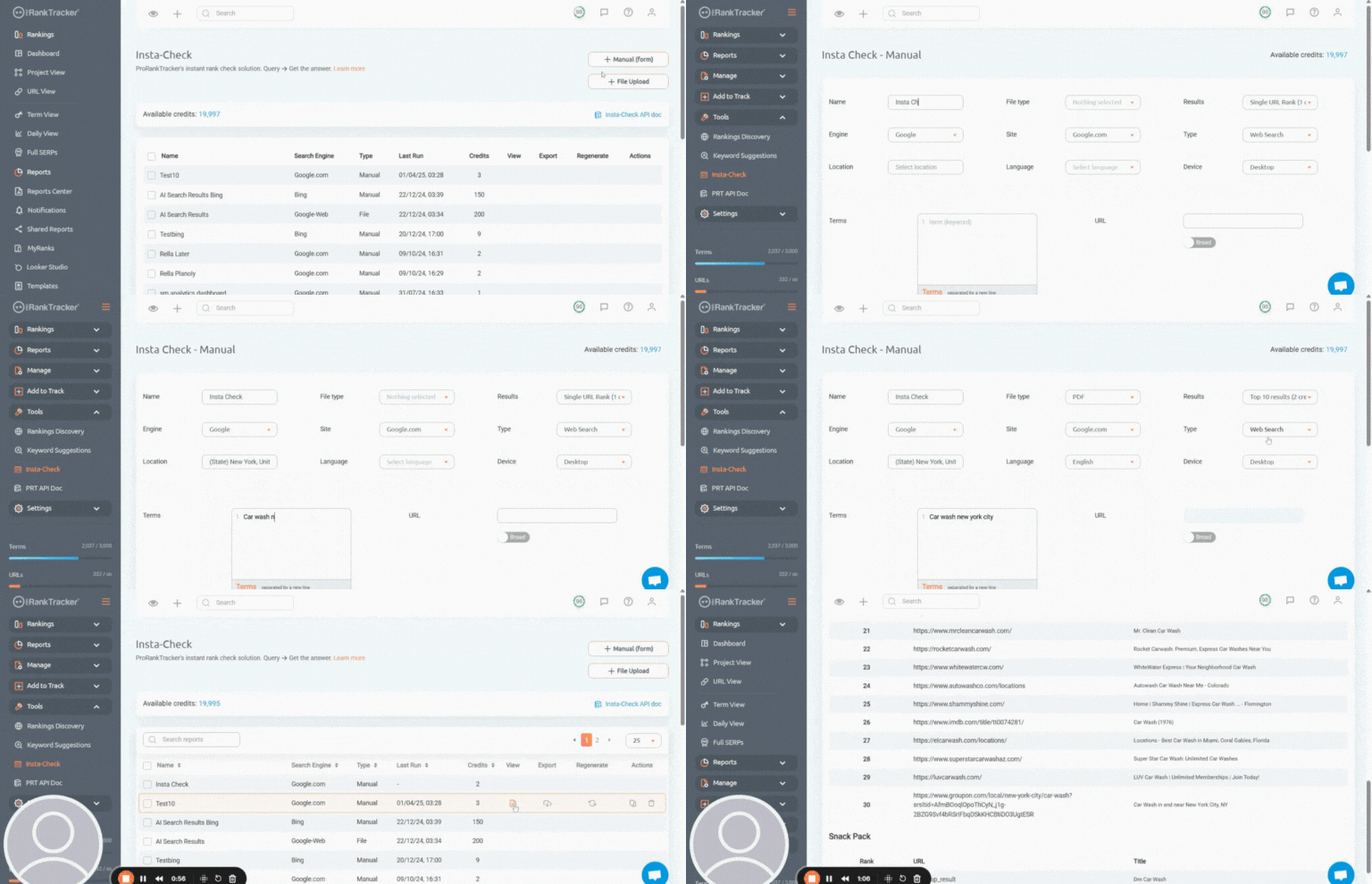
Insta-Check makes it easy to check your ranks or analyze your competitors’ positions in minutes.
Here’s how to get started:
Choose Your Report Type
Insta-Check gives you 4 instant rank report options that show you the SERP of a keyword based on a specific location, device, search engine, and language.
- Single URL Check (1 credit) – See the rank of one URL.
- Top 10 Results (2 credits) – View the top 10 ranks for a given keyword combination (no URL needed).
- Top 30 Results (3 credits) – Expand the view to the top 30 rankings.
- Top 100 Results (4 credits) – Get the complete picture with the top 100 ranks for your keyword.
Upload Your Keywords
There are 3 ways to add keywords to Insta-Check:
- Manual form – Ideal for checking just a few keywords quickly.
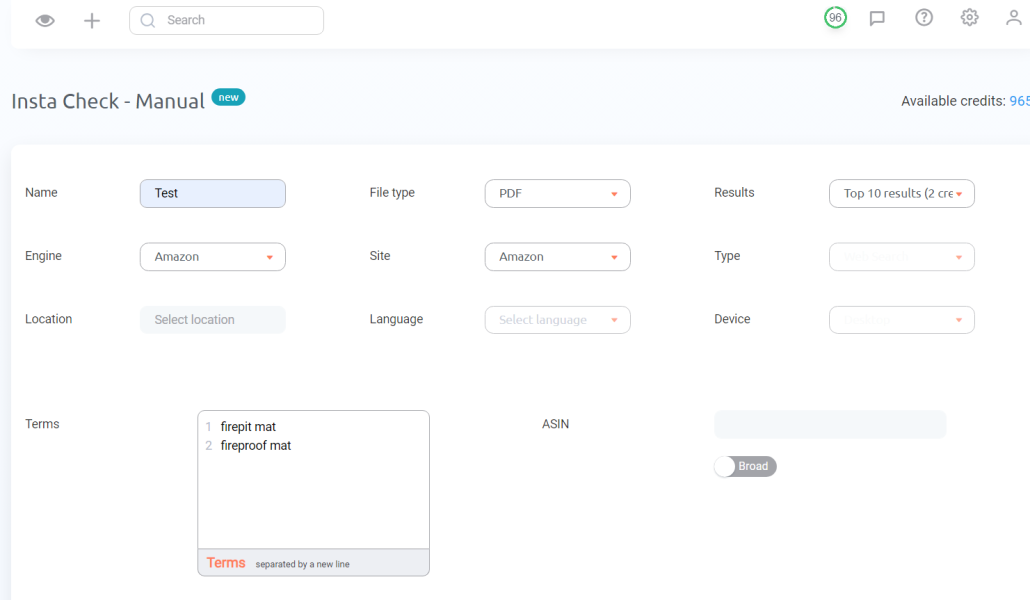
- File upload – Perfect for bulk checks — simply import a long list of keywords in one go.
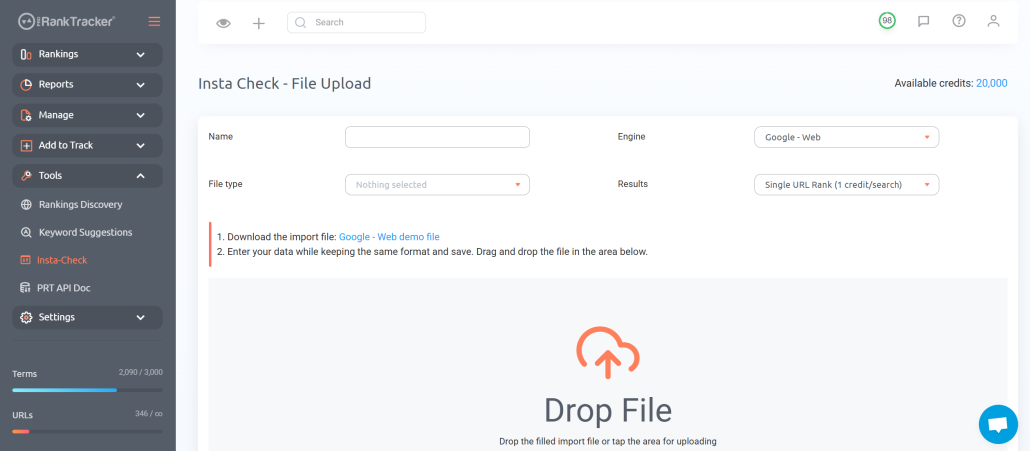
Insta check file upload
- API integration – For seamless automation, connect Insta-Check with your existing systems using ProRankTracker’s API.
Analyze Your Results
After uploading your keywords, Insta-Check will gather and display your results. Depending on the number of keywords or SERPs you’re analyzing, it might take a few moments to pull the data.
Once complete, you can download the report in the format you prefer: PDF, CSV, XLSX, or JSON.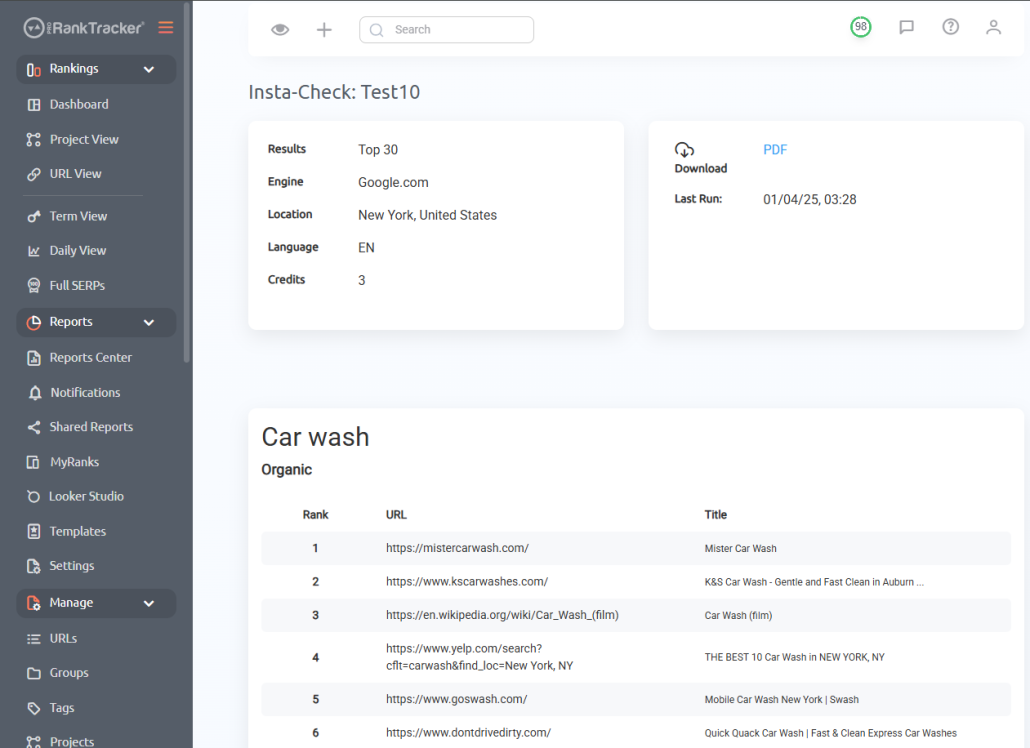
Insta-Check is the perfect tool when you need fast, precise rankings without the headache of long-term tracking. It’s pay-as-you-go, flexible, and designed to give you the data you need when you need it.
How to Track Your Keyword Rankings Long-Term
Ready to go beyond one-off checks and start building real SEO momentum?
ProRankTracker makes long-term rank tracking simple, scalable, and accurate — all at an affordable price.
With 100% accurate daily updates, powerful filtering, and white-label reporting, you’ll always know exactly how your SEO is performing.
In this section, I’ll walk you through how to use ProRankTracker to easily and quickly improve your keyword rankings. If you aren’t already a subscriber, we highly recommend signing up for ProRankTracker’s 14-day free trial so you can follow along.
Step 1: Add Your URLs & Keywords
The first step in long-term rank tracking is telling ProRankTracker what you want to track. This includes which URLs, which keywords, and under what conditions.
ProRankTracker lets you get hyper-specific with every keyword/URL combo you track.
When adding keywords (via Add Wizard or Advanced Add), you can:
- Set the exact location (down to the city or zip code)
- Choose device type — Desktop, Android, or iPhone
- Select the language for localized SERPs
- Track local map results and Google Business Profiles if relevant
This level of precision is essential for local SEO, international sites, or businesses targeting mobile-first users.
There are 2 ways to add URL and keyword combos:
1. Use the Add Wizard for a fast, beginner-friendly setup. Just enter the URL, your keywords, choose the search engine, device type (desktop or mobile), and location. If you’re tracking local SEO or Google Business Profile results, you can add GMB info too.
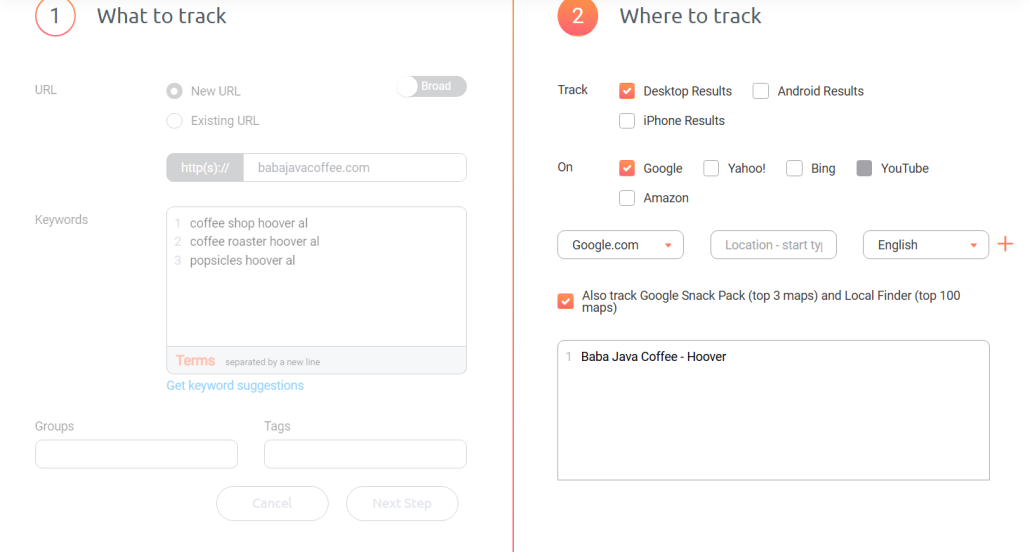
2. Use the Advanced Add tool for bulk tracking. This method gives you more control and is great if you’re managing multiple sites or want to upload hundreds of keyword/URL combinations at once.
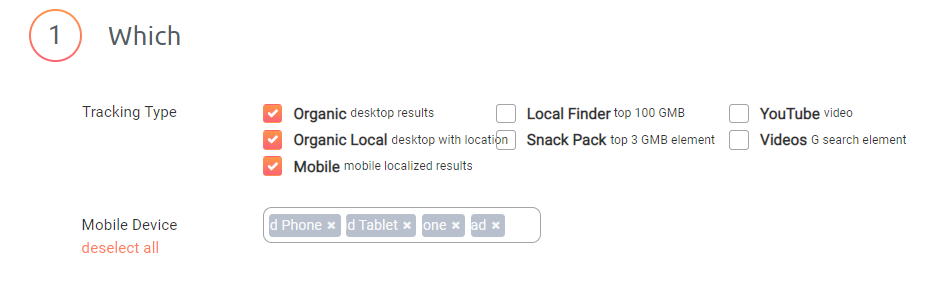
Advanced add step 1
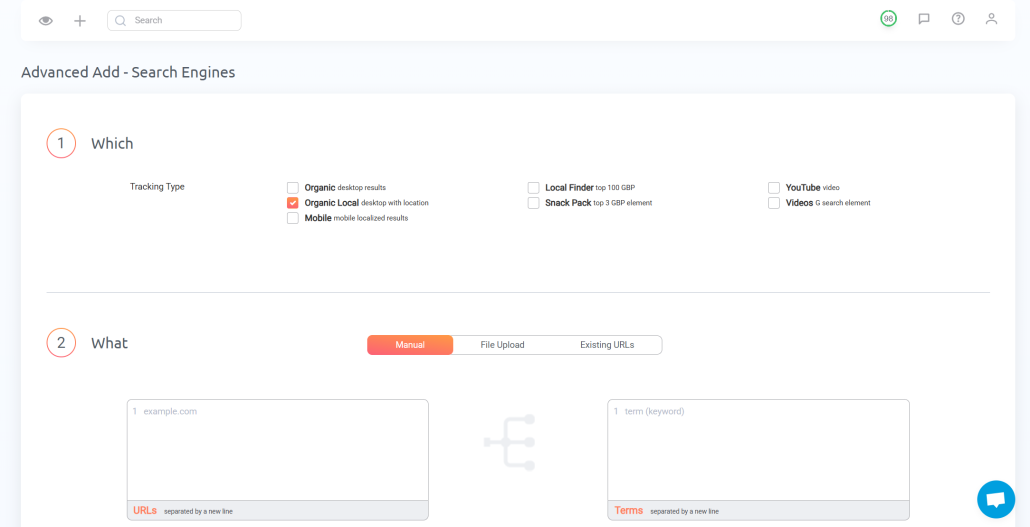
Advanced Add
Pro tip: Don’t forget to track different keyword variations across both mobile and desktop (this could help spot ranking discrepancies that point to technical or content issues).
Once your keywords are added, PRT will start collecting ranking data and updating it daily — so you can start spotting trends, wins, and opportunities right away.
Step 2: Organize Everything with Groups, Tags, and Projects
ProRankTracker lets you organize your tracking setup using Groups, Tags, and Projects to help manage multiple clients, campaigns, or sites.
You can assign URLs to these organizations WHILE you’re adding your URLs/keywords or after:
- Groups help you bundle related URLs (e.g., all pages from a specific client or product line).
- Tags let you categorize keywords (like “branded,” “local,” or “high priority”) to filter reports and views quickly.
- Projects give you a high-level way to manage and segment all your tracked data under one campaign umbrella.
This makes it easy to slice and dice your rank data any way you want — by campaign, region, content type, or intent — without clutter or confusion.
Pro tip: Use consistent naming for groups and tags. It’ll save you tons of time when filtering views, generating reports, or scaling your tracking across new clients or keyword sets.
Step 3: Monitor Progress in the 6 Rankings Views
Once your tracking is live, ProRankTracker gives you 6 powerful Rankings Views to monitor your keyword performance from every angle.
Here’s what each view shows:
- Dashboard – Your high-level summary. Track total URLs and terms, recent ranking changes, and top wins/losses at a glance.
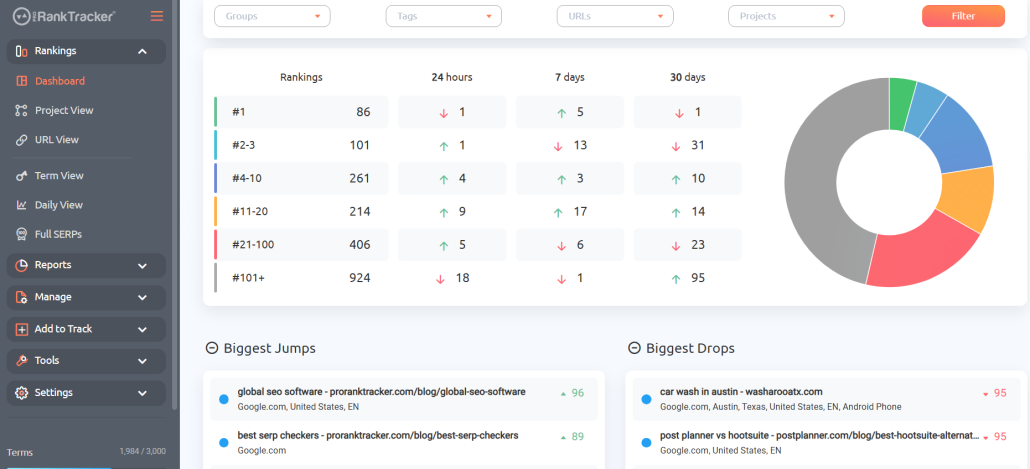
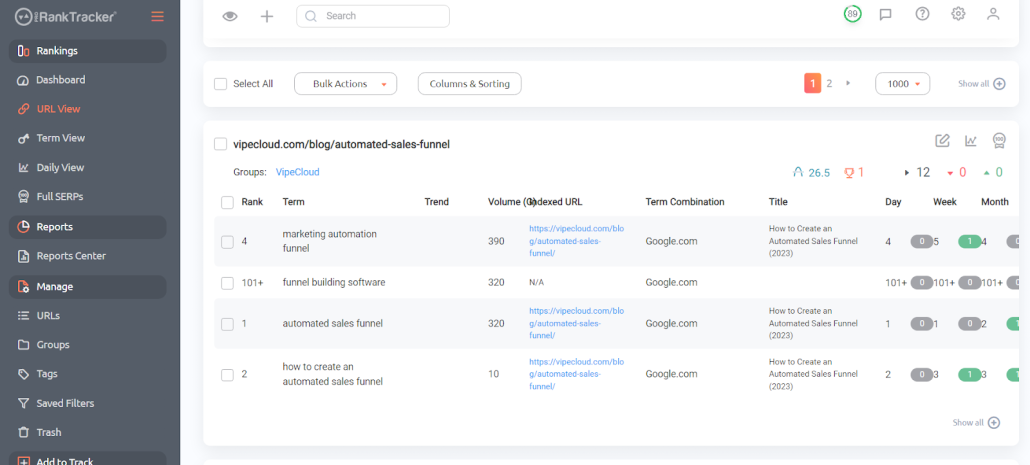
- URL View –- See all tracked keywords organized by URL. Perfect for analyzing page-level performance.
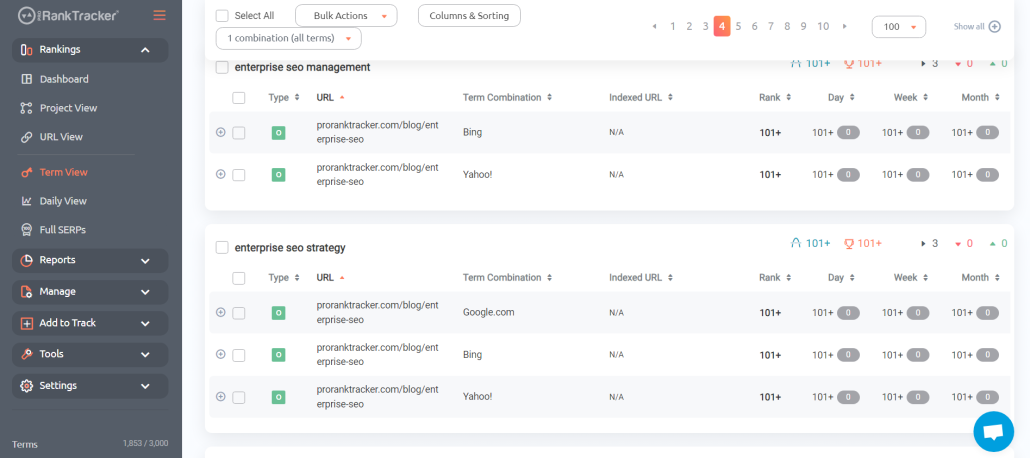
- Term View – See each keyword and where a URL ranks across devices, locations, and URLs.
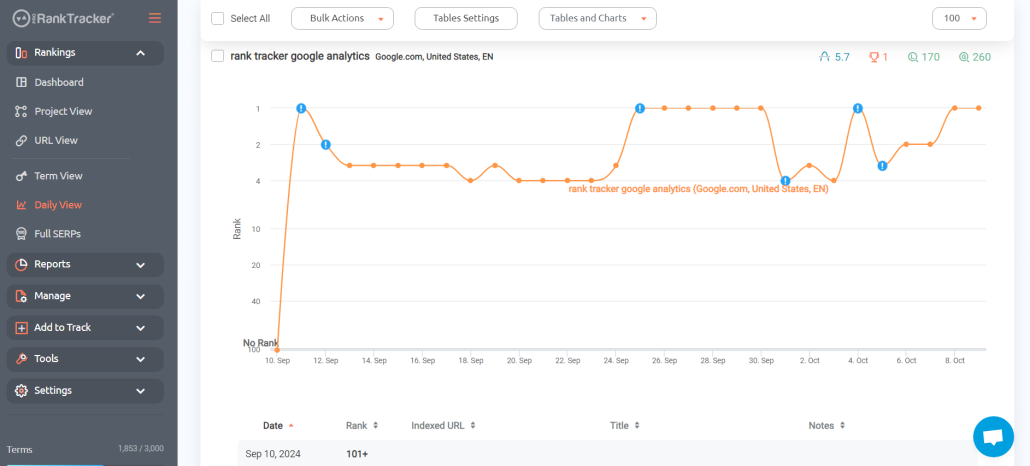
- Daily View – A detailed graph of daily ranking changes over time. Ideal for spotting SEO trends or measuring the impact of site updates.
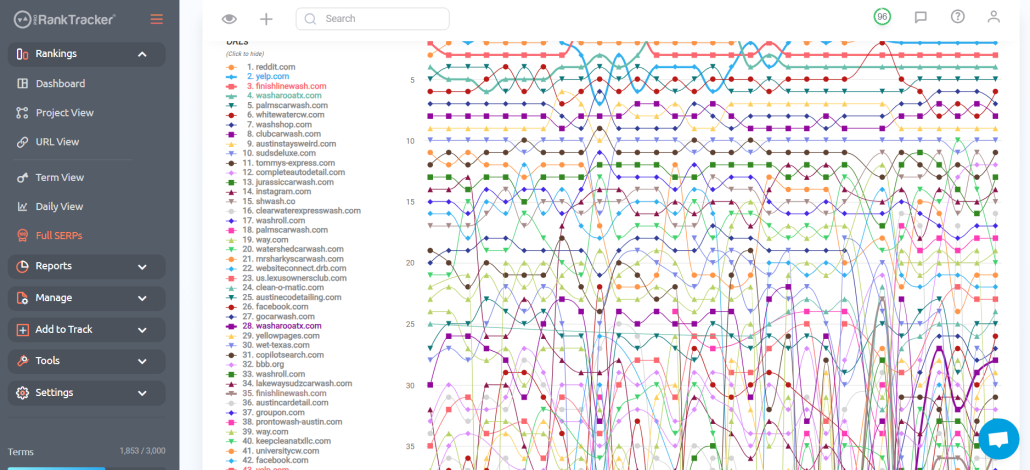
- Full SERPs – Explore the entire top 10, 20, 30, 50, or 100 search results for any tracked term. Great for competitor research and SERP landscape analysis.
- Project View – Group related URLs, keywords, and settings into projects to monitor campaign-level performance with one click. You can also see a daily view for any of the Project’s URLs and a yearly heatmap for a quick visual understanding of your rank’s long-term progress.
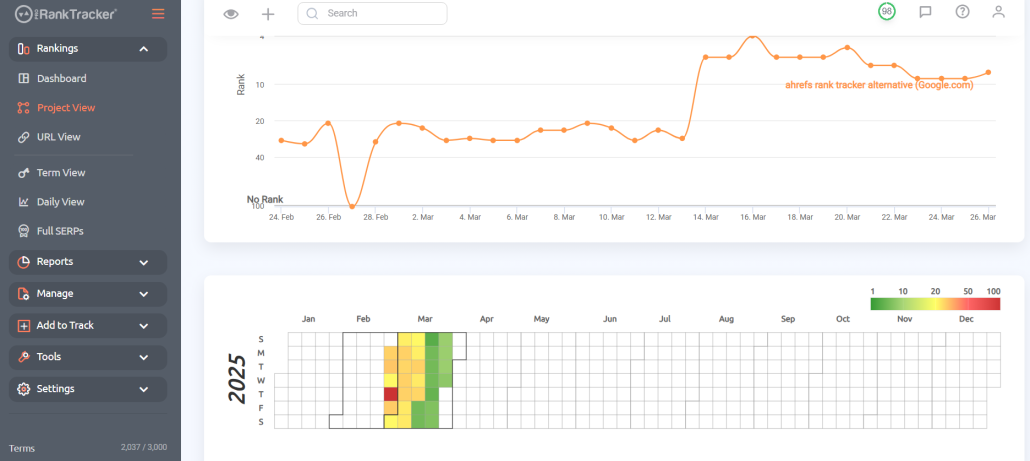
Step 4: Uncover Hidden Keywords You Didn’t Know You Were Ranking for with Rankings Discovery
Think you know all the keywords your pages rank for? Think again.
ProRankTracker’s Rankings Discovery tool helps you find keywords your URLs are already ranking for — but that you’re not yet tracking. These are often untapped SEO opportunities hiding in plain sight.
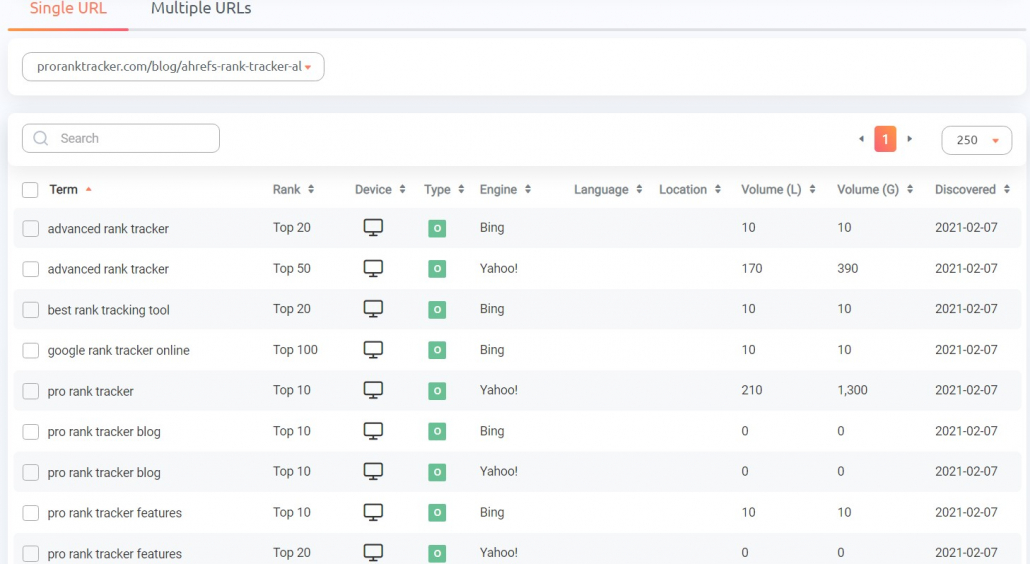
Here’s how it works:
- Go to the Rankings Discovery tool
- Select the URL you want to analyze
- ProRankTracker will scan and reveal all the keywords that your URL currently ranks for
From there, you can review the results and instantly add high-potential terms to your tracking list.
Pro tip: Use Rankings Discovery regularly — especially after publishing new content. It’s one of the easiest ways to find long-tail variations, keyword gaps, and low-hanging ranking opportunities without doing manual research.
Step 5: Automate Reports & Real-Time Alerts
Once your rankings are being tracked, it’s time to put reporting on autopilot and stay ahead of changes with real-time alerts.
ProRankTracker makes it easy to generate custom, white-label reports that update automatically and send on your schedule. Whether you’re managing clients or your own campaigns, reports help you track progress and prove ROI without lifting a finger.
You can:
- Schedule daily, weekly, or monthly reports
- Automatically send reports via email
- Export reports as a PDF, CSV, or XLSX file
- Create shareable live link reports (Shared Reports)
- Add your logo and branding for a fully white-labeled experience
Here’s a rundown of the main types of reports you can generate:
- Overview Reports give you a snapshot of current rankings by URL and keywords.
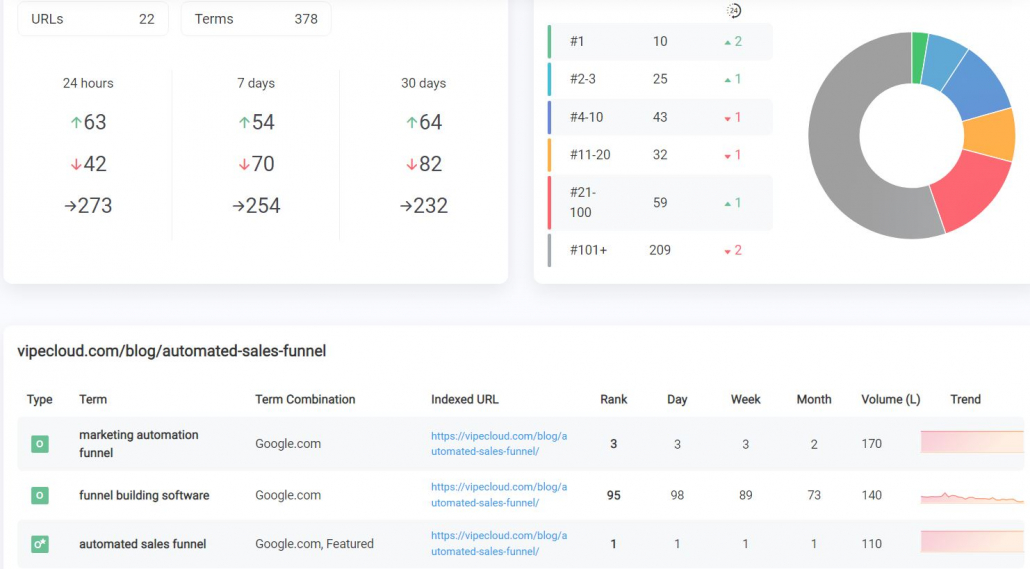
- Historical Progress Reports show ranking data broken down daily, weekly, or monthly so you can spot patterns or prove long-term SEO gains.
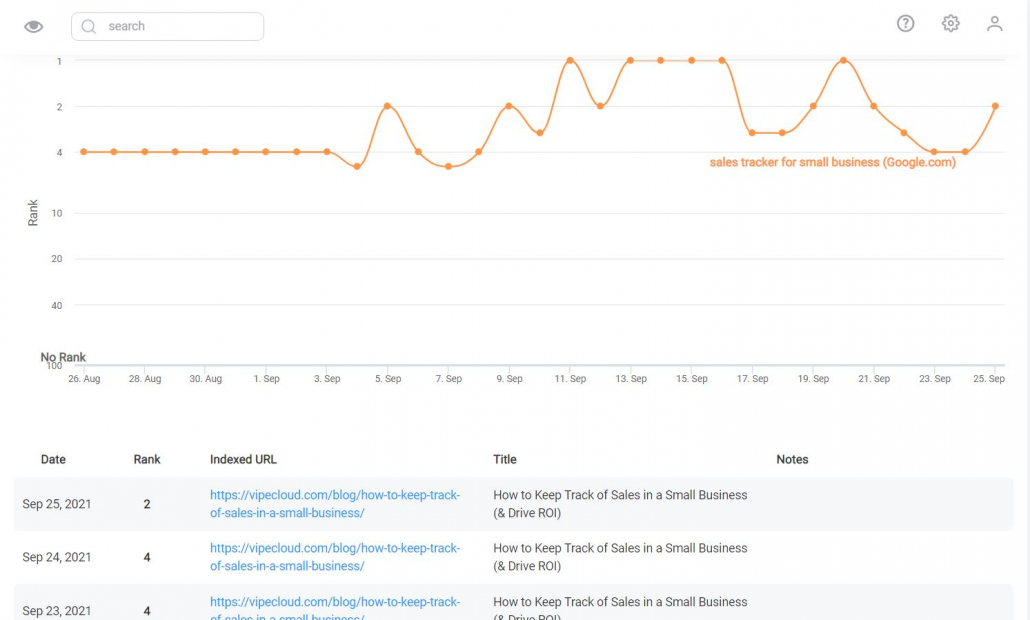
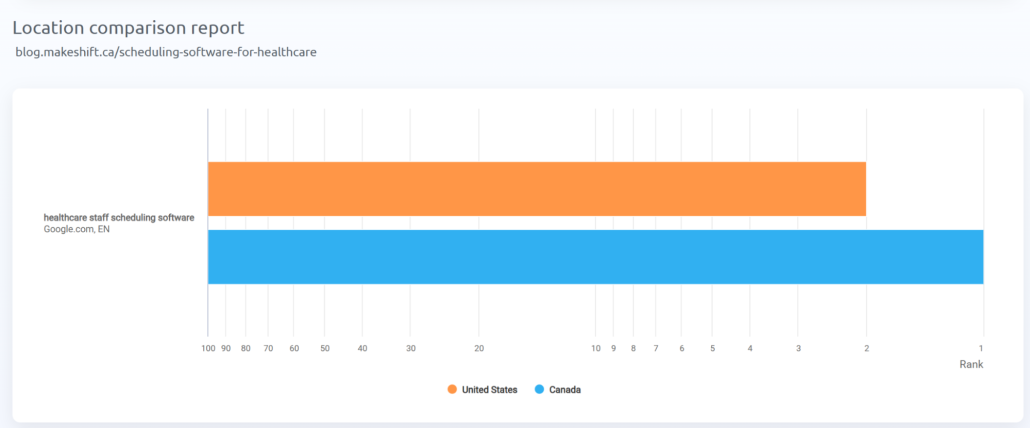
- Ranking Comparison Reports let you compare the same keyword across multiple URLs, devices, locations, or search engines.
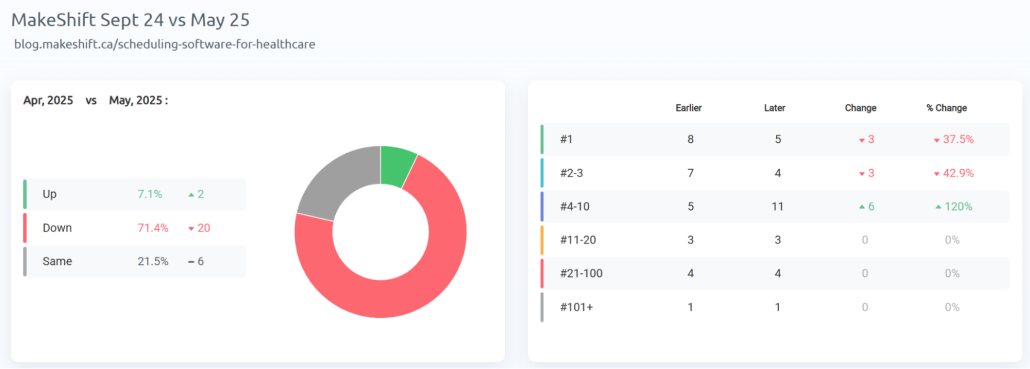
- Benchmark Reports compare rankings between two dates, weeks or months — ideal for showing progress after campaigns or audits.
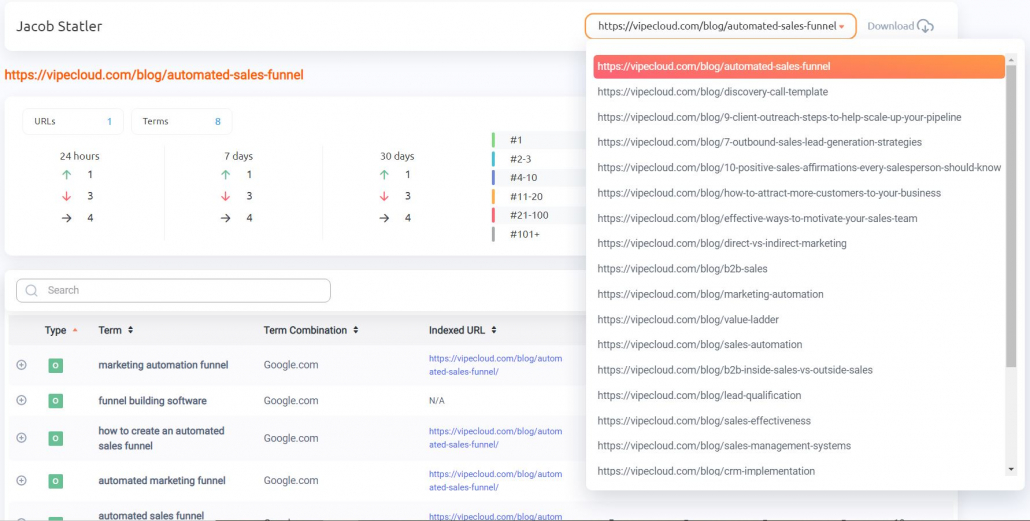
- Rankings Sections Reports export what you see in PRT’s dashboard views (Project View, URL View, Term View, Daily View, and Full SERPs) as scheduled reports.
- Notifications send automatic email alerts when ranks drop, jump, or hit specific milestones.
- Shared Reports create live, password-protected URLs your clients or teammates can access anytime for real-time reporting.
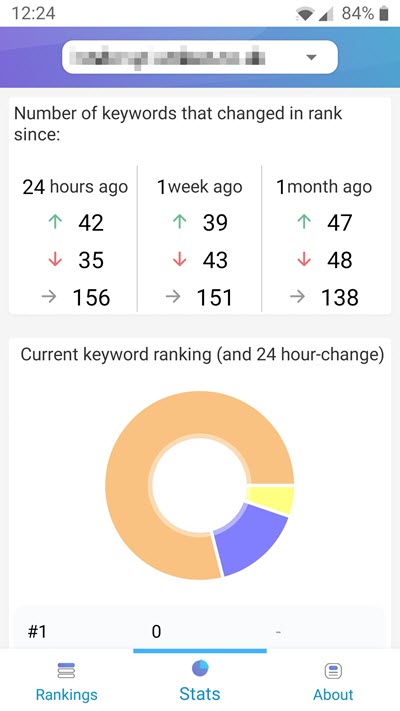
- MyRanks Mobile App gives your clients access to their rankings via a white-labeled app with your logo and branding.
Need to react fast to ranking shifts? Use Trigger Notifications to instantly alert you when:
- A keyword drops by X positions
- A term enters or exits the top 10
- And more!
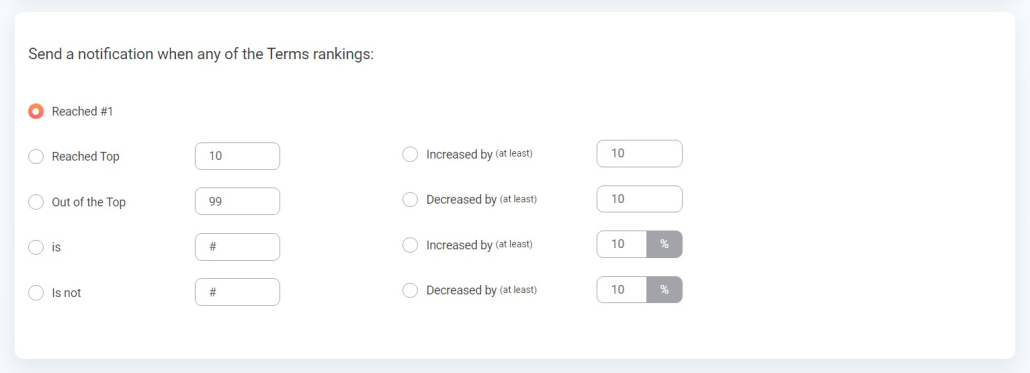
You can also enable Jump/Drop notifications for daily, weekly, or monthly summaries of all your biggest rank changes.
Pro tip: Set trigger alerts for your highest-value keywords. That way, you’ll know the moment something shifts and can act before it affects your traffic or revenue.
Step 6: Integrate PRT Data into Your Stack with the API
ProRankTracker’s powerful rank tracker API lets you pull ranking data directly into your own tools, dashboards, or internal systems.
With the API, you can:
- Feed real-time ranking data into custom SEO dashboards (e.g., in Google Looker Studio or Tableau)
- Combine PRT data with Google Analytics, Search Console, or CRM metrics for deeper performance insights
- Automate agency reporting workflows by syncing PRT data with tools like Slack, Zapier, or custom-built portals
- Track rankings at scale across multiple campaigns or clients with your own front-end UI
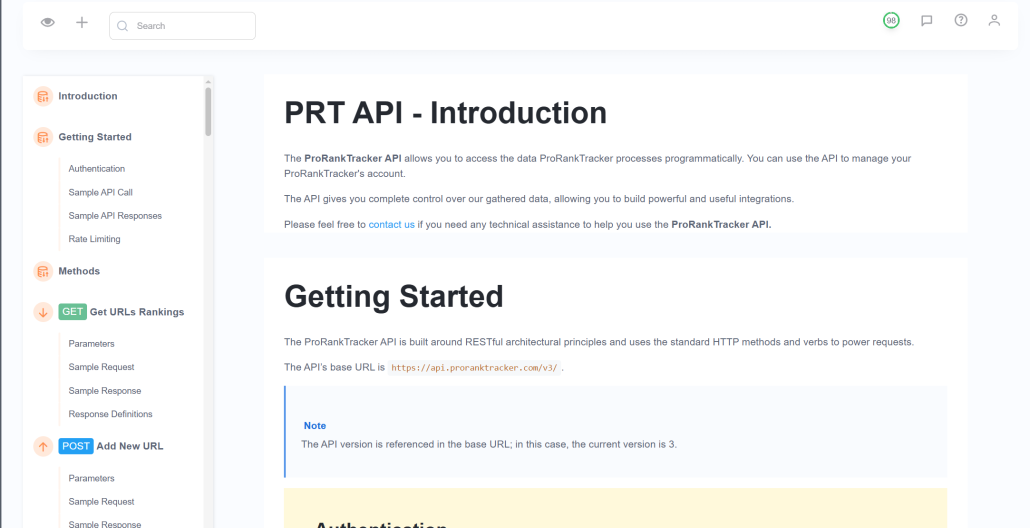
PRT API documentation
Even if you’re not a developer, your team can use PRT’s well-documented API to get started quickly.
How to Check Keyword Rankings for Free (Without a Paid Tool)
If you’re not ready to invest in a keyword tracking tool, there are still a couple of ways to check your rankings for free.
They’re not as efficient or detailed as dedicated tools, but they can work for certain use cases (especially for solo site owners or marketers with just a few keywords to track).
Below are 2 free methods: one manual, and one using Google Search Console. Both come with limitations, but each has its place depending on your goals and resources.
Manual Keyword Checking
This is the old-school method: open an incognito browser window, type in your keyword, and scroll through the search results to see where your page appears.
Downsides:
- Search results are personalized — even in incognito — so rankings may not be accurate
- No historical data or reporting
- Can be wildly inconsistent based on location, device, or search history
- Time-consuming if you’re tracking more than a couple of keywords
This method might give you a rough idea of visibility, but it’s not reliable for long-term or large-scale tracking.
Using Google Search Console (GSC)
Google Search Console is a free tool provided by Google that shows which queries your website ranks for, how often it appears, and how many clicks it gets.
Downsides:
- Data is delayed (usually 1–2 days behind)
- GSC shows queries, not keyword targeting — so it’s not ideal for tracking specific SEO strategies
- Limited filtering (especially for local, mobile, or device-specific results)
- No real alerts or reporting features
GSC can be a goldmine for content optimization and spotting underperforming pages, but it’s not a full-fledged rank tracker.
Frequently Asked Questions About How to Check Keyword Rankings
What is a Keyword Ranking?
Keywords are the search terms people use when looking for information on a topic using a search engine. So, a keyword ranking refers to where your website or specific webpage falls in the search engine results page (SERP) for a given keyword.
A higher ranking means your website or webpage appears closer to the top of the SERP and is more visible to users. Conversely, the further down your site appears, the less likely you are to get traffic from it (the second page of Google is almost invisible for all practical purposes).
Why Do Keyword Rankings Matter?
Your keyword rankings aren’t just vanity metrics — they’re a mirror reflecting your site’s true visibility, performance, and growth potential.
And yes, rankings still matter in the AI world because rankings directly impact how likely you are to show up in AI overviews and AI chatbots.
If you’re ranking high for relevant keywords, your website is healthy: people are finding you, clicking through, and engaging. But if your rankings are low (or dropping), it could mean your content isn’t connecting, your site isn’t optimized, or your competitors are pulling ahead.
Tracking keyword rankings gives you:
- A real-time pulse on your website’s visibility in search
- A clear map of which pages are driving the most (or least) traffic
- Insight into whether your SEO efforts are paying off
Why You Should Check Your Keyword Rankings Regularly
Keyword rankings are a living indicator of your website’s performance. If you aren’t tracking them regularly, you’re flying blind.
Keyword rankings reveal how your content is showing up (or disappearing) in search. Drops could mean your pages are competing against each other, your competitors are pulling ahead, or you’ve triggered a Google penalty. Spikes might signal that a content update or link-building push is working. Either way, you won’t know unless you’re watching closely.
Tracking your rankings helps you:
- Spot ranking drops before they become traffic disasters
- Understand the “why” behind rank changes (like algo updates or new competitors)
- Discover new keyword opportunities and pivot your content strategy
- Analyze what’s working and double down on high-performing terms
- Stay ahead of competitors — not just react to them
What’s the Best Keyword Rank Checker Tool?
There are hundreds of SEO tools out there, but when it comes to tracking your keyword rankings — accuracy, usability, and reporting make all the difference. Because let’s face it: if your ranking data isn’t reliable, your entire SEO strategy is built on shaky ground.
So what should you look for in a keyword rank checker?
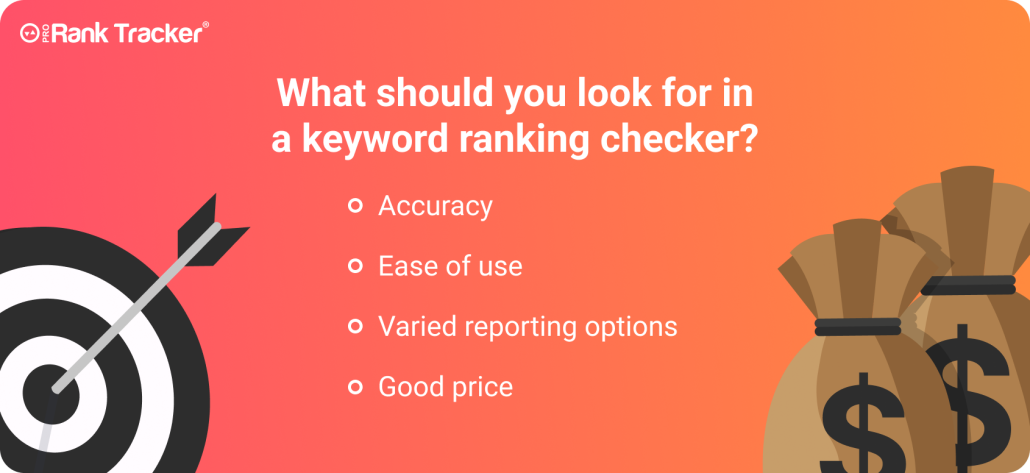
Here are the 4 non-negotiables:
- Accurate data you can trust – Your rank tracker needs to fetch real-time data (not estimates) and update frequently so you always have the most current picture.
- A simple, intuitive interface – You shouldn’t need a training manual to understand your ranking data. The best tools make it easy to navigate, segment, and act on what you see, without wasting hours clicking around.
- Flexible reporting – You want full control over what you report, how often, and how it looks — especially if you’re managing clients. Look for a tool that lets you automate reports, share live updates, and white-label reports for clients.
- Affordable pricing (without cutting corners) – Many tools force you to trade price for features, but that’s not necessary. There are tools that give you pro-level insights at a fraction of the cost of the “big names” (like Ahrefs and Semrush).
ProRankTracker checks all the boxes:
- It’s built for 100% accurate, daily-updated data (even down to mobile and local results)
- It’s easy to use, even for beginners, with fast setup and powerful visuals
- It comes with robust, white-label-ready reporting — perfect for agencies and solo SEOs alike
- And the pricing? Way more affordable than all-in-one tools that spread themselves thin
Try ProRankTracker’s free trial first. Once you see how much more clearly you can monitor (and improve) your ranks, you won’t go back.
Conclusion
Your search engine rankings have a lot to tell you about the health of your website, but you have to listen to what they’re saying by tracking them.
If you follow the tips outlined in this article and start tracking your ranks today, you should be able to vastly improve your ranks with some strategic planning.
Track your ranks daily using a high-quality tool and then act on the information they give you. You’ll improve your ranks in no time.
Happy tracking!