Video Rank Tracker: How to Check Your Video Ranks on Google
Creating videos to rank on Google is more important than ever.
Videos now appear in more than 50% of all SERPs, meaning you could miss out on a high-value SERP position in HALF of your audience’s searches! Creating YouTube videos to rank for keywords is also an opportunity for you to take up more SERP space… You can rank a video and web page for the same result to increase your overall brand presence in your industry.
Not only that, but online video continues to grow every year. Recent studies estimate that around 82% of all online traffic is video-related. That number is only going up, meaning you CAN’T afford to miss out on this opportunity!
Here’s the problem: It’s impossible to manually track your video ranks accurately on YouTube, Google, and other search engines. Things change too quickly, and too many components factor into your ranking (location, language, device type, etc) to track your ranks without the help of a specialized rank-tracking tool.
In this article, we’ll discuss how to go from zero to hero regarding your video rankings on YouTube and other search engines. We’ll give you tips on tracking your ranks accurately and improving them quickly.
Let’s get started!
We’ll cover:
How to Use ProRankTracker as a Video Rank Tracker
ProRankTracker is one of the best video SEO rank tracker options available. It can track a variety of:
- Search engines (Including YouTube)
- Device types
- Languages
- Locations
- TLD (.com, .org, .gov, etc)
You can easily select the options you want to track when you input your YouTube URLs. ProRankTracker will sort everything for you and make it easy to find the data you need.
This section will show you how to set up ProRankTracker to track your YouTube videos on any search engine you want.
If you don’t already use ProRankTracker, try signing up for the 14-day free trial to follow along here.
Determine Which Search Engine Your Searchers Use
Before you can do anything, you must know what search engines your audience uses to find videos.
For many businesses, the answer to this question will be YouTube. However, many companies will also want to consider tracking their YouTube videos on Google.
If your audience is older and wealthy (demographics more highly represented on Bing), you may also consider tracking your YouTube URL on Bing.
Why should you track your video ranks on search engines other than YouTube?
Because videos are appearing on more SERPs every day. That means when you search for some random keyword, you’re likely to get a video near the top of the resulting SERP (as shown below).
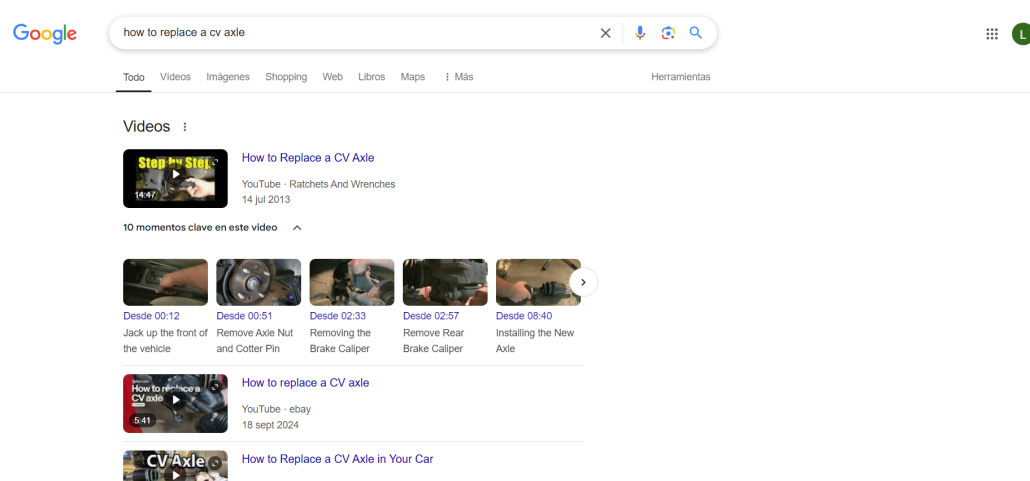
The primary purpose of this step is to ensure that you track your YouTube video on ALL relevant search engines. Failure to do so could result in losing access to high-quality traffic.
Upload Your Video URLs
The first thing you need to do to track your video ranks is add any video URL you want to track to ProRankTracker. You’ll also add the keywords you want to track for each URL when adding URLs.
The fastest way to do this is through the Advanced Add tool.
Why?
You can track a video in Google’s “Videos” section (this is like the Snack Pack for the top 4 videos).
And you can track organic search on Google Videos (this will track your video from all video results and give you a metric view of your video’s progress towards the top 4 videos section).
Here’s how to do it:
1) Which — We always recommend selecting “Youtube,” “Videos,” and “Organic” for video rank tracking. However, we also highly recommend selecting “Organic Local” and “Mobile” — depending on whether local searches are important to you.
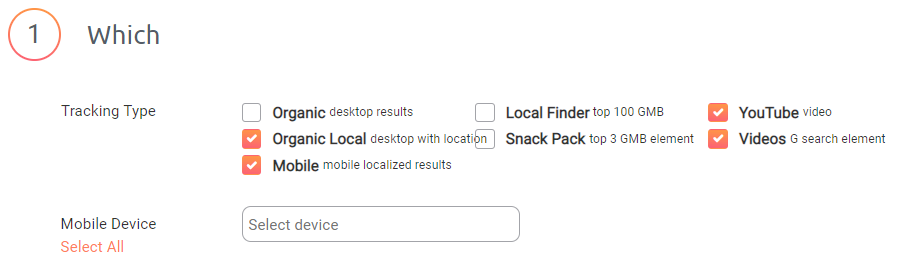
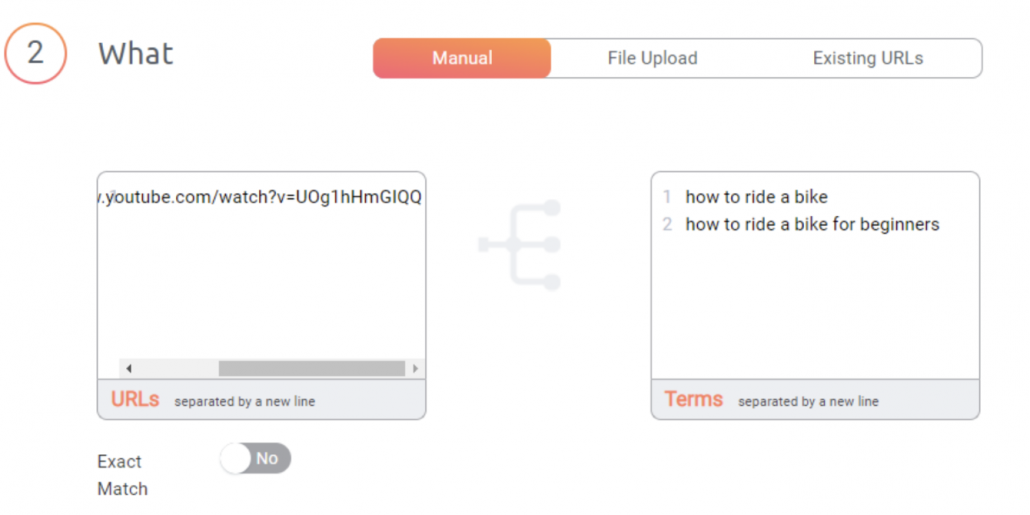
2) What — Add the URLs and keywords that you want to track (separated into lines). You can add multiple URLs simultaneously using the Advanced Add tool (as long as they target the same keywords).
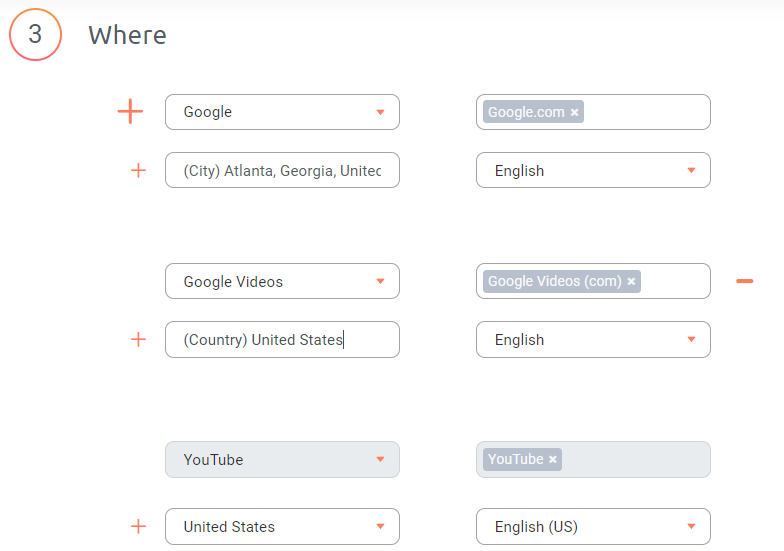
3) Where — Select where you want to track search results and in what languages.
4) Organize — Choose or create Groups, Tags, and Notes to organize your video tracking.
5) Click “Save.”
Track Your Competitors’ Videos
Now that you’ve added your videos to ProRankTracker, you should be able to see where your video URLs rank on YouTube and other search engines (which we’ll talk about in a minute).
But you’re not done yet.
You should also repeat the process above to add your competitors’ videos to your tracking list! There are several reasons why you should ALWAYS track your competitors alongside your ranks:
- Your competitors are trying their best to beat you on the SERPs. You’ll lose traffic if you don’t counter their strategies.
- You can learn valuable ranking strategies by tracking your competitors’ successful videos.
- You can learn what NOT to do by tracking your competitors’ videos that have failed or done poorly.
Tracking your competitors’ videos is incredibly valuable, but it adds another layer of complexity to the process of tracking your ranks. In the next section, we’ll discuss how to keep everything nice and organized.
Organize Your Videos Into Projects
ProRankTracker’s highest organizational level is a Project, which allows you to separate URLs, keywords, tags, and groups into separate tracking entities.
In other words, you can separate different portions of your ranking strategy into different Projects to keep everything tidy and easy to access quickly.
Here are some Projects you could use to help your video tracking go smoothly:
- Create a Project for ALL your videos together.
- Create an additional Project for your own videos and a Project for your competitors’ videos.
- Create Projects for similar videos or those targeting similar groups (like when you launch a video series or a group of videos focusing on a particular type of viewer/language/location).
To create a Project, go to “Manage,” then click “Projects.”
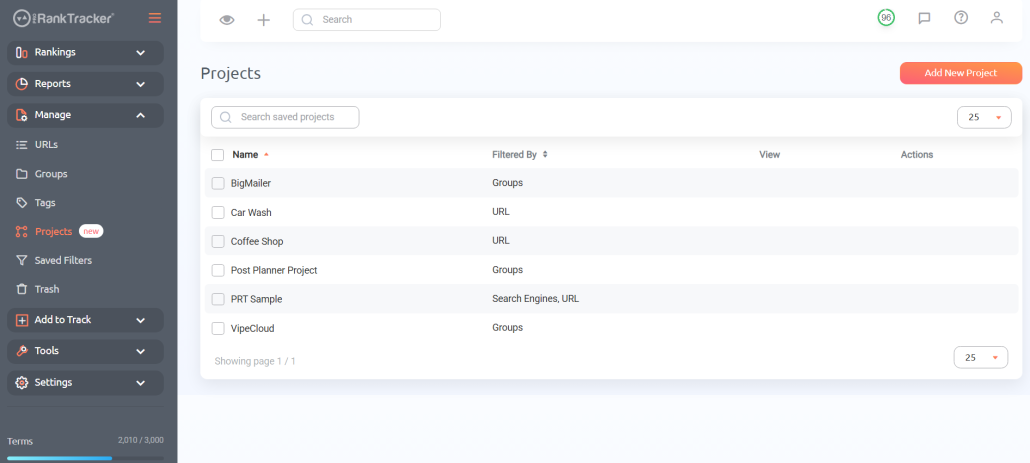
Click “Add New Project.”
Specify the Project name, then use the “Data to include” section to determine which URLs/keywords will appear in the Project.
Repeat this process as many times as you need! Your Projects will appear as both Rankings Views (discussed next) and reports (discussed after Rankings Views).
Use Rankings Views to Track Ranks
You can start collecting data after adding all the URLs and keywords you want to track.
ProRankTracker offers 6 different rankings views to help you get a complete understanding of your ranks. Each view gives you a slightly different perspective.
- Dashboard
- Project View
- URL View
- Term View
- Daily View
- Full SERPs
Each of the 6 views is entirely customizable. You can select which data points to display and their display order.
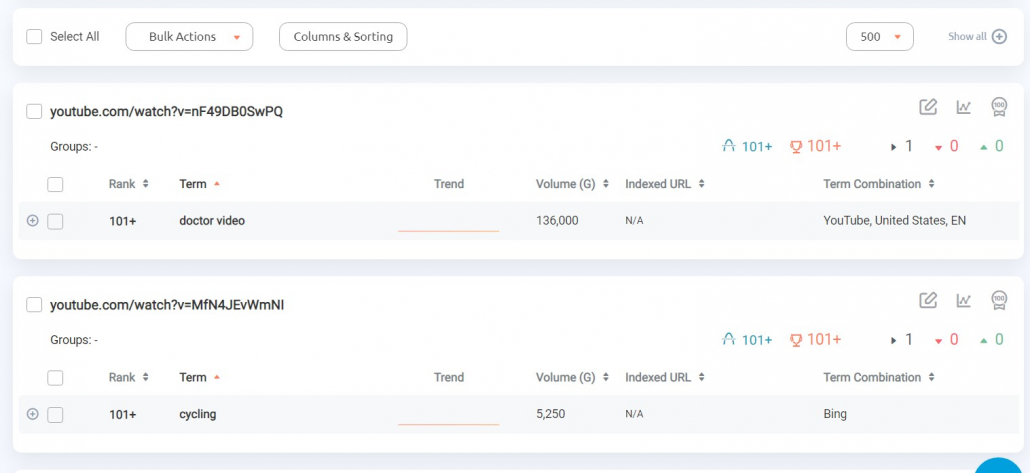
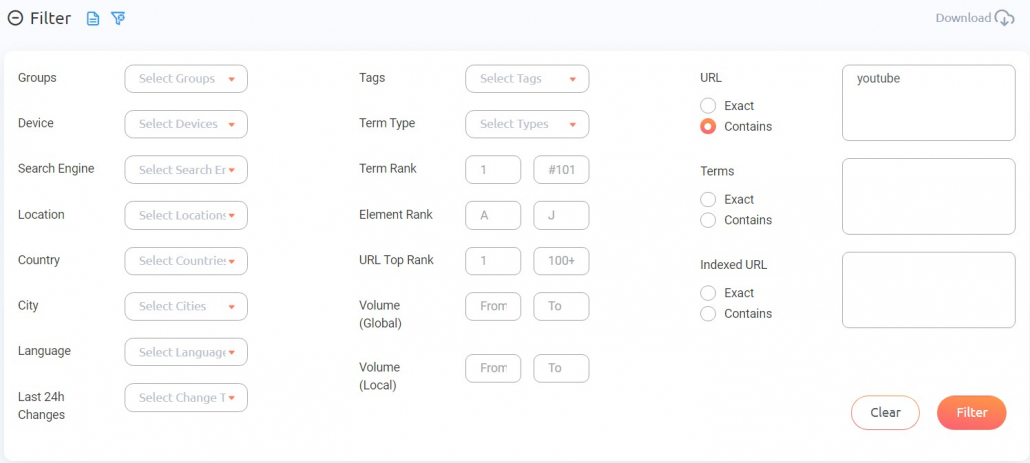
The filtering tab at the top of the rankings view pages allows you to filter for any URL containing “YouTube.” This will help you quickly view all your video ranks in one place.
When you separate your data into Projects, you will be able to use the Project View to get a detailed look at each of your Projects WITHOUT needing to do any digging. All the pertinent information is readily available in a single-page format.
- Overview of all your Project ranks
- Daily ranking changes graph
- Notes summary
- Yearly heatmap
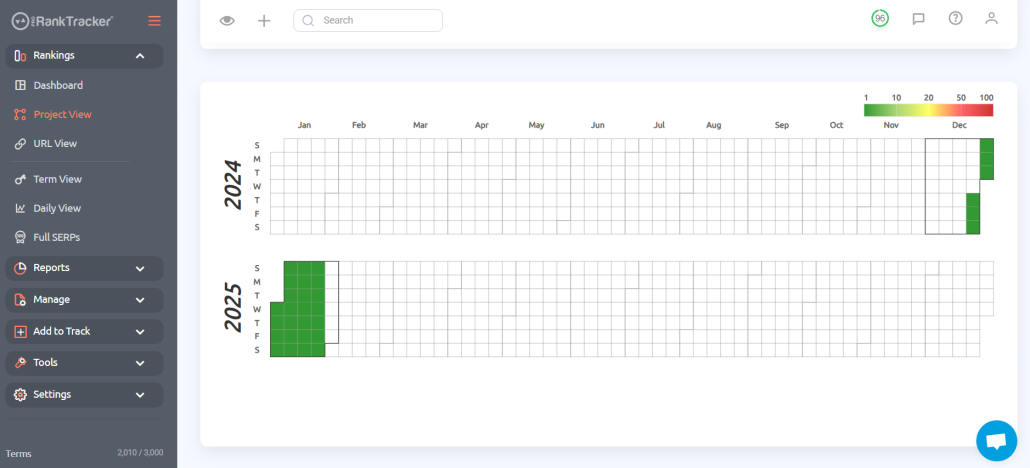
The Project View is powerful for understanding each segment of your ranking strategy as fully as possible, but you should use all 6 Rankings Views for a complete understanding of your video ranks!
Generate Regular Ranking Reports
Now that you’ve added all your URLs and keywords, organized them into Projects, and started analyzing your data with Rankings Views, it’s time to start automating the process.
Automation saves you time by compiling the data for you. It also improves your rank-tracking efforts by helping you stay on top of any developments.
To help you achieve full rank-tracking automation, ProRankTracker has more than 20 types of pre-made and fully customizable ranking reports that you can generate (and automate) with just a few clicks.
Here’s how:
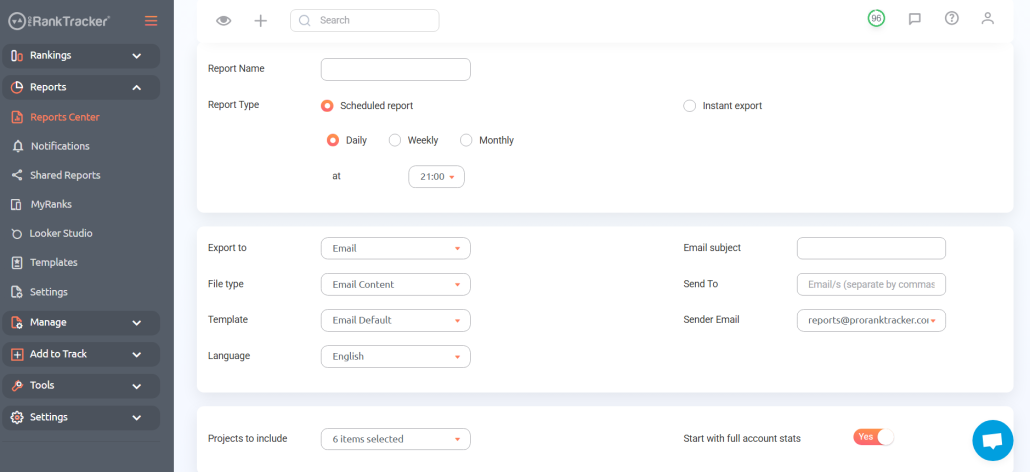
1. Go to the “Reports” tab and click “Reports Center.”
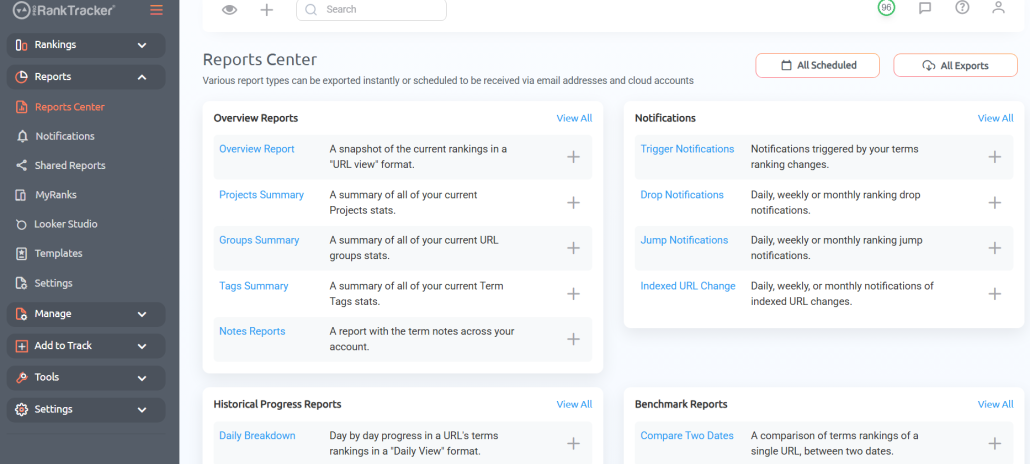
2. Select the type of report you want to generate.
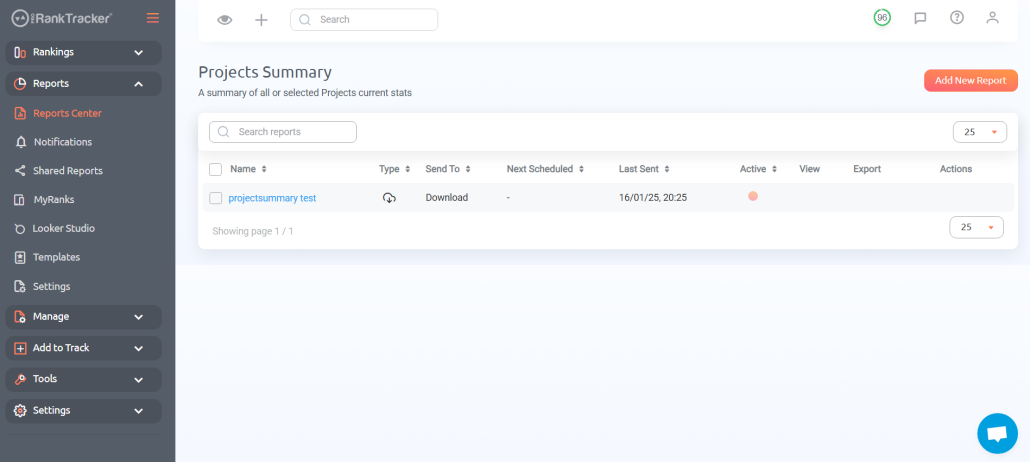
3. Click “Add New Report.”
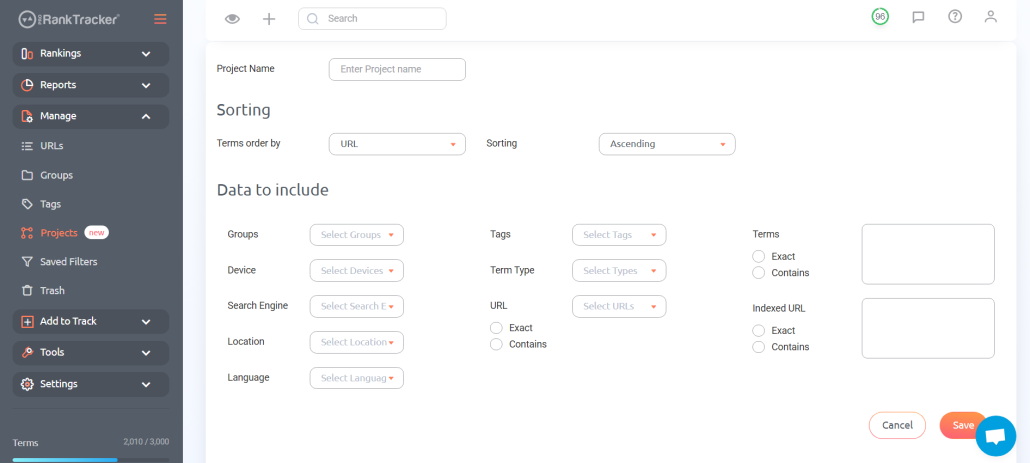
4. Name your report, customize its schedule, and select the data to include.
5. Click “Save.”
Your report will now be automatically sent to the chosen destination on the specified schedule. That means you can completely forget about it until it appears in your inbox!
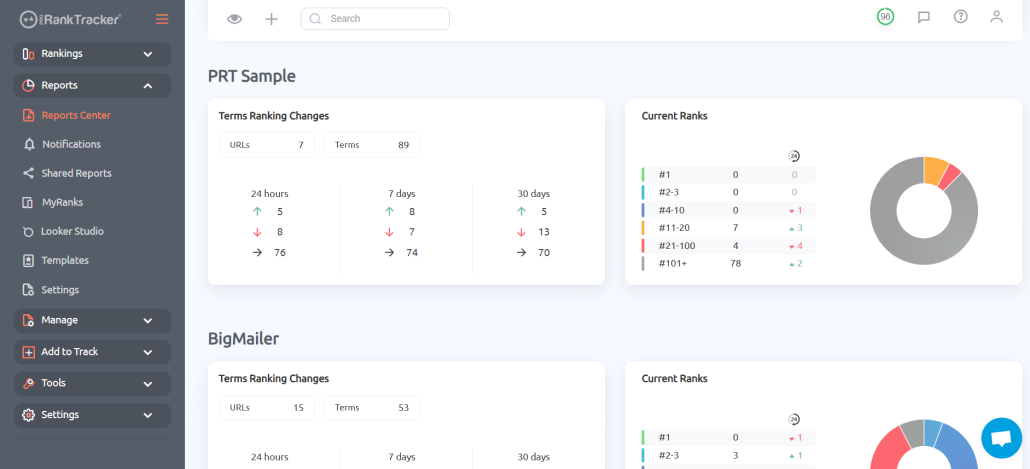
The report we generated below is a Projects Summary report. It allows us to compare ALL our Projects (or just a few select Projects) side-by-side. This is great for competitor analysis, location comparisons, or many other use-case scenarios. There are tons of other helpful reports like this one on ProRankTracker!
Go ahead and repeat this process for as many reports as you want to create. ProRankTracker offers unlimited reports on EVERY account–not just the big agency-level accounts.
Creating a great automated report schedule guarantees that you’ll never miss a development in your ranks and helps you make strategic adjustments as needed.
Use Notifications to Monitor Sudden Changes
Nothing is worse than working for weeks to boost a rank only to see it collapse in a few days.
For example, some people unknowingly incur a Google Penalty. Since they don’t know, they don’t fix it quickly, and it can ruin ranks.
Other than checking every rank every day, it’s hard to avoid sudden changes like that. This is where ProRankTracker’s notifications come in handy.
You can set up notifications to send when anything important happens to your ranks.
1. Click on the “Trigger Notifications” button in the Reports Center.
2. Click “Add New Report.”
3. Fill in the details of the report how you want it.
4. Repeat this process until you’ve set up any notification you want.
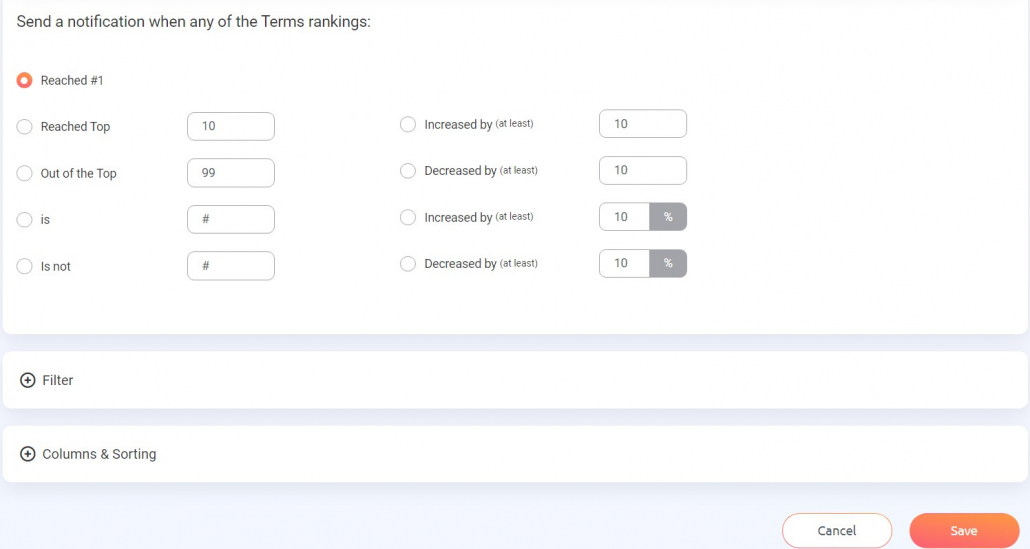
Notifications are your secret weapon. They will help you anticipate changes before they become serious. Then, you can make sure that you fix the problem to stay ahead of your competitors on the SERP.
How to Improve Your Video Rankings
Unfortunately, JUST tracking your video ranks won’t magically improve them.
To do this, you must use what you learn from tracking your ranks to improve your strategy in the future.
Here’s how we suggest improving your ranks:
Improve your keyword strategy
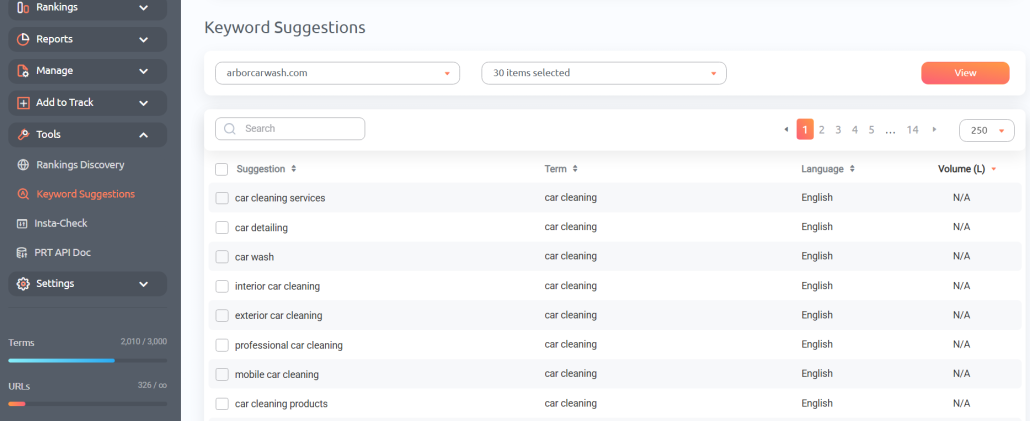
ProRankTracker offers the Keyword Suggestions and Rankings Discovery tools. Keyword Suggestions finds relevant keywords based on your current strategy and Rankings Discovery finds keywords that you’re ALREADY ranking for but don’t know.
Use both to help you take your ProRankTracker data and turn it into improved rankings and more traffic.
Google and YouTube don’t rank videos based on the words you say in the video, but they DO rank them based on how closely the title and description match the search intent. Try improving the keyword specificity of your title, description, and tags to climb your way up the SERPs.
Improve on your competitors
There are some things that your competitors are doing better than you right now.
That’s a fact.
The question is what you’re going to do about it!
ProRankTracker’s competitor data (which you should have if you followed the steps above!) allows you to pinpoint exactly where your competitors are beating you on the SERPs, which enables you to improve upon their strategy and beat them at their own game.
This could be as simple as noticing that your competitors make longer videos than you do, which helps them rank higher, or it could be much more complex, like how their videos are structured. Whatever it is, you’ll be much more likely to discover it if you have data to back it up.
Act on your reports and notifications
If you’ve set up reports and notifications as we discussed above, you should be getting a wealth of knowledge about your ranks delivered directly to your email box.
Those aren’t the kind of emails you should be deleting without opening! They have valuable information about which ranks are dropping, which are stagnating, and which are improving.
Use this information to improve your ranks! If your ranks drop, try improving the value of that video and future videos. If your ranks improve, you might not need to do anything (or maybe you should use the momentum to improve your ranks even more!).
The point is that you should ALWAYS take the information you get from ProRankTracker’s data and turn it into a strategic advantage over your SERP competitors!
FAQ
How do you rank videos in Google search?
The fastest way to rank videos in Google search is to make high-quality videos! The more value your videos provide to your viewers, the more likely they are to appear in a Google search for a relevant keyword.
Does YouTube rank videos differently from Google?
A video can rank high on YouTube and not on Google (and vice-versa), but both search engines work essentially the same. They try to find the highest-quality result given the search term.
How often should I check my video’s rank?
Ranks can change DAILY, so it’s important to use a tool to keep you updated on those changes as they occur. ProRankTracker offers daily updates on EVERY plan–even the cheapest one!
What affects my video’s ranking on YouTube?
The number one thing that affects your video’s ranking on YouTube is whether it matches the search intent with a high-quality response. Beyond that, other factors include length, keywords in the title and description, tags, and channel popularity.
Do keywords in my video title and description impact rankings?
YES! Keywords in the title are extremely important and can drastically affect your video’s ability to rank. Keywords in the description are less critical, but still affect your video’s final ranking. Make sure you put your most important keyword (word-for-word) in your video title and description!
Conclusion
Video rank tracking is a unique possibility in SEO. It is more complex to track, but the extra traffic from YouTube is worth it.
Additionally, ProRankTracker makes it easy to track videos on multiple search engines. You can quickly add URLs and select the tracking options that you want.
The speed, accuracy, and usefulness of ProRankTracker’s systems make it a great option for tracking your business’s video ranks! Make sure you sign up for a 14-day free trial to see how much the system can help you track your company’s videos!
Good luck!