How to Start Geo Location Rank Tracking
How do you track your Google ranks?
When many people start, they think it’s as simple as searching for your target keyword on Google, and whatever rank your website occupies is your current search rank!
Unfortunately, it’s not that simple.
Google shows every searcher their own search engine results page (SERP) based on their location. To manually track every location you want to target, you would have to get a VPN to “trick” Google into thinking you’re at each location.
This process could take HOURS of your day every day if you want to do it right. It’s just not feasible.
Instead, you can use a rank tracker that automatically does all the heavy lifting and accurately spits out your fresh ranks daily.
This article is here to help you pick the right tool to start geo location rank tracking WITHOUT wasting hundreds of hours per month trying to do it yourself.
If saving yourself that much time sounds like a good idea, keep reading.
We’ll cover:
- Step 1: Pick the Right Tool
- Step 2: Set Up Your Keywords and URLs
- Step 3: Track Your Geo Location Ranks Long-Term
- FAQ
- Conclusion
Step 1: Pick the Right Tool
When starting geo location rank tracking, the first (and most important) step is choosing the right tool.
After all, your rank tracker is your source of data. It drives all your decisions, so finding the right tool for the job is worth it.
Here’s what you should consider when looking for the perfect geo location rank tracker:
- Precise location tracking data
- Various language support
- International search engine top-level domains (TLDs)
Looking for these essential features will ensure that you get a tool capable of providing you with highly specific data that you can use to make reasonable strategic decisions.
For businesses that depend on local search as one of their main drivers of traffic, ProRankTracker is an ideal choice. It provides industry-best data, highly specialized local rank-tracking tools, and excellent plans that can grow with your business.
We’ll use ProRankTracker as our example tool for the remainder of this article, but the general steps will be the same regardless of the rank tracker you use. Make sure you sign up for a ProRankTracker free trial so you can follow along with the tips below!
Step 2: Set Up Your Keywords and URLs
You’ve got your tool.
Now what?
The next step is setting up the keywords and URLs that you want to track.
While this step is different in each tool, the main point is to add your keywords and URLs with all the necessary location data to your tracking tool!
Since PRT is a highly specialized rank tracker, it has many location-based features that we’ll discuss. (Not every tool has these features.)
Let’s talk about how to set up your geo-optimized rank-tracking system!
Find High-Value Keywords
Before you can add any keywords to track, you need to find some keywords!
ProRankTracker fortunately has (several) excellent solutions for this problem:
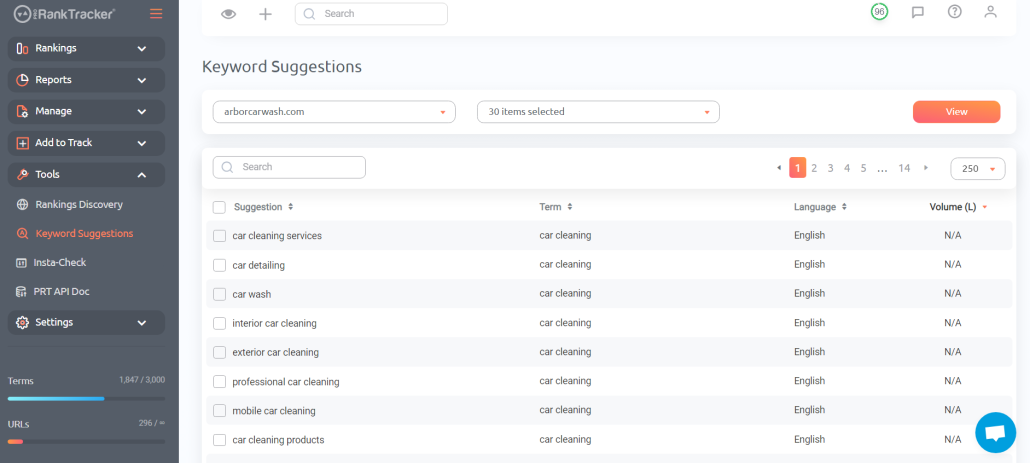
1. The Keyword Suggestions tool takes your current keyword strategy and helps you improve it by suggesting high-quality, long-tail keywords based on the keywords you’re already tracking.
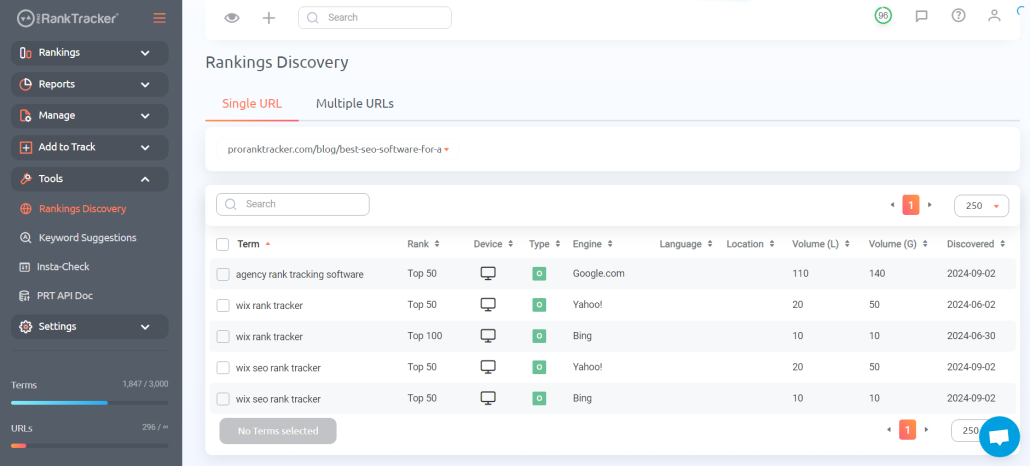
2. The Rankings Discovery tool helps you find keywords that you’re ALREADY ranking, which is a great way to quickly boost your online visibility by leaning into areas where you’ve already made significant progress.
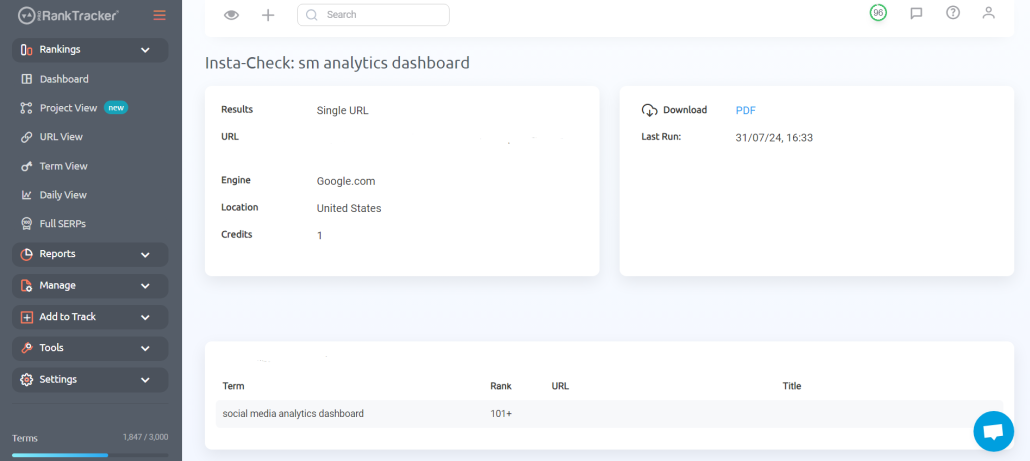
3. Insta-Check lets you do quick SERP checks for any keyword without adding new keywords to your tracking list. This is the perfect tool for checking new keywords or researching future campaigns.
After you find the keywords you want to target, go to the Add Wizard tool and add them to your tracking list with their respective URLs (more info on this in the following steps)!
Add Location Data
If you want to track rankings effectively, precise location data is a MUST!
With ProRankTracker, you can assign specific locations to each keyword to see how your website performs in different regions (and you can assign multiple locations to the same keyword as well).
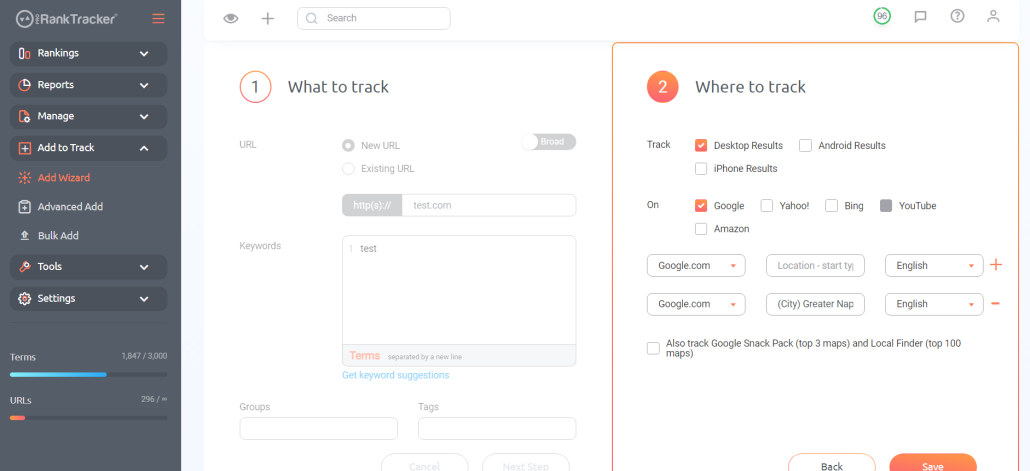
To add location data, use the Add Wizard. Type in your location, then select from the dropdown menu. Get precise with your locations for maximum benefit!
No matter where your target audience is, adding location data ensures that you can effectively reach them with precision.
Don’t skip this crucial step!
Add Languages
Before leaving the Add Wizard tool, make sure you add search languages to your tracked keywords.
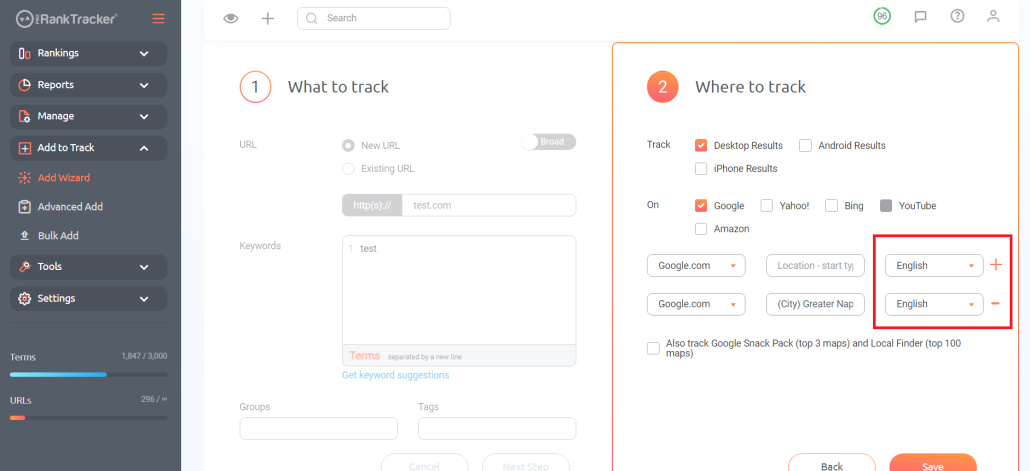
Even if you’re in an area where the primary language is English, adding a sizeable secondary language (depending on the biggest languages in your area) can be a great idea.
For example, living in an area like French Canada, where both English and French are spoken, lends itself to adding multiple languages to your search terms.
One caveat: if you’re targeting multiple languages, your website must be available in those languages (you can use translation services to ensure you have high-quality translations in your target languages)!
Add Search Engines
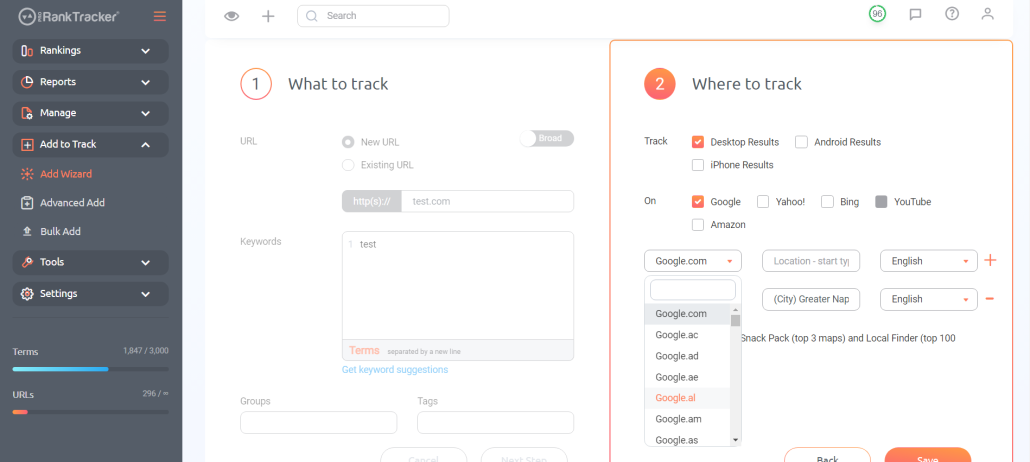
If you plan to target other countries (which you should do!), you must ensure you target the search engines specific to those countries.
For example, you might be targeting users in the UK. In that case, you would use google.co.uk.
In ProRankTracker, adding these search engines is incredibly simple. Just click the drop-down menu and find the country of your choice!
Add Google Business Profile (if necessary)
A large percentage of your localized search traffic will come through Google Maps.
That’s why it’s ESSENTIAL to have an optimized Google Business Profile and link it to ProRankTracker to improve your location rank tracking further.
To do this, click the “Also track Google Snack Pack and Local Finder” button in the Add Wizard tool. ProRankTracker will prompt you to type in your Google Business Profile.
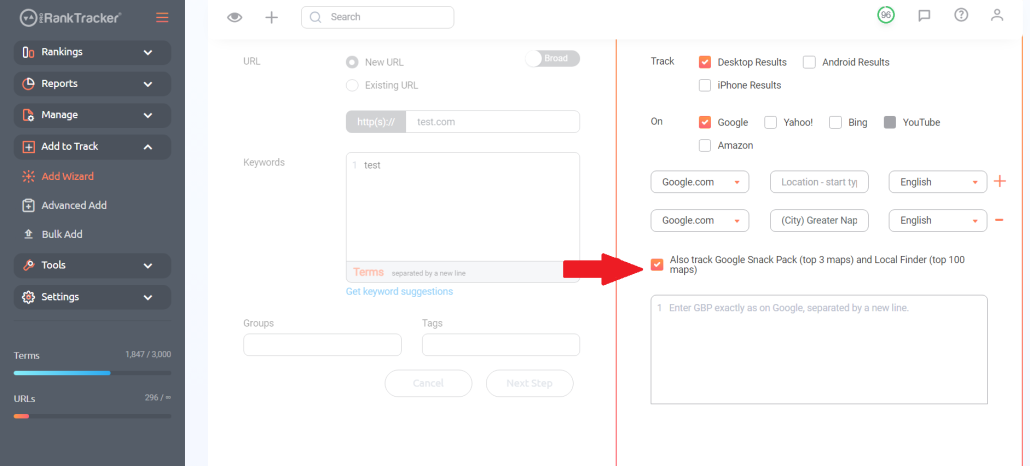
After you do that, ProRankTracker will now see exactly where your Google Business Profile ranks for searchers in your specified locations. The ability to track your position on Google Maps is incredibly valuable since more than 1 BILLION people use Google Maps every month!
Organize Your Keywords and URLs into Projects
One of the best things you can do for your local search tracking efforts is organize your keywords and URLs into projects. This accomplishes a few things:
- Helps you keep everything tidy, saving you time looking for the correct data
- Allows you to generate reports of individual locations quickly and easily
- Gives you the ability to compare and contrast location data to see where you need to focus more efforts
To add a project in ProRankTracker:
1. Click on the “Manage” tab.
2. Click on “Projects.”
3. Click “Add new project.”
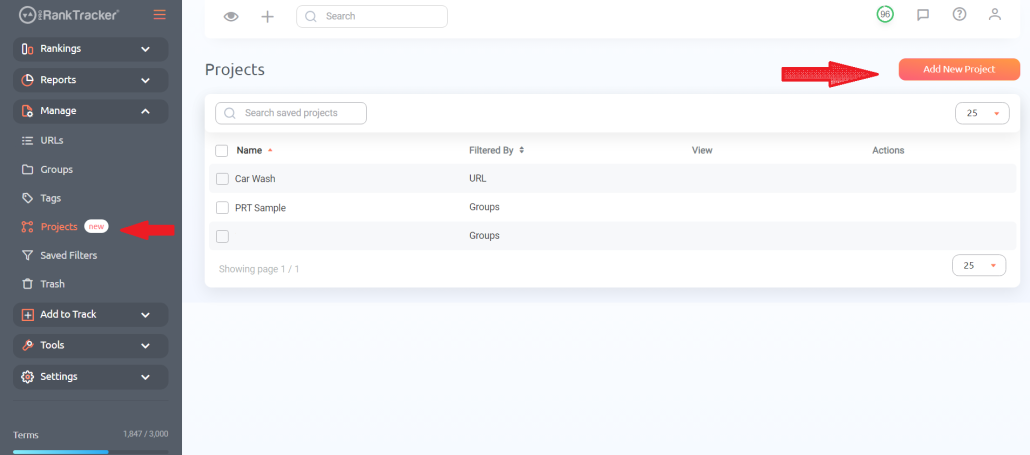
4. Select which URLs and keywords to put in your new project.
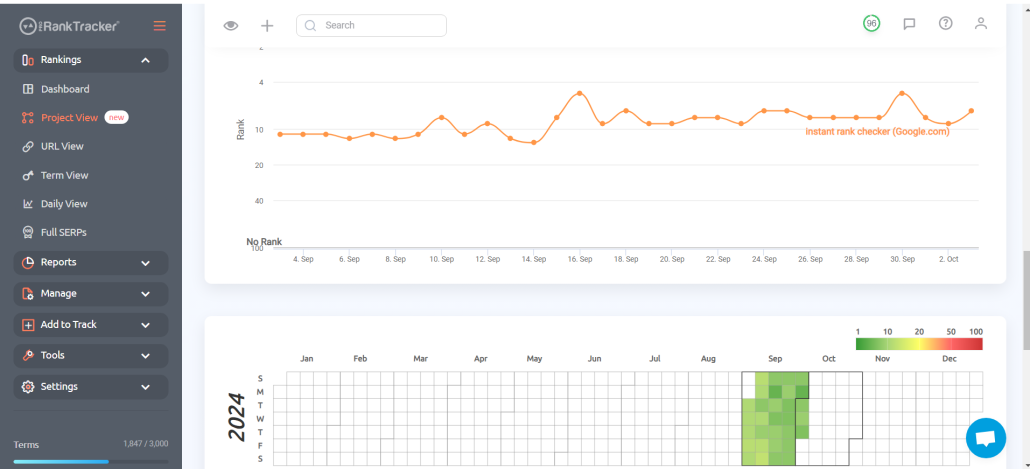
Using projects allows you to glean a ton of essential data from the Project View, including quick visualization features like the heatmap and a daily graph of your ranks.
Step 3: Track Your Geo Location Ranks Long-Term
Now that you’ve set up your system, it’s time to put in some elbow grease and get tracking!
The simple fact is that tracking is delayed gratification. It takes a lot of work and vigilance on the front end, but it pays off dividends when you get more local traffic in the future.
Use the tips below to help you get the most out of your tracking efforts with ProRankTracker.
Rankings Views
One of the core features of PRT (and the primary way of checking your ranks daily) is the Ranking Views.
ProRankTracker offers six different Rankings Views to help you understand your ranking progress. You can organize these views by URL, term, groups, tags, or projects.
You can also use the Rankings Views to see your ranking history, which can help identify trends.
The six Rankings Views are:
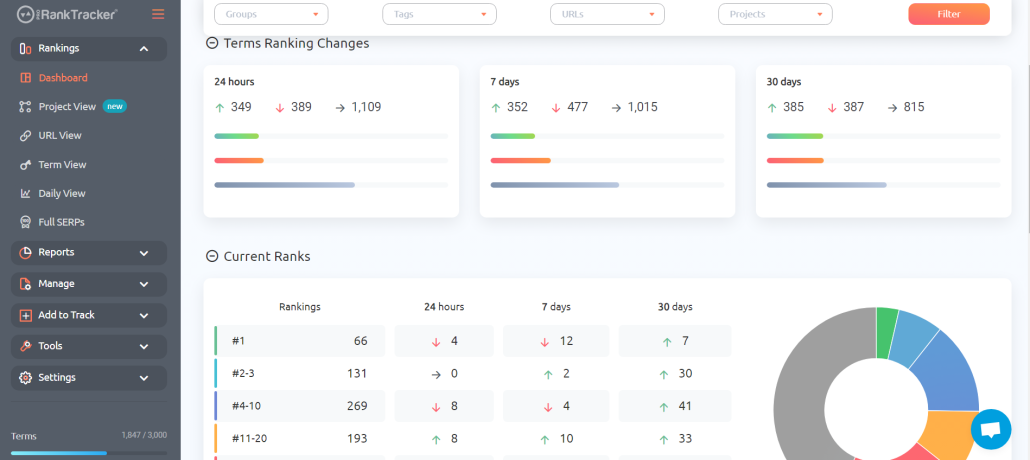
- Dashboard: The Dashboard gives you a broad overview of your current ranks and how they’ve changed recently.
- Project View: This view separates your ranks into individual projects to make keeping up with individual clients or campaigns easier.
- URL View: URL View shows your current keyword ranks organized by URL.
- Term View: Term View shows your current ranks organized by the keywords you’re tracking
- Daily View: Daily View shows a graph of your ranks’ changes over time, making it easier to analyze the historical movement of your ranks.

- Full SERPs: This page shows how your target SERPs have changed, including in-depth graphs that chart the movement of all the major players on the SERP.
Automated Reports and Notifications
After you’ve added dozens (or even hundreds!) of keywords and URLs, it may become extremely difficult to keep up with everything.
That’s where reports come in.
ProRankTracker offers more than 20 types of reports and notifications that help you stay updated on everything happening with your ranks. For example, a “Different Locations” report can help you compare how the same keywords perform in two of your target locations.
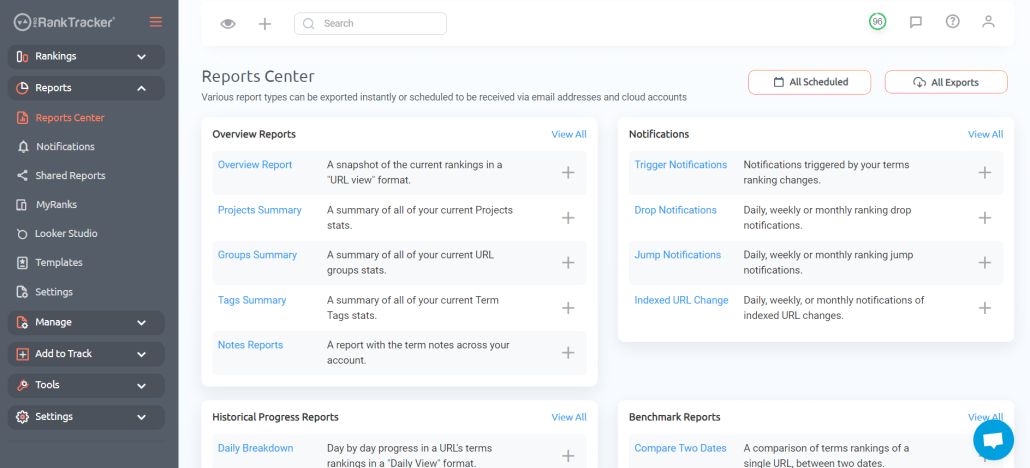
The most effective way to use reports is to mix and match them to create a local reporting strategy that gives you a deep understanding of all aspects of your local ranking strategy. To set up your reports, go to the Reports Center and select any report type you want to use. After you’ve chosen your report, just fill in the details to customize the report to your needs.
FAQ
What is geo location in SEO?
Geo location refers to the local areas where your target users reside. For example, if you’re trying to get more business in Chicago, you would target Chicago and the surrounding areas with your SEO efforts.
Is geo location rank tracking worth it?
YES! Location rank tracking is incredibly valuable, as it helps you tap into the massive local search audience on Google. Follow the tips above to set up your geo location rank-tracking system!
What is a rank tracker?
A rank tracker is any tool that helps you compile data about the ranking of your various keywords and URLs. ProRankTracker is a tool that allows users to get highly specific location data to make better local search decisions.
Ready to Start Tracking?
Geo location rank tracking can seem like a behemoth project when you’re starting, but it all comes down to finding the right tools and getting them set up correctly.
A little work getting your system set up now will save you MASSIVE amounts of time in the future. Follow the tips above to ensure you’re giving yourself every advantage as you start location-specific rank tracking.
If you haven’t already, sign up for a free trial of ProRankTracker and see just how much it has to offer.
Happy tracking!